Your Battery Keeps Dying After a Week? Here’s What I See.
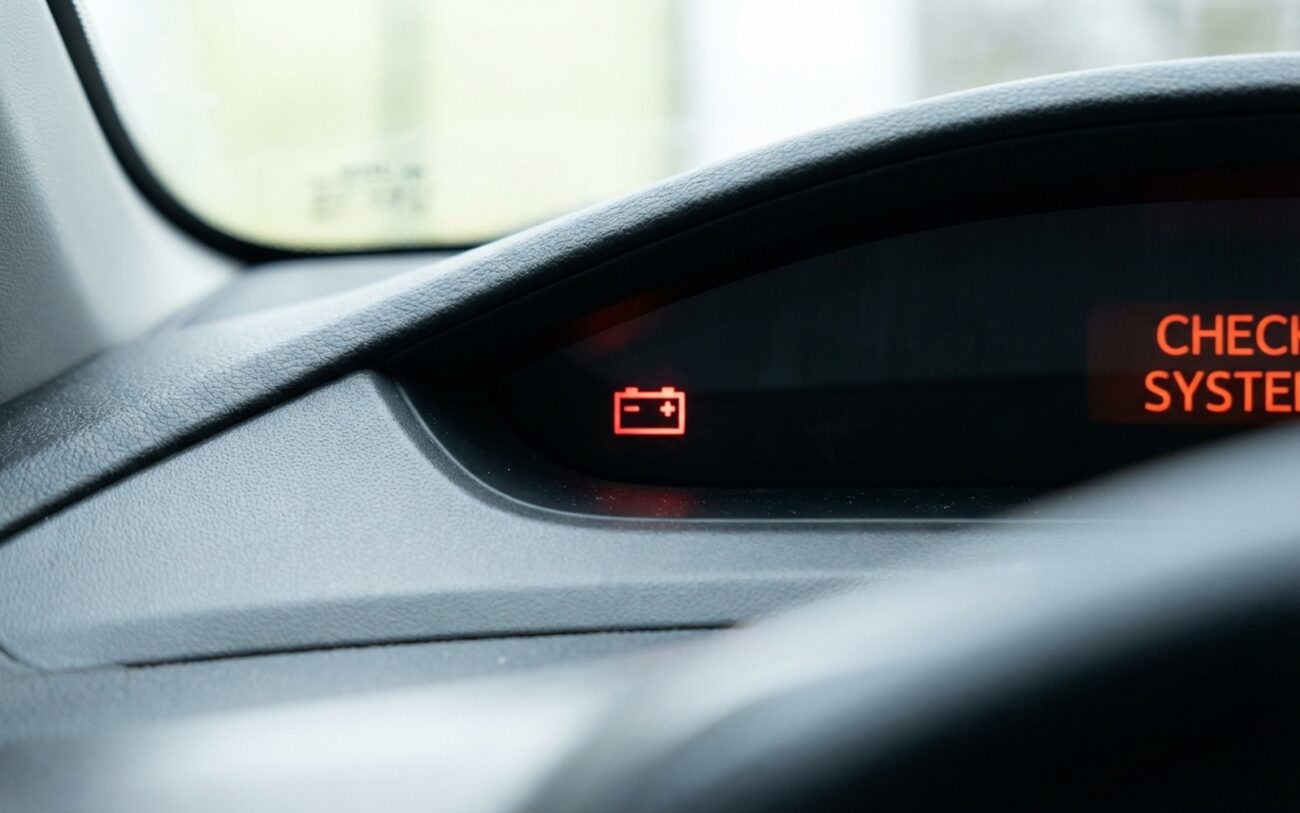
You’ve got a dead car after sitting for a few days, maybe a week. No crank, no click, not even a dim interior light. Happens all the time in my shop. But in my 25+ years turning wrenches, I can tell you, it’s rarely just a “bad battery” anymore. On modern vehicles, that dead battery is usually just a symptom, not the actual problem.
The real issue? The car isn’t shutting down like it’s supposed to. These new vehicles are basically computers on wheels, packed with control modules – the BCM, telematics, infotainment, you name it – all talking over a CAN bus network. After you lock the doors, these modules are designed to power down, going into what we call “Deep Sleep Mode.” When everything’s working right, the electrical draw, or “dark current,” should drop to a minimal 30-50 milliamps. But when one of those modules fails to go to sleep, it creates a constant parasitic draw that’ll drain even a brand-new, healthy battery in under a week.
NETWORK MONITOR
Current: 185mA
The Concept
“Think of it like a computer that won’t shut down—the screen is dark, but the processor is still running hot and draining the battery.”
Recognizing the Signs of a Parasitic Draw
So, how do you know it’s this “no-sleep” issue and not just a plain old dead battery? Well, the obvious one is a no-start condition after just a few days of inactivity, consistently. But I’ve seen other, more subtle clues.
You unlock the door, and the interior lights are dim, or they don’t even come on at all. Or maybe the infotainment system takes an abnormally long time to boot up, or acts a little wonky. That’s a big red flag. These systems rely on stable voltage to wake up properly, and when the battery is deeply discharged, they just struggle to initialize.
My Approach to Diagnosing a Parasitic Draw
Diagnosis always starts with ruling out the obvious. Is the battery actually bad? Grab a voltmeter. After the car’s been sitting for at least 12 hours, check the resting voltage. A healthy AGM battery should read between 12.6 and 12.8 volts. If it’s below 12.4 volts, that suggests either a self-discharge issue or, more likely, a parasitic draw. Anything below 12.0 volts means it’s deeply discharged and probably already damaged.
How I Confirm a Parasitic Draw in the Shop
This is the definitive test. You need to be patient, though. Modern cars take time to shut down completely.
-
First, make sure the car is completely locked up. All doors closed, trunk closed, hood closed. And this is important: remove the keys and keep them at least 15 feet away from the vehicle. Smart keys can keep modules awake.
-
Now, let the vehicle sit for a good 30–45 minutes. I know it’s tough to wait, but you need to allow all those control modules to complete their shutdown routines and enter Deep Sleep. If you test too early, you’ll get a false high reading.
-
Set your digital multimeter to measure DC current in the milliamp (mA) range. Make sure it’s rated for at least 10 amps, just in case.
-
Carefully disconnect the negative battery terminal. Then, connect your multimeter in series between that negative battery post and the negative battery cable you just removed. The meter completes the circuit.
-
Monitor the reading. After that 30-45 minute wait, a normal key-off load should stabilize between 30 and 50 mA. If you’re seeing anything consistently above that, you’ve confirmed a parasitic draw.
The Common Culprits: What’s Keeping Your Car Awake
So, you’ve confirmed a draw. What’s usually causing it? In my experience, it boils down to a few things: software bugs, hardware failures in a control module, or a communication breakdown on the vehicle’s network.
Software bugs are surprisingly common. I’ve seen telematics modules stay awake trying to maintain a signal, or infotainment systems that just won’t power down. Some manufacturers have even issued service bulletins for these specific issues, often fixing them quietly during routine maintenance. If your car’s app keeps giving you “deep sleep” alerts, that’s often a telematics bug causing excessive polling.
Then there are hardware failures. This means a component inside a module, like the BCM or a Gateway module, has failed. Maybe a MOSFET or a relay driver is stuck, keeping a circuit active and drawing power. If multiple systems are slow to wake up, it often points to a gateway module software fault or corrupted sleep/wake logic.
And don’t overlook the complex role of communication. The modules talk to each other over the CAN bus. If there’s a communication fault between, say, the TCU and ECM, the whole network might stay awake waiting for a response, preventing the car from entering Deep Sleep.
Now, before you go blaming the car’s brain, always check for common external mimics. I’ve seen plenty of “parasitic draws” turn out to be an aftermarket dashcam or radar detector wired to a constant 12V source, or even a simple interior light that’s stuck on. Rule those out first, because they’re usually an easy fix.
How I Fix It: From Simple to Serious
Software or Network Fault Professional Only
Faulty Control Module Professional Only
Aftermarket Accessory Draw DIY Feasible
Making Sure It’s Really Fixed
You’ve done the work, but how do you know it’s actually fixed? Don’t skip these steps:
-
Clear any stored fault codes after the repair.
-
Perform the parasitic draw test again. This is crucial.
-
Confirm that the current drops to that 30–50 mA range within 45 minutes and stays there. That’s your proof.
What’s This Going to Cost You?
So, what’s this all going to set you back? Here’s a general idea of what I see in the shop, and what you might save if you tackle the simpler stuff yourself.
| Repair Type | DIY Cost | Shop/Dealer Cost | Success Rate |
|---|---|---|---|
| Software Update | $0 (Warranty) | $150 – $300 | High |
| BCM Replacement | $550 | $800 – $1,400 | High |
| Rewire Accessory | $20 | $100 – $250 | Very High |
| New AGM Battery | $200 – $350 | $350 – $500 | Symptom only |
Pro Prevention Tip
Here’s my biggest prevention tip: stay on top of those software updates. Many “Deep Sleep” fixes are released quietly via service bulletins. Every time you’re in for an oil change or routine service, ask your dealer if there are any outstanding software updates for your specific vehicle. It can save you a lot of headaches down the road.
