So, You Think Your Body Control Module Might Be Toast?
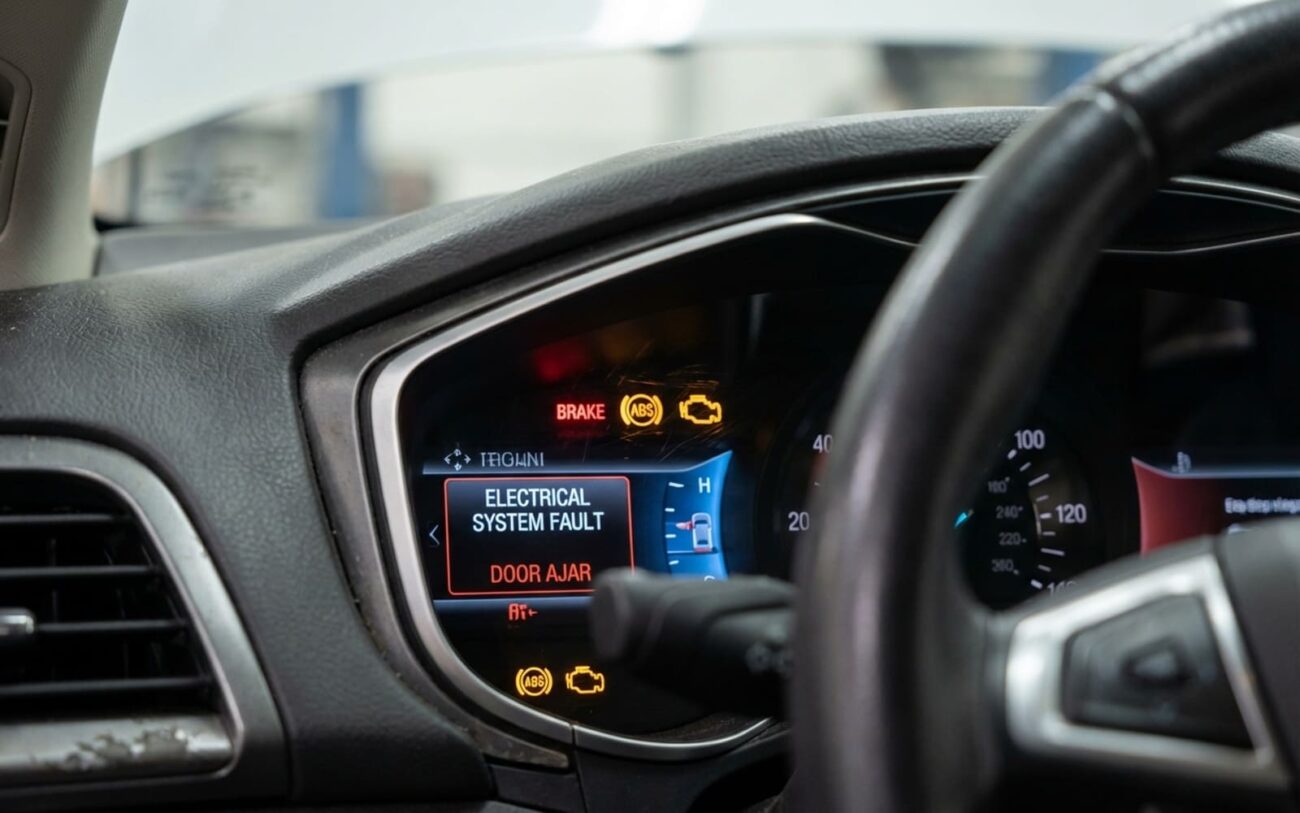
When you hop in your car and suddenly the power windows won’t budge, the door locks are dead, and the interior lights have gone dark—all at once—it feels like the whole electrical system just threw in the towel. This isn’t usually some small, isolated fuse. This is a systemic electrical breakdown, hitting multiple convenience features simultaneously. It’s a real headache, and I see it all the time.
In my 25+ years turning wrenches, I’ve seen this exact pattern play out countless times. More often than not, the culprit points back to one thing: the Body Control Module (BCM). Think of the BCM as the central brain for all your vehicle’s non-engine electrical functions. It’s the traffic cop, managing power and communication for everything from your windows and locks to your lighting, horn, and even the wipers. Basically, if it’s not directly related to the engine or transmission, the BCM probably has a hand in it.
Status: ERRATIC
The Analogy
It operates over the vehicle’s CAN bus network like a switchboard operator, routing power to everything from your horn to your dome lights.
Recognizing the Signs of a Failing BCM
The dead giveaway for a BCM problem is that sudden, simultaneous failure of multiple systems that have no obvious connection to each other. If your key fob stops unlocking the doors, the power windows won’t operate, and the dome light doesn’t come on—but the engine still cranks and runs fine—you’ve got a strong BCM candidate. This is especially telling if the issue cropped up right after a battery replacement, a jump-start, or any kind of electrical surge. I’ve seen these things just get fried by a voltage spike more times than I can count.
My Approach: Is It Really the BCM, Or Something Else?
Diagnosing a BCM isn’t about guessing; it’s about systematically eliminating every external cause before you even think about condemning the module itself. My process always starts with the basics, right at the BCM connector.
Step 1: Verify Power, Ground, and Fuses
This is non-negotiable. Grab your multimeter and back-probe the BCM connector. You need to verify constant battery voltage (B+), switched ignition power, and a solid ground connection. Don’t just assume. I’ve seen enough “good” fuses that were actually blown to trust anything less than a direct check. And remember, check all the fuses related to the BCM, not just the obvious ones in the under-hood fuse box. Sometimes a seemingly unrelated fuse can cut power to a critical BCM circuit.
Step 2: Check Network Communication
Your scan tool is your best friend here. If you can’t communicate with the BCM at all, that’s a huge red flag. But don’t assume the BCM is dead yet. You need to check the CAN bus network itself. Measure the voltage on your CAN-High and CAN-Low wires at the BCM connector. You should see around 2.5V to 3.5V, and ideally, you’d use an oscilloscope to verify the signal integrity. If those wires are open, shorted, or there’s a problem with the network bias voltage, the BCM can’t talk, even if it’s perfectly fine internally.
Step 3: Rule Out External Mimics
This is where experience really comes in. The symptoms often point to the BCM, but the actual problem is external. Here’s what I look for:
-
Multiple Systems Inoperative (Power/Ground/Comm Verified): If you’ve got good power, ground, and network communication at the BCM, but multiple systems still refuse to work, you’re looking closer at an internal BCM failure—like a dead internal power supply or corrupted firmware.
-
Phantom/Uncommanded Operations: Locks cycling on their own, lights flickering, wipers moving uncommanded—these can be a failed BCM output driver (like a MOSFET stuck closed). But first, disconnect the BCM. If the phantom operation stops, it’s likely the BCM. If it continues (which I’ve seen), you’ve got a short to power or ground somewhere in the harness, or a faulty external switch that’s feeding voltage back into the circuit. Water-damaged door switches are notorious for this.
-
Scan Tool Shows “No Communication”: As I said, check the CAN bus wires directly. An open or short in those wires, or a loss of network bias voltage, will prevent the BCM from talking. Don’t replace the BCM until you’ve confirmed the network itself is healthy.
A note on “electrical gremlins”:
Look, not every electrical glitch is a BCM problem. A window that’s slow to roll up is usually just a worn motor. A door lock that clicks but doesn’t engage is almost always a failed actuator. Don’t let the term “electrical gremlins” become an excuse to skip proper diagnostics. It’s lazy, and it costs the customer money.
What Actually Fails Inside a BCM (From My Bench)
After bench-testing dozens of failed units over the years, I’ve seen the same failure modes repeat themselves. The most common is an internal power supply collapse. The BCM has these tiny voltage regulators and filter capacitors that convert your raw battery power into stable 5V or 3.3V for the logic board. Over time, especially with constant heat cycles—and these modules are often tucked under the dash near the firewall where it gets hot—those electrolytic capacitors degrade. They dry out, swell, and eventually fail, taking down entire sections of the BCM with them.
Beyond that, I’ve seen failed MOSFET output drivers, which are usually responsible for those “phantom” operations I mentioned. Sometimes it’s just corrupted firmware, which can happen after a low-voltage event or a bad jump-start. And, of course, the main microcontroller or CAN controller can just give up the ghost, leading to a complete “no communication” scenario.
Your Repair Options (Once the BCM is Confirmed Bad)
This is Professional Territory. Seriously.
Working on a BCM isn’t for the DIY mechanic. It requires specialized diagnostic tools, access to manufacturer programming software, and a deep understanding of vehicle networks. Incorrect procedures can easily disable your vehicle, or worse, prevent other modules from communicating, turning a bad situation into a really expensive one.
Reprogramming & Firmware Professional Only
Specialist Board Repair Specialist Only
Full Module Replacement
Making Sure the Fix Actually Worked
After replacing or reprogramming a BCM, you can’t just assume the job’s done. You need to thoroughly verify functionality, communication, and check for any lingering parasitic draw to ensure the root cause is truly gone and you haven’t introduced new problems.
My Post-Repair Verification Checklist
-
Test Every Function: Operate every single function the BCM controls—windows, locks, interior lights, horn, wipers—using both the physical switches and the key fob. Cycle them multiple times. Don’t miss anything.
-
Verify Communication: Connect your scan tool. It should show the BCM online and communicating perfectly. Crucially, check for any lingering U-codes (like U0100 or U0140) which indicate a communication fault. Clear all codes and re-scan.
-
Check for Parasitic Draw: This is critical. A faulty BCM can sometimes cause a battery drain. Measure the current draw at the battery terminal after the vehicle has been asleep for 30-90 minutes (depending on the make/model). It should typically be less than 50 milliamps. If it’s higher, you’ve still got a problem.
Weighing the Cost and Making the Call
Let’s talk money. A BCM replacement, including the module itself and professional programming, typically runs anywhere from $800 to $1,500. This is usually the most reliable fix, with a success rate well over 95% if done correctly. The main risk here is incorrect programming, which can absolutely disable your vehicle if not done by someone who knows what they’re doing.
Specialist circuit board repair is a cheaper option, usually in the $300 to $600 range. However, the success rate is lower, maybe 60-80%, and there’s always a potential for latent damage or the problem recurring down the line. It’s a gamble, but sometimes a necessary one for older vehicles where a full replacement might be cost-prohibitive.
My rule of thumb? If the total repair cost approaches 40% of the car’s current market value, you’ve got a serious decision to make. For older cars with well-known BCM issues (like some of the earlier GM models or certain Ford trucks, where I’ve seen BCMs fail more often than I’d like), even a successful replacement might not guarantee long-term reliability. You have to ask yourself if it’s worth pouring that kind of money into it, or if it’s time to consider something newer.
How to Prevent This Headache in the Future
Prevention Tips From the Shop
It’s not rocket science, but a few things can really help. First, keep your charging system healthy. A weak battery or a failing alternator stresses those internal voltage regulators in the BCM. Second, protect against water intrusion. Check your sunroof drains and windshield seals regularly—water is the enemy of electronics, and I’ve seen BCMs ruined by a simple clogged drain. Finally, be wary of cheap aftermarket accessories that tap into BCM-controlled circuits. They can backfeed voltage, create network noise, or just draw too much current, all of which can eventually fry your BCM.
