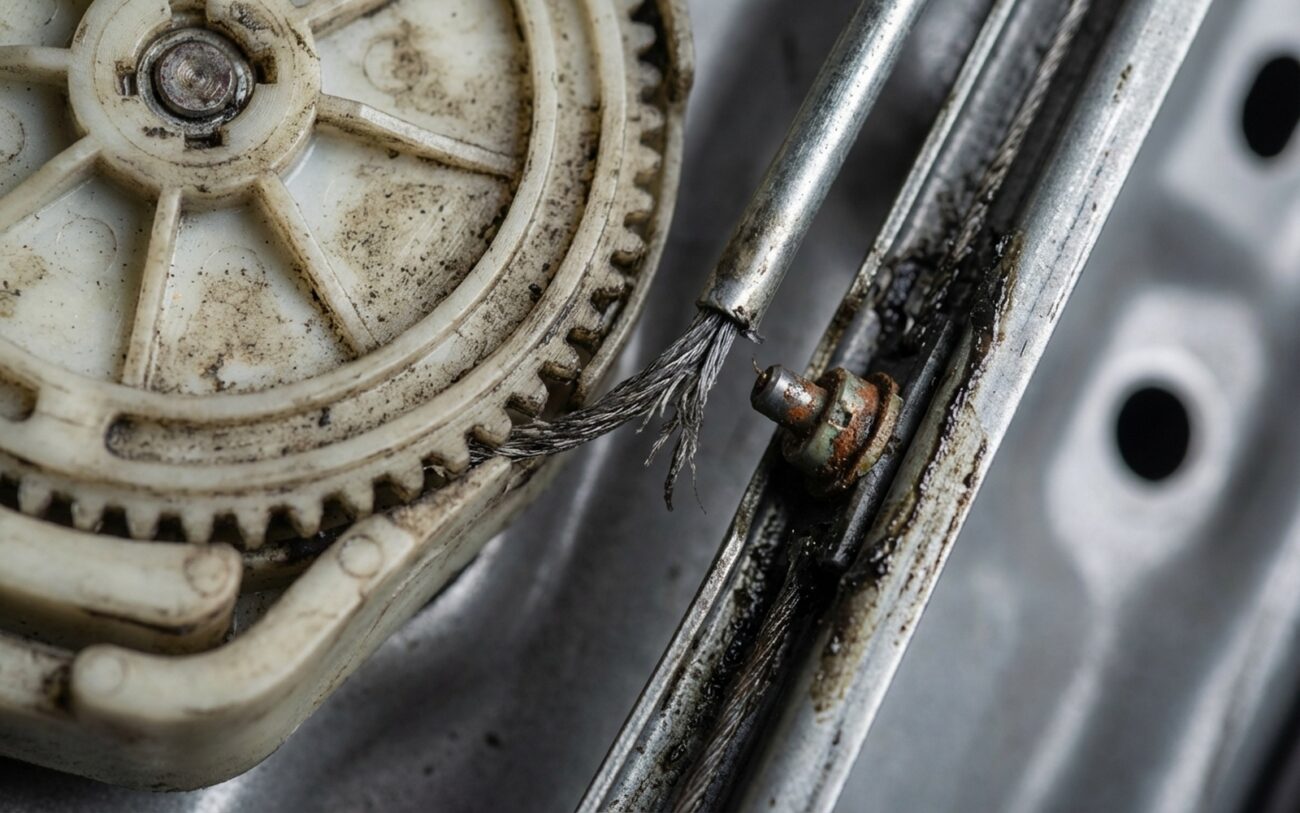
Alright, let’s talk power windows, specifically those “smart” ones that decide to have a mind of their own. After 25 years turning wrenches, I’ve seen just about every trick these anti-pinch systems can pull. Most folks come in with one of two main complaints, and understanding which one you’ve got is the first step to a real fix.
The Two Main Window Headaches
The classic one, the one I see weekly, is the “false reversal.” You hit the switch to roll the window up, it starts moving fine, then suddenly stops and drops back down a few inches, acting like it hit something. But there’s nothing there. That’s your anti-pinch safety system kicking in for no good reason. It’s designed to prevent injury by detecting obstructions – a hand, an arm, whatever – and reversing the window. When it does it for no cause, it means the system is misreading something. Could be electronic, could be mechanical resistance, but either way, it’s a pain and puts extra wear on the motor.
But then there’s the really dangerous one: when the window doesn’t reverse when it should. You test it, maybe with a rolled-up magazine or a towel (never your hand, please!), and the glass just keeps on closing with full force. That’s a flat-out failure of the obstruction detection, and it’s a serious safety risk. Whether the system is overreacting or underreacting, both need to be addressed. A false trigger is frustrating; a failed safety response can lead to real harm. Don’t ignore either one.
Where to Start Diagnosing: Electronics or Mechanics?
Now, this is where a lot of guys go wrong. They see a window acting up and immediately think “electrical fault, gotta replace the motor or module.” But the key to fixing this right the first time is knowing whether the problem is truly in the electronics – the anti-pinch system itself – or if it’s mechanical resistance in the window’s path, like a binding regulator or dried-up seals. Modern systems use motor current sensing to detect resistance. The control module learns how much amperage the motor normally draws during smooth operation. If current spikes suddenly, it assumes an obstruction and reverses. But if the window is binding due to dried-up seals or a misaligned regulator, the motor draws more current over time—this gradual increase can still trip the system. That’s why you can’t just assume it’s an electrical fault.
You absolutely need a good professional scan tool that talks to the door control module (DCM) or body control module (BCM). This isn’t just for pulling codes; it lets you view live data like motor load, position sensor feedback, and perform crucial initialization procedures. I’m looking for diagnostic trouble codes (DTCs), sure, like a B1233 which often points to window position or motor current faults. But more importantly, I’m watching that live data. And don’t forget your DC amp clamp on your multimeter. That’s how you monitor real-time current draw during operation. It tells you if the motor is working harder than it should.
| Symptom | What I Suspect (Likely Causes) | How I Confirm It |
|---|---|---|
| Window auto-reverses during close |
|
First, try an initialization via scan tool. If it still acts up, I’ll monitor motor current with an amp clamp. If the current draw is smooth but consistently higher than spec, that screams mechanical resistance. If the current is erratic, or the position sensor data doesn’t match the glass movement (and the glass moves freely by hand), then I’m looking at an internal system fault.
|
| Window fails to reverse on obstruction |
|
Again, try commanding an initialization with the scan tool. If it fails or doesn’t resolve the issue, I’ll monitor live “motor effort” or “load” data while manually resisting the window closure (with a soft object!). If there’s no increase in the reported load, that’s a dead giveaway for a sensor or module failure.
|
Digging Deeper: Common Root Causes
When it’s truly an anti-pinch system fault – not just reacting to a sticky window – I’m usually looking at a few key players. The most frequent culprit is the hall-effect position sensor inside the window motor. This sensor tracks motor rotation by reading a magnetic field, allowing the module to calculate window position, speed, and resistance. Over time, that sensor can degrade, the internal magnet can weaken, or vibration from door slams can crack solder joints on the circuit board. When that signal gets erratic, the system can’t accurately judge when to stop or reverse.
And don’t even get me started on corrupted or lost calibration data. Any time the battery is disconnected, or voltage drops significantly, the system can lose its learned force profile. If you try to reinitialize the window with a low battery, the motor runs slowly, and the system learns incorrect baseline values. This sets you up for false triggers right from the start. I’ve seen this dozens of times, especially after battery replacements or other electrical work.
Software glitches are also a real possibility. Some manufacturers have issued service bulletins for models where the anti-pinch algorithm was just too sensitive or prone to memory corruption. Reprogramming the door module often resolves these cases. But remember what I said earlier: a binding window regulator or dry window channel isn’t an anti-pinch system failure—it’s a mechanical problem that triggers the system. Diagnose carefully before you start replacing expensive electronics.
Okay, So You’ve Nailed It. How Do We Fix It?
The repair path depends entirely on what you found during diagnosis. Here’s how I approach each scenario:
Software & Calibration Update
Motor/Regulator Assembly Replacement Professional Only
Door Control Module Replacement & Programming Professional Only
Post-Repair Validation: Don’t Skip This!
You don’t just fix it and send it out the door. You gotta prove it’s fixed. After any repair—software update, module swap, or full pack replacement—you must validate it properly. For a recalibration, the system should complete at least five consecutive auto-up and auto-down cycles without a false reversal. This confirms the learned values are stable and the system isn’t going to act up again next week.
Next, you absolutely have to test the actual anti-pinch function. The OEM standard is a 25mm x 200mm test block placed in the window’s path. The window should detect the obstruction, stop within a few millimeters, and reverse direction smoothly. If you don’t have the exact tool, use a soft object like a rolled-up magazine or a thick towel—just be consistent with your testing. And I shouldn’t have to say this, but never test with body parts.
If you replaced the motor or regulator, go further. Check for smooth, quiet operation across the full travel range. Listen for any grinding, popping, or excessive noise. Use that amp clamp again to verify current draw—peak load should be smooth and within the 5–15 amp range typical for most passenger car windows. Spikes or erratic waveforms suggest binding or a motor that’s still on its way out.
Cost, Risk & Economic Decision Framework
Alright, let’s talk dollars and sense. What’s this going to cost you? Here’s how I break it down for customers:
| Repair Type | DIY Cost | Shop Cost | Success Rate | Secondary Risk if Failed |
|---|---|---|---|---|
| Recalibration via scan tool | $0 if tool owned; $80–$150 for rental or mobile technician service | $50–$120 (0.5–1.0 hr labor) | High for software or data corruption issues | None if done correctly |
| Motor/Regulator Assembly Replacement | $150–$400 (OEM or quality aftermarket part) | $450–$800 (part + 1.5–2.5 hrs labor) | Very High when root cause is confirmed | Improper installation can damage glass, wiring, or door structure |
| Door Control Module Replacement & Programming | Not recommended for DIY—requires OEM-level tools | $600+ (part + 1.0–2.0 hrs labor + programming fee) | High with proper programming | Incorrect setup can disable windows, locks, or mirrors |
Here’s how I’d decide: If it’s a simple recalibration, do it. It’s low-cost and high-reward. If the motor or regulator is bad, it’s a standard repair—worth doing on most vehicles, especially if they’re still in good shape. But if the door module is the issue and the car is older, run the numbers. A $700+ repair on a $3,000 car may not make sense. In those cases, you might consider sourcing a used, pre-programmed module from a reputable salvage yard, or at least have a shop perform a deep recalibration to absolutely rule out software issues first.
Prevention & Ongoing Monitoring
Look, preventing these headaches is always cheaper than fixing them. First thing: keep those window channels clean—the rubber seals along the glass path. Dirt and grime build up, increasing friction, and that’s a prime cause of false triggers. Use a silicone-based lubricant sparingly; avoid petroleum-based greases, which degrade rubber and attract more dirt. A little goes a long way here.
And your battery? It’s more important than you think for these systems. Keep it in good condition. Voltage drops, especially during initialization, can corrupt anti-pinch calibration. If you’re disconnecting power for any reason, consider using a memory saver or battery maintainer to keep the system alive during service.
For ongoing monitoring, I recommend a monthly safety check. Use a soft obstruction (like a rolled towel) and activate the auto-up function. The window should stop and reverse immediately. If it hesitates or crushes the object, the system isn’t working, and you need to look into it. Also, pay attention to environmental patterns: if false reversals happen more in cold or humid weather, it’s likely friction-related. Address it early before the system adapts to bad data.
Finally, if you’re working on other electrical systems—especially after a windshield replacement or door work—don’t assume the windows are fine. Sometimes modules reset or lose calibration. A quick anti-pinch test should be part of any major service. For related issues with vehicle sensors, see: Windshield Replacement Caused My ACC to Stop Working — Does the Camera Need Calibration? and How to Spot ACC Radar Blockage — Snow, Dirt, or a Sticker on the Grille.
