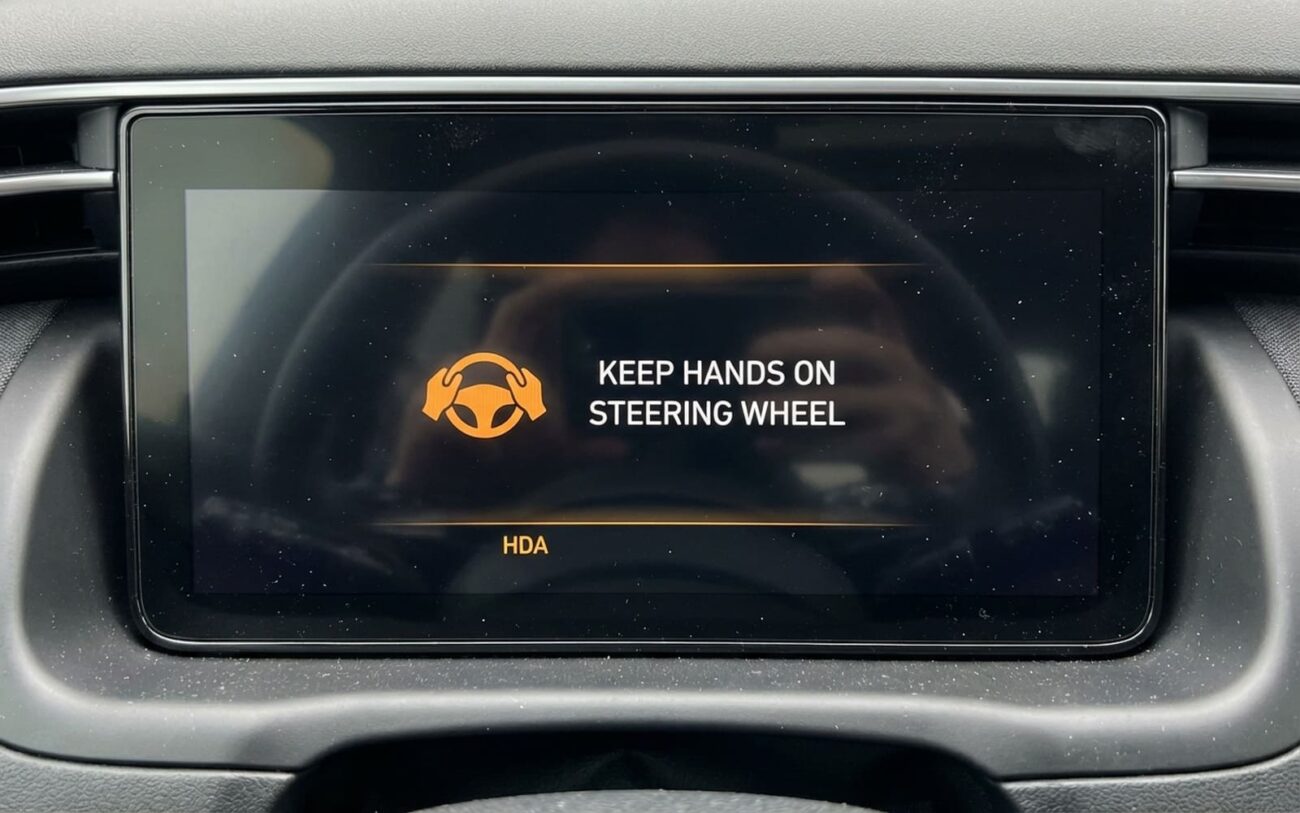
You’re driving down the highway, HDA engaged, and suddenly—“Steering input required” flashes on the dash. You’ve got both hands on the wheel. You’re making small corrections. But the system keeps bugging you. I’ve seen this a hundred times in my shop—Hyundai and Kia owners thinking their camera’s dirty or the lanes are faded. Nope. More often than not, it’s the torque sensor inside the MDPS unit playing dead.
What the Warning Really Means
This isn’t a glitch. It’s the system doing exactly what it’s supposed to—checking if you’re paying attention. SAE Level 2 automation like Highway Driving Assist (HDA) and Smart Cruise Control (SCC) can’t run without driver supervision. The car monitors engagement in two ways: camera-based driver attention and physical input through the steering wheel. When the torque sensor fails, the car thinks you’ve let go—even if you haven’t.
The sensor lives inside the Motor-Driven Power Steering (MDPS) column. It measures the tiny twist in the torsion bar when you apply pressure to the wheel. No twist? No signal. System assumes you’re checked out. So it warns you. Then disengages. And if it happens mid-curve or during heavy traffic, you’re now reacting instead of cruising.
And no—this isn’t just an annoyance. It’s a safety system backing down because it doesn’t trust what it’s seeing. I’ve had customers come in after near-misses because HDA dropped out with zero warning. That moment of surprise is dangerous. Not because the car breaks, but because the assist vanishes.
Symptom Patterns That Point to Torque Sensor
Not every “steering input” warning means a bad sensor. But here’s what I look for before cracking open the column:
- You get the warning even with clean lane markings and a clear camera view.
- The car drives straight, tracks fine, but HDA keeps dropping out.
- You have to make exaggerated steering moves to keep it alive—like you’re fighting a dead zone.
- The warning comes on predictably, not randomly. It’s not intermittent—it’s consistent.
That last one’s key. Intermittent issues point to wiring, voltage, or software. Consistent failure with hands on wheel? That’s hardware. And in most cases, it’s the torque sensor.
Rule Out the Usual Suspects First
I don’t jump straight to MDPS replacement. That’d be reckless—and expensive. Before touching the column, I check the easy stuff:
- Camera lens: Bug splatter, ice, or oily film can blind the forward camera. Wipe it down. Test drive. Done.
- Lane visibility: Faded lines, construction zones, or heavy rain can trigger HDA to back off. That’s normal behavior.
- Radar blockage: Snow packed in the front bumper or a misaligned grille can knock out SCC. Check for DTCs in the radar module.
- Software bugs: Yeah, Hyundai and Kia had a known issue on some 2020–2023 models (like the 2023 Palisade and Telluride) where HDA was too sensitive. There’s a TSB for that—update the MDPS and ADAS modules. Fixed it on three cars last month.
If the software update doesn’t stick—if the warning comes back in a day or two—then it’s hardware. No question.
How I Test the Torque Sensor
Here’s my process—step by step. I’ve done this enough to know what to watch for.
First, scan tool. Always. Pull codes from the MDPS, SAS, and ADAS modules. Look for C1612, C161A—those are steering torque sensor DTCs. If they’re present, you’re already halfway there.
Then, real-time data. I monitor Steering Torque Sensor value while the car’s moving. Even the lightest correction should show a change—0.5 Nm, 1.0 Nm, something. If it’s stuck at 0.0 Nm no matter what, the sensor’s dead. No debate.
Next, zero-point calibration. Try to run it. If the system rejects it or throws a failure code, that’s another red flag. But don’t trust the calibration alone—if it passes but the symptom returns in five minutes, it’s not software. It’s hardware failing.
And if the data looks glitchy—spiking, flatlining, jumping around—chances are the sensor’s degraded. Hall-effect sensors (which most of these use) wear out over time. Heat cycles, voltage spikes, age—they all take a toll.
Why the MDPS Unit Fails
The torque sensor isn’t a separate part. It’s built into the MDPS column, sealed, non-serviceable. You can’t swap just the sensor. So when it fails, you’re replacing the whole assembly or the control module (depending on model).
Three main failure modes I see:
- Sensor degradation: The Hall-effect chip loses sensitivity. Signal gets weak or noisy. ECU ignores it. Classic.
- Calibration corruption: A weak battery, jump start, or power surge wipes the zero-torque reference. Now the system thinks “hands on wheel” is “no input.” Happens more than you’d think.
- Mechanical binding: Rare, but possible. Gunk in the torsion bar, worn splines, or a bent shaft can stop the sensor from detecting small inputs. I check this by turning the wheel with the car off—any stiffness? That’s a clue.
And yes—battery health matters. ADAS systems hate low voltage. If your 12V is weak, you’ll get phantom warnings, calibration fails, and intermittent DTCs. Replace it every 4–5 years. Don’t wait for the jump start.
How I Fix It
If the sensor’s bad, you’ve got one real option: replace the MDPS assembly or its control module. No shortcuts. No “reset tricks.” This isn’t a fuse you can pull and reseat.
And this is not a DIY job. I’ve seen guys try. They disconnect the battery, pull the airbag, mess up the clockspring, and end up with an SRS light they can’t clear. Or worse—steering wheel doesn’t return right. That’s dangerous.
Here’s what the job takes:
- A real scan tool—GDS2 or equivalent. No OBD2 reader.
- Airbag disconnect procedure. Wait 10 minutes after battery disconnect.
- Steering wheel puller. Don’t hammer on the shaft.
- Special tools for non-rotating bolts on the column.
- Precise torque specs: 35 Nm + 90° on the pinch bolt, 45 Nm on the steering wheel nut. Guess? You’ll get play or a failed assembly.
After install, you must run a zero-point calibration and a dynamic HDA realignment drive. No skipping. If you don’t, the system won’t trust the sensor. And you’re right back where you started.
How I Know It’s Fixed
I don’t call it done until I’ve verified it. Here’s my validation checklist:
- Test drive: Engage HDA on a straight, marked highway. It should stay on for at least 10 minutes with normal hand pressure. No warnings.
- Data check: Monitor torque sensor in real time. It should respond instantly to micro-corrections. No lag, no flatlining.
- DTC scan: After 10 miles, recheck all modules. No current or pending codes. If there’s a C1612 lurking, it’s not fixed.
If all three pass, you’re good. If not, go back. Maybe the calibration failed. Maybe the unit’s defective. But don’t hand it back to the customer half-baked.
Cost vs. Value: Is It Worth It?
Let’s be real. A new MDPS assembly runs $1,200 to $2,500. That’s a lot for a $6,000 car. In my shop, I use a simple rule: if the repair costs more than 40% of the car’s value, we have a talk.
HDA is convenience, yes. But it’s also active safety. Taking it out means losing collision avoidance, lane keeping, adaptive cruise. On a long highway trip, that’s a real downgrade. But spending $2,500 to fix a 10-year-old Santa Fe? Might not pencil out.
I’ve had customers go the reman route. Sometimes it works. Sometimes the unit lacks full ADAS compatibility. OEM is safer. Always.
How to Avoid This Down the Road
You can’t stop a sensor from wearing out. But you can slow it down.
First: battery. Replace it every 4–5 years. No excuses. Weak voltage kills ADAS calibrations. I’ve cleared “steering input” warnings just by swapping a 6-year-old battery.
Second: drive it. Test HDA monthly on the same stretch of road. Get a feel for how it responds. If you notice you’re making bigger corrections over time, that’s the dead zone growing. Time to test, not wait.
And if you see “Driver Attention Warning” or “Lane Keeping Assist not working” alongside the steering message, don’t assume it’s the camera. Check voltage, scan for DTCs, verify the basics. But when the car drives straight and the warning won’t quit? That’s the torque sensor. Start there.
