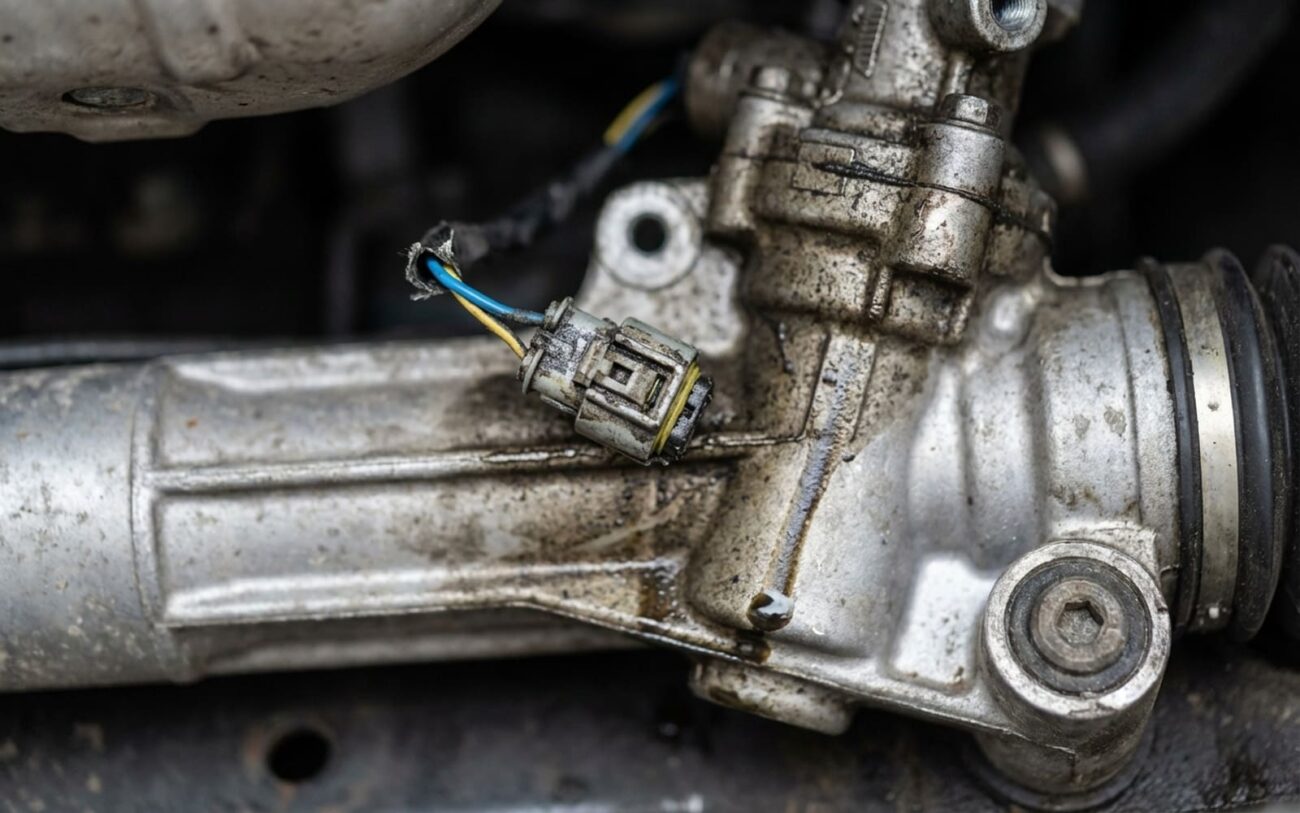
The Predictable ADAS Headache: Steering Angle Sensors
If you’ve just swapped out a steering rack or column and now the lane keep assist (LKA) or lane departure warning (LDW) system is throwing a fit, you’re not alone. In my 25+ years turning wrenches, this is one of the most predictable — and honestly, preventable — ADAS headaches we see in the shop. It’s rarely a random failure. Almost every time, the problem traces right back to the steering angle sensor (SAS).
This little sensor, often tucked into the steering column or sometimes integrated right into the rack itself on newer cars, tells the vehicle exactly where the steering wheel is pointed. It needs a “zero point” — that precise position the car considers “straight ahead.” When you pull out a rack or column, you disturb that zero point. Without it, the car’s safety systems are essentially blind, guessing where the wheels are. That’s why they can’t function properly.
Symptoms I See (and What They Tell Me)
What does this look like? Usually, you’ll get a dashboard warning: “Lane Keep Assist Unavailable” or something similar. But sometimes, it’s sneakier. The system might activate but feel completely wrong, maybe even pulling the wheel against your steering input. On those newer Hondas, I’ve seen it try to steer you right off the road if the SAS is way out. I’ve also had plenty of customers complain the steering wheel is noticeably off-center, even if the car tracks perfectly straight down the road.
Don’t brush this off as a minor annoyance. A misaligned SAS isn’t just about LKA; it directly impacts electronic stability control (ESC) and adaptive cruise control (ACC). These systems rely heavily on accurate steering input, and a compromised system could fail you when you need it most, turning a routine drive into a dangerous situation. I’ve seen near-misses because of this.
My Diagnostic Approach: Ruling Out the Mimics
Now, before we jump straight to the SAS, it’s important to remember that LKA is a team player. It needs good input from the forward-facing camera, proper wheel alignment, correct tire pressure, and clear communication between modules. Any one of those can mimic a steering angle sensor issue. That’s why I always run through a quick mental checklist. The table below shows what I typically see.
| Symptom | Likely Steering-Related Issue | Common External Mimics |
|---|---|---|
| LKA Inoperative/Unavailable Message | Usually, this means the steering angle sensor (SAS) wasn’t calibrated after the work, or maybe it got damaged during handling. I’ve seen it happen. | Could be a dirty forward camera, a module that’s not talking, low tire pressure, or even a pending wheel speed sensor code. These systems are interconnected. |
| Off-center steering wheel with no LKA intervention | This is almost always a mechanical install error: the steering wheel put back on crooked, or the intermediate shaft misaligned during column installation. | Don’t forget basic alignment issues – incorrect front toe, a bent tie rod, or worn suspension components like lower control arm bushings can all make the wheel look off. |
| LKA applies incorrect or excessive steering torque | I often see this when an Electric Power Steering (EPS) module isn’t programmed right for a new steering rack. Different gear ratios or torque profiles can really mess things up. | A forward camera that wasn’t recalibrated, wrong tire size programmed in, or a faulty yaw rate sensor can also cause this kind of weird behavior. |
How I Pinpoint the Problem (The Real Tests)
To really nail down the issue, you need the right tools and a systematic approach. Here’s how I confirm the source:
-
For LKA Inoperative/Unavailable: Grab a factory-level scan tool – no generic OBD2 readers here. Look for chassis codes (like C1A1F, C0460, C0560). Then, I’ll try an OEM steering angle sensor zero point calibration. If the code clears and stays clear, it was just a procedural miss. If the sensor shows no live data, or the code comes right back, then I’m looking at a damaged SAS or its module.
-
For an Off-Center Steering Wheel: First, I get it on the alignment rack. If the toe is spot-on but the wheel is visibly off, it’s a mechanical installation problem. My scan tool will also show a non-zero SAS reading when the car is going straight – a dead giveaway.
-
For Incorrect/Excessive Steering Torque: I pull out my bi-directional scan tool (Techstream for Toyota, i-HDS for Honda, or your OEM factory system) and check the EPS module’s variant coding. I’ll confirm the part number and software configuration of the installed rack match the vehicle’s original build data. If they don’t, it might need a re-flash or re-coding.
My Fixes: Getting It Right
Professional Territory Only
Let me be clear right upfront: working on ADAS steering systems is not a DIY job. You need specialized diagnostic tools, access to OEM service information, and precise calibration procedures. Messing this up can compromise your vehicle’s safety. There are no safe shortcuts here.
In my experience, the vast majority of these problems aren’t about a faulty part; they’re about a missed step. The steering angle sensor doesn’t just “figure itself out.” It absolutely needs a formal initialization routine to establish that “center” position after any mechanical work. Especially with electric power steering (EPS) and integrated ADAS, skipping that calibration means the car’s systems are flying blind. They have no idea where the wheels are truly pointed.
However, actual component failures do happen. The SAS is a pretty delicate piece of electronics, often buried in the clock spring assembly or the upper column module. If a steering column gets dropped, or handled roughly during installation – especially without proper electrostatic discharge (ESD) protection – that sensor can get damaged internally. You won’t see a scratch, but the live data stream will be erratic, or just plain absent.
Another thing I’ve run into is part compatibility. Not all steering racks are identical, even if they look similar or are for the same model line. They can have different gear ratios, torque sensor designs, or communication protocols. If the replacement rack doesn’t perfectly match the original, and the EPS module isn’t reprogrammed to talk to it, the LKA system will be giving commands based on bad assumptions. That leads to weird steering corrections, fault codes, or the whole system just shutting down.
Here are the typical resolution pathways I use:
For a Missing SAS Calibration Professional Only
For an Off-Center Steering Wheel Professional Only
For a Damaged SAS or Incorrect Rack Professional Only
Post-Repair Validation: Don’t Skip This!
Just clearing codes isn’t good enough in my shop. You have to prove the system works under real-world conditions. My validation criteria are pretty simple:
The Validation Criteria I Use
-
No active or pending diagnostic trouble codes (DTCs) related to the SAS, EPS, ESC, or LKA systems.
-
The steering wheel stays perfectly centered when driving straight.
-
The lane keep assist system activates (look for that green “ready” icon in the instrument cluster).
-
The system provides a gentle, correct nudge when you intentionally drift towards a lane line.
If any of those fail, the job isn’t done. Go back. Recheck the calibration, the alignment, and the sensor live data with your scan tool. A common rookie mistake is thinking the system will “relearn” itself over time – it absolutely will not. That zero point has to be set intentionally, every single time.
For any component-level repairs, I also make sure the steering feel is normal: no binding, no strange noises, and even assist effort. I’ll watch the SAS live data closely as I turn the wheel lock-to-lock. Any spikes, dropouts, or inconsistent readings mean there’s still a problem with the sensor or its wiring.
Cost, Risk, and Smart Decisions
Understanding the money side of things helps you prioritize and avoid throwing cash away. Here’s a rough breakdown of what I usually see:
| Repair Type | DIY Cost | Shop Cost | Success Rate | Secondary Risk if Failed |
|---|---|---|---|---|
| SAS Calibration Only | $0 (if you own a compatible scan tool) to $3000+ for professional-grade equipment. So, realistically, not DIY. | $120 – $250 (about 1.0 – 1.5 hours labor) | Nearly 100% when done right with the right tools. | You might just be masking a deeper mechanical issue or a damaged sensor if you skip the diagnosis. |
| Steering Wheel Centering + Alignment + Calibration | Not really feasible. You need an alignment rack and a scan tool. High risk of improper torque or alignment settings. | $200 – $450 (includes alignment, labor, and calibration) | Around 95% if all steps are followed meticulously. | Premature tire wear, LKA/ESC system deactivation, and frankly, driver fatigue from a crooked wheel. |
| Steering Rack/Column Replacement (due to damage or incompatibility) | Part cost ($800–$2500+) plus scan tool access. This is a big job. | $1500 – $3500+ (very labor-intensive; often includes fluid flush, bleeding, and full ADAS reset) | 99% with the correct part and a complete calibration process. | Loss of power steering, really unstable ADAS behavior, or a complete system shutdown if the coding is off. |
Here’s a rule I’ve lived by: if the repair bill starts creeping past 50% of the vehicle’s current private-party value (always check KBB or NADA), it’s time to seriously think about the long-term value. This is especially true for older cars with complex, expensive ADAS systems. Sometimes, the smarter financial move is to put that money towards a newer, more reliable vehicle instead of sinking thousands into one that’s just going to keep asking for more.
Prevention: My Best Advice
The best repair is the one you don’t have to do. Any time that steering column, the rack, or even just the tie rods get disturbed, you should assume an ADAS recalibration is needed. The factory service procedures for almost every modern vehicle explicitly mandate a steering angle sensor calibration after such work. It’s not an option; it’s part of the repair.
As a technician, you must consult OEM service information before and after the job. Toyota, Honda, GM – they all have specific SAS initialization steps. Some even require a dynamic recalibration, meaning a test drive on marked roads.
And for car owners: always, always test the ADAS functionality before you drive away from the shop. Get out on a well-marked road, hit 45–50 mph, and verify that LKA icon turns green. If it doesn’t activate, or if the steering feels off, or it fights you, insist on a proper SAS calibration. Do not accept “it’ll relearn itself” – it won’t. The system isn’t designed to adapt its zero point on its own; it has to be told.
One last thought: while we’re talking steering, remember that related suspension work – like replacing rear control arm bushings or adjusting camber – can also affect how the car tracks and how well ADAS performs. Taking a holistic approach to post-repair validation saves everyone time, money, and a lot of headaches down the road.
