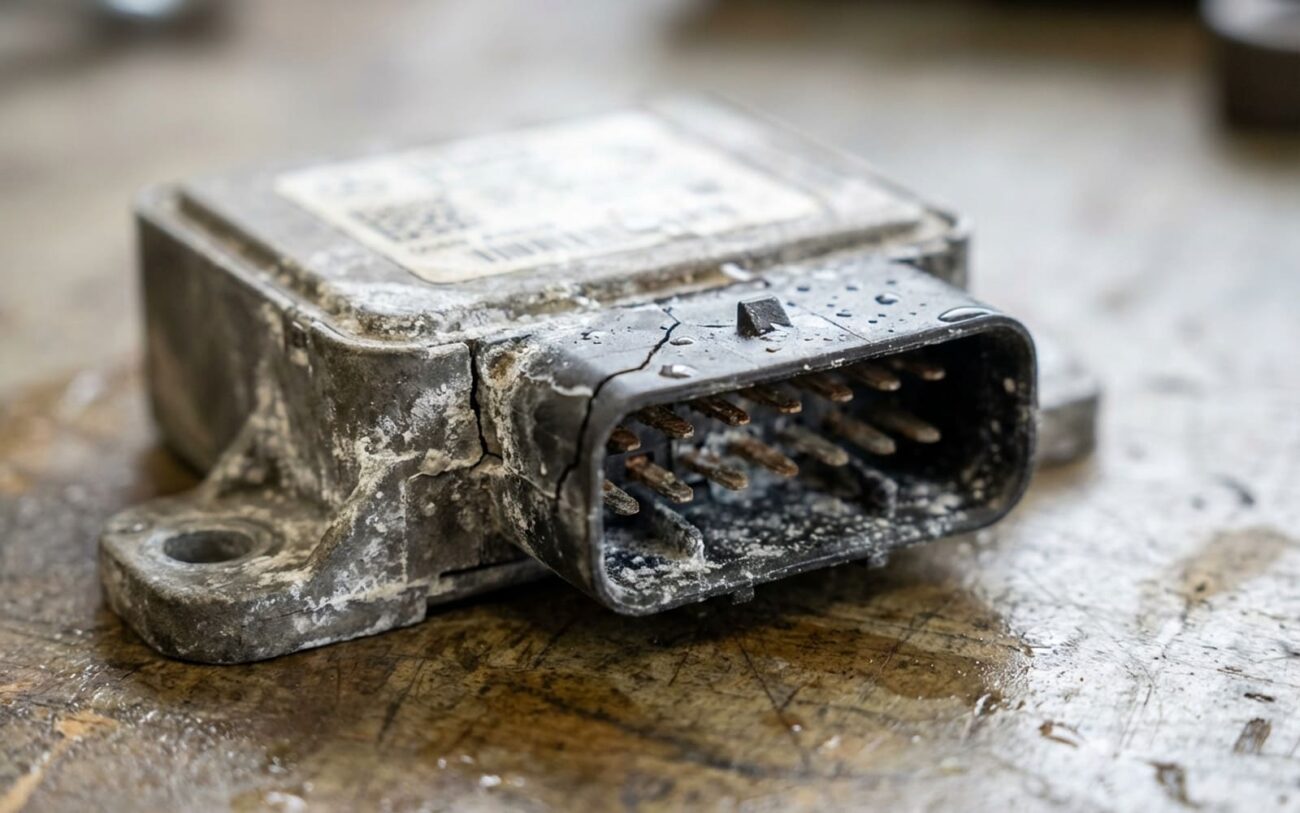
Alright, let’s talk about that dreaded “Side Assist: Fault” message. If you’re driving a VW or Audi, you’ve probably seen it, or you will. After 25+ years turning wrenches, I’ve diagnosed more of these blind spot radar sensor issues than I can count. It’s usually not a simple fix, but knowing how to diagnose it properly can save you a ton of money and headache.
First Clues: What the Car Tells You (and What It Doesn’t)
When your dash lights up with “Side Assist: Fault” or “Blind Spot Monitoring Unavailable,” your car is trying to tell you something specific. On VWs and Audis, this almost always points to an issue with one of the radar sensors, usually located behind the rear bumper on either side. But here’s the kicker: your standard OBD-II scanner isn’t going to cut it here.
These aren’t generic engine codes. The faults are stored in dedicated driver assistance modules, like control unit J1086, or specific addresses like “5F Information Electronics” or “A5 Driver Assist.” You need a capable scan tool—think VCDS, ODIS, or a high-end aftermarket tool like Autel or Snap-on—to even see these diagnostic trouble codes (DTCs). What I usually see are codes for signal implausibility, internal sensor faults, or a complete loss of communication with the radar unit itself.
But before you even plug in the scanner, there’s a more telling clue I look for: moisture patterns. Does the system act up only after a heavy rain, a trip through the car wash, or a particularly damp morning? And then, does it magically start working again after a day or two of dry weather? If you’re nodding yes, that’s your biggest red flag. That’s not a coincidence; that’s water getting where it shouldn’t be, and it’s almost always the beginning of the end for that sensor.
The Moisture Menace: Why These Sensors Fail
Once moisture gets in, it’s a slow, destructive process. These radar sensors are precision instruments, typically 24GHz or 77GHz units, sealed in aluminum and polycarbonate housings. They’re not designed to be opened. Here’s what happens inside:
- Micro-cracks in the Seal: The laser-welded seam between the aluminum housing and the plastic lens is a common failure point. Over time, or with thermal cycling, tiny cracks can form. You might not even see them, but they’re big enough to let water vapor or even small droplets seep in.
- Desiccant Breakdown: Inside, there’s usually a desiccant or dielectric gel designed to absorb any residual moisture from manufacturing and prevent condensation. With age and repeated heating/cooling cycles, this material degrades. When it fails, humidity builds up, and that’s when the real damage starts.
- Corrosion on the PCB: Once humidity is present, it corrodes the delicate printed circuit board (PCB) and antenna array. This is especially bad near the antenna elements. Once corrosion sets in, the sensor’s ability to transmit and receive radar signals accurately is compromised. And let me tell you, once that PCB is corroded, it’s game over.
- Thermal Stress & Lens Fractures: I’ve seen this a lot on vehicles in hot climates, like Audi Q7s and VW Passats. Constant sun exposure and the heat generated by the sensor itself cause expansion and contraction. This stress can lead to fractures in the polycarbonate lens, especially if there was a minor molding flaw from the factory.
This isn’t about a loose bumper or a bad connector seal (though we’ll check those). This is a failure of the sensor’s own sealed enclosure. And yes, the manufacturers know about it. There have been service bulletins for certain model years (I recall 2017–2019 being particularly problematic) addressing moisture ingress, with replacement being the only approved fix.
My Diagnostic Checklist: Pinpointing the True Source
Before you even think about dropping $600+ on a new sensor, you’ve got to rule out the cheaper stuff. Fault codes might point to the radar unit, but the root cause could be something simpler like wiring damage or a corroded connector. Here’s how I approach it:
Step 1: The Visual Inspection & Connector Check
First, get the rear bumper off (or at least partially removed) to access the sensor. Inspect the wiring harness leading to the sensor. Look for any signs of damage, chafing, or rodent chew marks. Then, disconnect the sensor. Carefully inspect the electrical connector pins on both the sensor and the harness side. Are they clean and shiny? Or do you see green or white corrosion? Any moisture in the connector cavity?
If you find corrosion or moisture here, you might be lucky. Clean it thoroughly with electrical contact cleaner, use a pick to gently scrape any stubborn corrosion off the pins, and then apply a good dielectric grease. Check the rubber seal or grommet on the connector (P/N N-906-168-01 is a common one for VW/Audi). If it’s torn or missing, replace it. This is a common DIY fix for intermittent faults after a car wash.
Step 2: Live Data & Implausible Values
With your capable scan tool, dive into the live data for the side assist module. Look for internal temperature readings from the sensor. If you see something like -40°C, that’s a dead giveaway. The sensor isn’t reading its own internal temperature correctly, which often points to internal electronic failure or severe moisture damage shorting things out.
Also, monitor signal strength and any internal status flags. If the sensor is reporting “implausible signal” or constantly dropping communication, even with a clean connector, it’s leaning towards an internal fault.
Step 3: The “Wet Test” for Intermittent Issues
If the fault only appears in wet conditions, this is crucial. The moment the fault appears (after a rain, car wash, etc.), pull the bumper and remove the sensor, but leave it electrically connected. Check the connector cavity again. If it’s bone dry, but the system is still faulting, the problem is almost certainly inside the sensor’s sealed housing.
Now, carefully examine the sensor’s lens and the seam where the aluminum housing meets the plastic. Use a bright light and a magnifier if you have one. Look for any signs of fogging, condensation, or actual water droplets inside the lens. If you see that, you’ve confirmed a failed internal seal. There’s no external leak that can cause internal fogging like that.
Step 4: The Sensor Swap (My Go-To for Confirmation)
This is one of the most definitive tests I use. If you have a persistent DTC for one side (say, the left sensor) and you’ve ruled out external wiring, try swapping the left and right radar sensors. They’re usually identical. Clear the codes, drive the car, and see if the fault code now moves to the other side (e.g., if the left sensor was bad and you moved it to the right, now you get a fault for the right sensor). If the fault follows the sensor, you’ve confirmed the hardware itself is defective.
The Fix: Repairing or Replacing (and Doing It Right)
Your repair path depends entirely on what your diagnosis revealed. Don’t guess; that’s how you waste money.
External Connector Issues: The Cheaper Fix
If your diagnosis points to water in the connector, a torn grommet, or damaged external wiring, you can fix this without replacing the sensor. After cleaning and applying dielectric grease as mentioned earlier, ensure the new rubber seal (like P/N N-906-168-01) is seated correctly. When reinstalling the sensor, torque the mounting bolts to 4–6 Nm. Overtightening can easily crack the plastic bracket or even the sensor housing, so be careful. This is a solid DIY fix and often resolves those intermittent, wet-weather faults.
When the Sensor Itself is Cooked: Replacement Time
If you’ve confirmed moisture inside the sealed housing (internal fogging, corrosion, or the sensor swap test), the sensor is toast. There’s no OEM-approved repair for this. You can’t just take it apart, dry it out, and reseal it; you’ll destroy its calibration and structural integrity. I always recommend an OEM sensor (P/N 8T0 907 566 or 5Q0 907 686 are common ones, but check your specific vehicle) or a reputable OEM-equivalent. Aftermarket “reconditioned” units are a gamble, and with something this critical, I don’t like gambling.
Don’t Skip Calibration!
This is non-negotiable. A new radar sensor must be calibrated. This isn’t like swapping a headlight. The system relies on incredibly precise measurements to detect vehicles in your blind spot. The calibration procedure involves specific target boards, precise vehicle leveling, and specialized software like VW ODIS or Audi ASAP. If a shop tells you they can just “plug and play” or do a “quick alignment,” walk away. An improperly calibrated sensor will either log errors, provide inaccurate warnings, or just shut down the entire system. You’re paying good money for a safety feature; make sure it works right.
Forget the “Quick Fixes”
I’ve seen people try to seal a suspected housing crack with clear RTV silicone. In my experience, this is a waste of time and can actually make things worse. The sealant can interfere with the radar signal, and it rarely holds up to the thermal cycling and road vibrations. It might buy you a few weeks, but it’s just delaying the inevitable replacement. I wouldn’t trust my own vehicle, or a customer’s, with that kind of patch job.
Verifying the Repair: My Post-Op Checklist
The repair isn’t done until you’ve verified it. This step is just as important as the diagnosis and the fix itself.
For a Connector Repair:
Clear all DTCs from all modules. Perform a system readiness test using your scan tool. Then, take the car for a good test drive in varied traffic conditions. I like to use VCDS or ODIS to confirm both side assist sensors report “OK” in their basic settings. Monitor live data—internal temperature, signal strength, and voltage should all be within the expected ranges. The real test? If the fault doesn’t return after a few days of wet weather, you’ve probably nailed it.
For a Full Sensor Replacement:
The first hurdle is successful calibration. The guided calibration routine in the diagnostic software (ODIS, ASAP) must complete without errors. If it fails, double-check your alignment targets, ensure the vehicle is perfectly level, and verify there are no obstructions in front of the sensor. After a successful calibration, you need a dynamic test. Drive on a multi-lane road and confirm the system actually alerts you when vehicles enter your blind spot. Any false positives, missed warnings, or erratic behavior means you need to recalibrate.
Required Tools: You’ll need a capable scan tool (VCDS, Autel, or an OEM-level device), access to the manufacturer’s calibration software, specific target boards, a measuring tape, and a leveling tool. Skipping any of these tools means you’re not doing a complete, reliable repair.
The Bottom Line: Cost, Value, and When to Walk Away
Let’s be real: this repair isn’t cheap. The cost varies wildly depending on whether you’re fixing a connector or replacing the whole sensor.
Connector Seal Clean/Re-grease:
- DIY Cost: Around $20 (cleaner, grease, maybe a new grommet).
- Shop Cost: Typically around $100 (about half an hour of labor).
- Success Rate: High, if the moisture was truly limited to the connector.
- Risk: Minimal. If it fails, you’re just back to needing a sensor replacement.
Sensor Replacement & Calibration:
- DIY Cost: ~$600 for the sensor itself. But then you’re looking at $2000+ for calibration tool rental or purchase, which makes it impractical for most DIYers.
- Shop Cost: Expect $1100 – $1800. This covers the sensor part, labor to remove/install the bumper and sensor, and the crucial calibration.
- Success Rate: Near 100% when done correctly by a qualified shop.
- Risk: Incorrect calibration. This can lead to unreliable warnings, or the system shutting down entirely, meaning you’ll be paying for repeat work.
Here’s a tough question to ask yourself: When the total repair bill starts to exceed 25% of your car’s current market value, especially on an older VW or Audi, deactivation becomes a very valid option. Using a tool like VCDS, you can disable the side assist system via module coding. This stops the annoying warning messages and allows you to drive without recurring faults. It’s not ideal from a safety standpoint, as you lose the blind spot monitoring, but it’s a practical choice if you don’t heavily rely on that feature or if the car isn’t worth the investment. Just be aware that some pre-sense or adaptive cruise functions might also be affected, as these systems often share data.
Prevention: Keeping Your Sensors Happy
Once you’ve gone through the hassle and expense of fixing this, you want to keep it from happening again. Prevention starts with a little awareness.
- Regular Visual Checks: During routine maintenance (oil changes, tire rotations), take a few seconds to visually inspect the radar sensor lenses. They’re usually flat, rectangular panels in your rear bumper. Look for any cracks, impact marks, or excessive dirt buildup. Mud or ice packed against the lens can trap moisture and accelerate seal degradation.
- Monitor for Early Signs: If that “Side Assist” fault pops up again, especially after wet weather, investigate it immediately. Early detection, before internal corrosion really sets in, can sometimes mean the difference between a minor fix and a full sensor replacement. I’ve seen too many cases where technicians misdiagnose it as a control module issue when it’s just moisture in the housing.
- Smart Cleaning Habits: Follow your OEM cleaning guidelines. Avoid aiming high-pressure car wash nozzles directly at the sensor lens. That force can absolutely push water past even an intact, but aged, seal. A gentle rinse or hand wash is always safer. For deeper cleaning, use a microfiber cloth and mild soap—never any abrasive cleaners.
- Document Calibration: If you’ve had a sensor replaced, make sure the calibration is documented. This can be critical for future diagnostic work or if you ever need to prove the repair was done correctly.
These systems are complex, but with the right diagnostic approach and a commitment to doing the repair correctly, you can get your blind spot monitoring back to working order.
