Alright, let’s talk cruise control. After 25 years turning wrenches, I’ve seen these systems evolve from simple speed holders to complex, radar-guided setups. A lot of folks get confused about regular cruise versus adaptive, and it’s not just about the buttons on your dash. The core difference is what they’re built to do, and that changes everything about how they work, what parts they use, and how they break. Understanding that distinction is your first step to diagnosing a problem correctly.
Regular Cruise Control (RCC): The Old Reliable
Let’s start with the basics: Regular Cruise Control, or RCC. This is the system that’s been around for decades, and frankly, it’s pretty simple. You hit “Set” at 65 MPH, and its only job is to keep you at 65 MPH. It doesn’t care if there’s a semi-truck stopped dead ahead or if you’re on an empty stretch of highway. It’s just a speed governor, pure and simple.
How does it do that? It constantly checks your vehicle speed, usually from a sensor on the transmission output shaft or, more commonly these days, from your wheel speed sensors (the same ones your ABS uses). If you start to climb a hill and slow down, it’ll open the throttle a bit. If you’re coasting downhill and picking up speed, it’ll ease off the gas. That’s the whole loop. No forward vision, no automatic braking, just throttle control based on your speed input. You, the driver, are still entirely responsible for watching the road and hitting the brakes when needed.
The components for RCC are pretty straightforward:
- Driver Controls: Buttons on the steering wheel or a stalk. These let you set, resume, accelerate, coast, and cancel.
- Vehicle Speed Sensor (VSS): This is your speed input. Critical for both RCC and ACC, actually.
- Control Unit: Could be a dedicated module, or often integrated into the Powertrain Control Module (PCM) or Body Control Module (BCM). It compares your set speed to actual speed and decides what to do with the throttle.
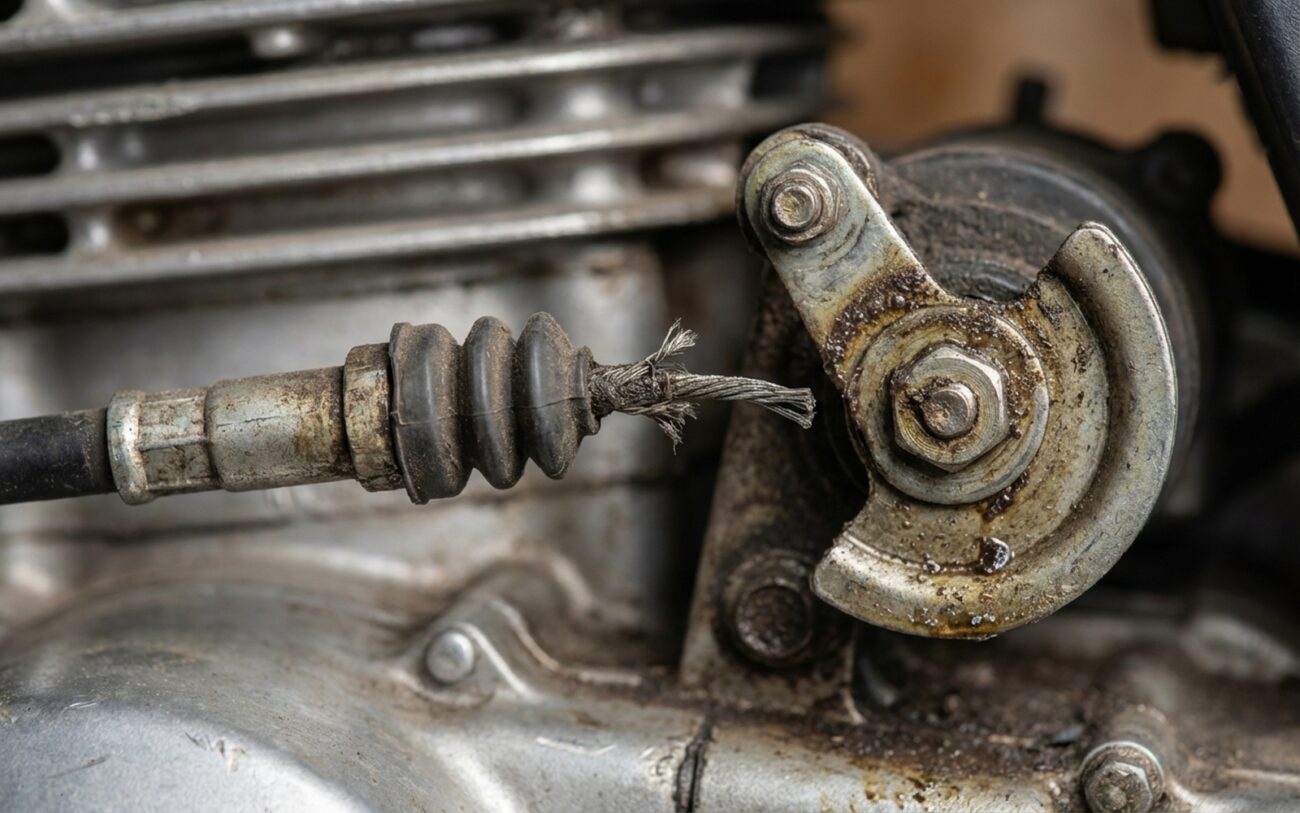
- Throttle Actuator: On older cars, this was a vacuum servo or a dedicated motor pulling a cable. Now, it’s almost always part of your electronic throttle body. It’s the muscle that adjusts the gas.
- Disengagement Switches: Brake pedal switch, clutch pedal switch (if you’ve got a manual). These are safety overrides; press the pedal, and cruise drops out instantly.
So, if your cruise control works but doesn’t slow down for traffic, that’s not a fault. That’s just how regular cruise control operates. It’s a fundamental difference.
Adaptive Cruise Control (ACC): Adding Awareness
Now, Adaptive Cruise Control—ACC—that’s a whole different animal. It starts with the same goal as RCC: hold a set speed. But then it layers on “awareness.” You still pick a max speed, but you also tell it how far you want to follow the car in front of you, usually with settings like “Close,” “Medium,” or “Far.”
The magic happens with a forward-facing sensor, typically a radar unit tucked into the grille or bumper, or sometimes a camera up by the rearview mirror, or even a combination of both. This sensor constantly scans the road ahead, looking for vehicles. If it sees one, it measures its distance and relative speed. If that car slows down, your ACC system will automatically ease off the throttle and, here’s the big one, gently apply the brakes to maintain your chosen following distance. When traffic clears or speeds up, your car will accelerate back to your preset maximum speed.
This isn’t just speed control; it’s what we call “headway management.” It makes driving in stop-and-go traffic a lot less stressful, but it also means a much more complex system. ACC needs everything RCC needs, plus some critical additions:
- All the RCC Components: Yep, it still needs the buttons, the VSS, a control unit, throttle actuator, and those crucial disengagement switches.
- Forward Range Sensor: This is the eye of the system. Usually a 77 GHz radar unit (that’s the common frequency), but sometimes a stereo camera, or even LiDAR on some high-end vehicles. It’s constantly measuring distance and relative speed to objects ahead.
- Advanced Controller: This isn’t just a simple speed regulator. It’s a dedicated ACC module, or part of a larger domain controller. It takes all that sensor data, processes it, identifies targets, and calculates exactly how much to accelerate or brake.
- Integrated Braking Authority: This is key. Unlike RCC, which can only slow by cutting throttle, ACC talks directly to your Electronic Brake Control Module (EBCM). This means it can actually apply the brakes to slow the vehicle down. That’s why ACC feels so much smoother in traffic; it’s not just coasting, it’s actively managing speed with both the engine and the brakes.
Because of this complexity, ACC systems are sensitive. If that forward sensor gets blocked by snow or mud, or if it’s damaged or knocked out of alignment, the system will usually throw a warning like “ACC Temporarily Unavailable” or “Front Sensor Blocked.” Sometimes it’ll degrade to regular cruise, but often it just shuts down completely. That’s a big diagnostic clue right there.
The Common Threads: Shared Inputs & Why They Matter
Before we dive into specific failures, let’s hit a critical point: both RCC and ACC rely on some fundamental information. The most important shared input is accurate vehicle speed data. Whether it’s from a transmission output shaft sensor or, more commonly now, from your Anti-lock Brake System (ABS) wheel speed sensors, the cruise control system needs to know exactly how fast you’re going.
I’ve seen it countless times: a customer comes in with an “ACC Unavailable” message, convinced the expensive radar unit is dead. But often, the real culprit is a faulty wheel speed sensor or a damaged ABS tone ring. If the ACC module isn’t getting reliable speed data, it can’t calculate closing rates, it can’t manage gaps, and it shuts down. Same goes for RCC; if the VSS signal is erratic, the system will surge, hunt, or refuse to engage at all.
Another common point of failure for both systems is the brake pedal switch. If that switch is stuck “on” or sends an intermittent signal, the cruise control thinks you’re constantly pressing the brake, and it won’t engage or will disengage unexpectedly. So, when you’re troubleshooting, always start with these shared inputs. Don’t jump straight to the most expensive, complex component.
When Things Go Wrong: Symptoms & My First Checks
When cruise control acts up, the symptoms are your best clues. You gotta pay attention to the details, because they tell you which system you’re probably dealing with.
Regular Cruise Control (RCC) Symptoms & What I Look For
- Won’t Engage At All: This is super common. You hit “Set,” but nothing happens, no “cruise on” light. If your speedometer is working fine, my first thought goes to the brake pedal switch. It’s a cheap part, and they fail all the time. I’ll also check the cruise control buttons themselves or the stalk.
- Engages, But Surges or Hunts: This means the speed isn’t holding steady; it’s constantly speeding up and slowing down around your set speed. This points straight to an issue with the Vehicle Speed Sensor (VSS) signal being erratic, or a problem with the throttle actuator not responding smoothly.
- Disengages Randomly: You’re cruising along, and suddenly it just drops out, even though you haven’t touched the brake. This can be tricky. I’d suspect the clockspring in the steering column (especially if you also have intermittent horn or airbag light issues), or sometimes a failing control module.
Adaptive Cruise Control (ACC) Symptoms & My First Checks
With ACC, you usually get more direct warnings from the car itself. That’s a blessing and a curse.
- Dashboard Warnings: “ACC Temporarily Unavailable,” “Front Sensor Blocked,” “Calibration Required.” These messages are almost always pointing to the forward range sensor. My first step is to visually inspect the radar unit or camera lens. Is it covered in mud? Ice? Is there an aftermarket license plate frame blocking it?
- Engages, But Doesn’t Slow for Traffic: This is a serious one. If ACC turns on, but then you approach a car and it doesn’t slow down, the sensor isn’t detecting targets, or the advanced controller isn’t processing that data correctly. It could be a dirty sensor, but it could also be a major internal sensor failure or misalignment.
- Erratic Braking in Clear Traffic: This is rare, but if your car is randomly braking when there’s nothing in front of you, that’s a red flag. This often indicates a severely misaligned radar unit, internal sensor failure, or corrupted software. Get this checked immediately.
And remember what I said earlier about shared inputs: a faulty wheel speed sensor or a damaged tone ring can mimic a cruise control problem, especially with ACC. Always verify those basic signals before you start chasing down complex system failures.
Digging Deeper: What Really Fails (and Why)
Once you’ve got a symptom, it’s time to figure out the root cause. RCC and ACC break down for different reasons, mostly because one is dumb and simple, and the other is smart and complex.
RCC: Simple System, Simple Failures
For regular cruise, most issues are electrical in the control circuit. The most common things I replace are:
- Worn Steering Wheel Switches or Stalk: These get used constantly. The contacts wear out, or the internal mechanism breaks. It’s a mechanical failure, plain and simple.
- Failed Clockspring Assembly: This is a ribbon cable inside your steering column that carries electrical signals (for your airbag, horn, and cruise buttons) while the wheel turns. Over time, that ribbon cable flexes and eventually breaks. On high-mileage vehicles, especially older Fords or Toyotas, I’ve replaced dozens of these. If your horn or airbag light is also acting up, it’s a strong indicator.
- Brake Pedal Switch: As I mentioned, these are cheap and fail often. They can get stuck, or the contacts get dirty.
- Control Module (Rare): A dedicated RCC module can fail internally, but it’s not as common as the switches or clockspring.
- Vacuum Leaks (Old Systems): On really old cars with cable-actuated cruise, a vacuum leak in the servo could cause erratic behavior. But honestly, those are pretty rare to see in the shop these days.
ACC: Complex System, Complex Failures
ACC failures are almost always tied to the forward sensors or their calibration. These components are exposed to the elements, so they take a beating:
- Sensor Damage/Exposure: The radar unit or camera lens is right on the front of the car. Road debris, minor bumps, even just a bad car wash can damage it. If the housing seal fails, moisture gets in and shorts the electronics. Corrosion on connector pins is a real problem, especially in areas with road salt.
- Misalignment: This is probably the most frequent ACC issue I see. Even a minor fender bender, a bumper removal, or hitting a curb can knock the sensor out of alignment. These systems have incredibly tight tolerances. For example, Mercedes-Benz specifies recalibration if the radar alignment is off by more than 0.5 degrees. That’s precise, and yes, we can measure that.
- Software Glitches: Don’t overlook software. ACC systems run on complex algorithms that fuse data from multiple sensors. A software bug, a failed update, or even just corrupted data can cause the system to drop out, even if the hardware is physically fine. Always check for available software updates before you start swapping expensive parts.
- Internal Sensor Failure: Sometimes the radar transceiver or camera sensor just dies internally. These units are sealed, so there’s no repairing them; it’s a full replacement.
Tech Tip: When I’m diagnosing an ACC issue, I always start with a full scan of all modules, not just the ACC module. You’d be surprised how often an unrelated code in the ABS or engine module can indirectly affect ACC operation. It’s all connected on the CAN bus.
Getting It Fixed: Repair Pathways
So, you’ve figured out what’s likely broken. Now, how do you fix it? Some jobs are DIY-friendly, others absolutely require a professional shop with the right tools and knowledge. I’ll break it down.
RCC Repairs:
-
Control Stalk or Button Replacement – [DIY-FEASIBLE]: If it’s just the stalk or a button pad on the steering wheel, this is often something you can tackle. You’ll need some basic hand tools – usually a Torx T20 for column screws, maybe some plastic trim tools. Just be careful around the airbag; disconnect the battery and wait 10-15 minutes before you start. It’s usually a plug-and-play swap. Torque specs for those column screws are often around 2.2 Nm (about 19-20 inch-pounds); don’t overtighten, or you’ll crack the plastic housing.
-
Clockspring Replacement – [PROFESSIONAL-ONLY]: This is not a DIY job. It requires removing the airbag and the steering wheel itself. If the new clockspring isn’t properly centered during installation, it’ll bind up and break again, sometimes immediately. On many modern cars, the clockspring also houses the steering angle sensor, which absolutely needs to be recalibrated with a factory-level scan tool after replacement. Skip this one unless you’re a pro.
-
Control Module Replacement – [PROFESSIONAL-ONLY → REPLACE & PROGRAM]: If it’s a dedicated RCC module or a BCM that’s failed, it’s not just a matter of swapping it out. These modules are often VIN-specific and need to be programmed and configured to your vehicle. Without the right programming, you’re looking at communication errors, warning lights, or the system just won’t work at all.
ACC Repairs:
-
Sensor Cleaning – [DIY-FEASIBLE]: This is the easiest fix. If you get a “sensor blocked” message, check the radar cover or camera lens. Use a soft microfiber cloth and a gentle, lens-safe cleaner (no ammonia or harsh chemicals). Just wipe it clean when the car’s off. I’ve seen this fix a lot of “unavailable” messages.
-
Sensor Replacement or Adjustment – [PROFESSIONAL-ONLY]: Anytime that forward sensor is moved, replaced, or even just loosened, it must be recalibrated. This isn’t an option; it’s critical for safety and system function. This requires specialized OEM scan tools, precise alignment targets (often laser-guided), and a perfectly level surface. The exact procedure varies wildly between manufacturers and even models. Generic scan tools usually won’t cut it for this.
-
Internal Sensor Failure – [NON-REPAIRABLE → REPLACE]: If the radar transceiver or camera sensor itself has failed internally, there’s no fixing it. These units are sealed. You replace the entire assembly.
The Final Check: Post-Repair Validation
You’ve done the repair, but you’re not done yet. Especially with these safety-critical systems, you have to verify the fix. Don’t just assume it’s good because the new part is in.
Validating RCC:
For regular cruise, the test is straightforward. Get the car on the highway, engage cruise at your normal speed (say, 65 mph). Confirm it holds that speed within a couple of MPH on flat ground. Then, test all the disengagement methods: tap the brake, press the clutch (if applicable), hit the “Cancel” button. It should drop out instantly every time. While you’re doing this, I always have a scan tool hooked up, checking for any active or pending diagnostic trouble codes (DTCs) and monitoring the VSS data stream to make sure it’s clean and stable. No codes, stable speed, and reliable disengagement? You’re good to go.
Validating ACC:
This is where it gets more involved. You can’t just drive around the block. The system needs to perform its core function: detecting and tracking a target vehicle. This often means you need another vehicle to act as a target. I’ll get on the highway, engage ACC, and then follow a car, changing my following distance settings to make sure it responds smoothly – accelerating, decelerating, and maintaining the gap without any jerking or hesitation. Most importantly, after any sensor replacement or alignment, you must use the manufacturer’s scan tool to confirm that the calibration procedure completed successfully and that no new fault codes have popped up. If you get a “calibration failed” message, don’t just blame the sensor again. Re-check your alignment, verify all wheel speed data, and ensure the software is up to date. It’s a precise process.
Keeping It Working: Prevention & Monitoring
An ounce of prevention is worth a pound of cure, especially with these systems. A little attention can save you a big headache and a chunk of change down the road.
For RCC:
These systems are pretty robust, but they do wear out. Be gentle with your control buttons and stalks; don’t mash them or yank them around. If your cruise starts acting flaky – works one day, not the next, or you have to press the button three times to get it to engage – that’s your early warning. It’s usually a sign that the internal contacts in a switch or the clockspring are starting to go bad. Catch it early, and you might avoid a more complex issue. I’ve seen people try contact cleaner on switches, and sometimes it works for a bit, but be careful not to spray anything into the steering column itself.
For ACC:
This is where prevention really pays off. The forward sensor is the most vulnerable part. Keep that radar cover or camera lens clean. Use a soft cloth and a gentle cleaner, just like you would for eyeglasses. Always be mindful of anything that could obstruct its view – aftermarket license plate frames, bull bars, light bars, even a poorly placed bumper sticker. I’ve seen all sorts of weird stuff block these sensors. After any front-end work, even a minor bumper repair, or if you’ve had a small impact, visually inspect the sensor and its bracket. Make sure it looks straight and secure. If you start getting “sensor blocked” warnings in light rain or dew, it could mean the internal heater for the sensor is failing. And if that little car icon on your dash stops showing vehicles ahead when they’re clearly there, don’t ignore it. That’s the system telling you something’s wrong. Get it checked out before it quits entirely.
The Bottom Line: Cost, Risk, and Common Sense
Let’s be real about what these repairs cost. I’ve seen people throw good money after bad. Here’s a rough idea of what you’re looking at, and my take on when to fix it versus when to walk away.
| Repair Type | DIY Cost (Parts) | Shop Cost (Est.) | Success Rate if Procedure Followed | Secondary Risk if Failed |
|---|---|---|---|---|
| RCC Stalk/Button | $75 – $200 | $250 – $400 | 95% | Airbag/SRS fault if clockspring is damaged during access. |
| RCC Module | $300 – $600 | $500 – $900 | 90% | Communication bus failure if module is not properly programmed. |
| ACC Sensor Cleaning | $10 (cleaner) | $50 (inspection) | 98% for cleaning | None if done carefully with correct tools. |
| ACC Sensor & Calibration | $800 – $2,500 (part only) | $1,000 – $3,000+ | 95% | Permanent ACC fault if calibration fails or incorrect part is used. |
My advice on ACC repairs, especially for older vehicles: if a shop quotes you over $2,000 for a radar unit and calibration, take a hard look at your car’s market value. If that repair bill is pushing 40% or more of what the car is worth, you really need to consider if it’s worth it. A lot of vehicles will let you disable ACC and still use the regular cruise function. It’s not as convenient, sure, but for an older car, it might be the smartest financial move. Sometimes, the best repair is no repair at all, especially if it’s just a convenience feature on a vehicle nearing the end of its life.
