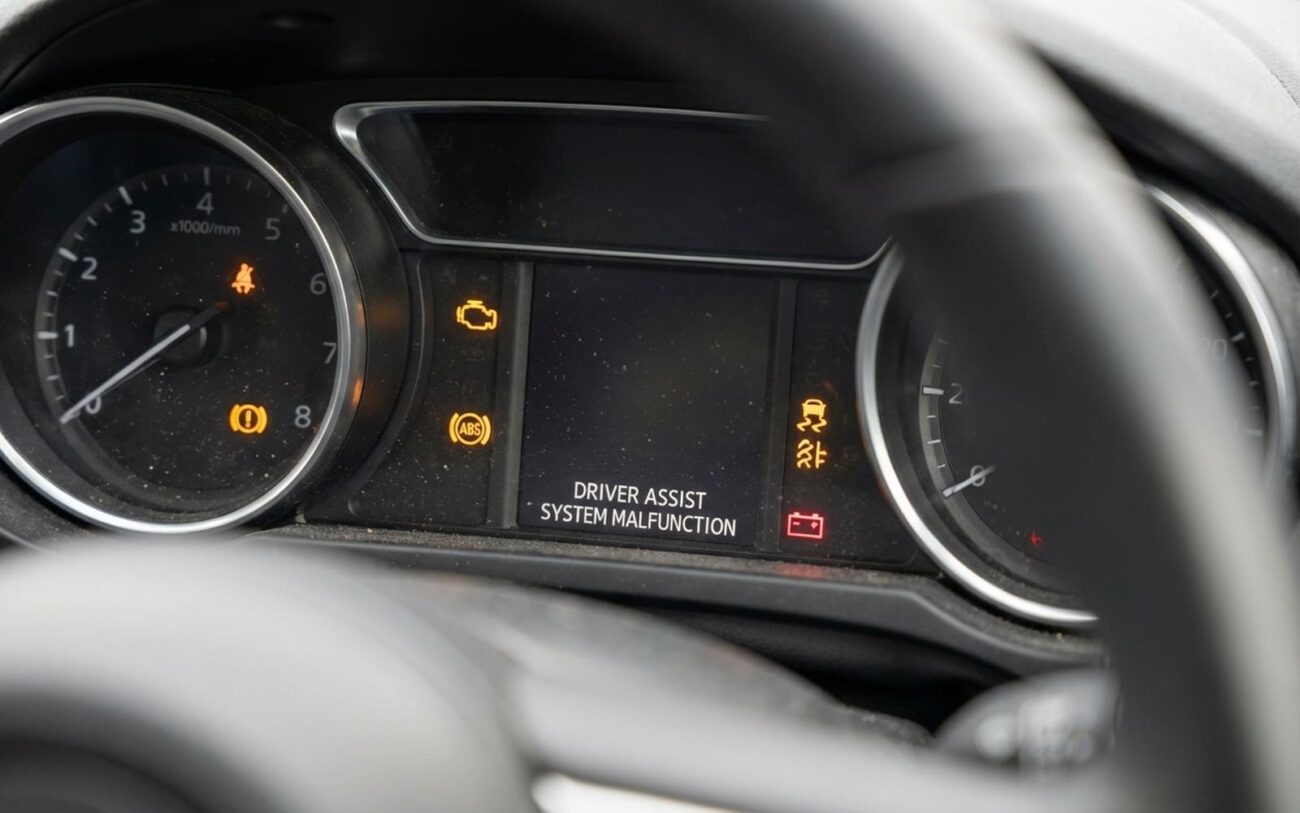
Alright, let’s talk about something I see all the time in the shop: you jump-start your car after the battery died, and suddenly all your fancy driver assistance features – lane keeping, adaptive cruise, blind spot monitoring, automatic emergency braking – are either throwing warnings or just plain gone. It’s not a coincidence, and no, your car isn’t possessed. What’s happened is a modern vehicle’s equivalent of a brain wipe.
When Your Car Forgets Everything: The ADAS Blackout
Modern cars, especially anything from the last decade, rely heavily on what we call ADAS – Advanced Driver Assistance Systems. These aren’t just simple sensors; they’re complex networks of cameras, radar, lidar, and ultrasonic sensors, all talking to each other through control modules. And these modules store critical calibration data in what’s called “volatile memory.” Think of it like a computer’s RAM. When your car’s battery goes completely dead, that power to the volatile memory vanishes, and poof – the data is gone.
When that happens, the car’s main gateway module, which acts like the traffic cop for all the different systems, sees instability. It doesn’t know if the missing data is due to a dead battery or a damaged sensor, so it does what it’s programmed to do: it shuts down the safety systems. It’s a failsafe, really. Better to have no assistance than to have assistance based on incorrect or corrupted data, which could be dangerous. You can still drive the car, sure, but you’re missing those layers of protection it was designed to provide.
It’s not just settings, either. We’re talking about the forward camera’s precise angle, the radar unit’s alignment, the steering angle sensor’s zero point, and even the yaw rate references that stability control uses. All of that is stored in memory that needs constant, low-level power. If that power drops below a certain threshold, it’s gone.
And here’s another kicker: a sudden power loss can sometimes corrupt a module’s boot sector – that tiny piece of software that tells the computer how to even start up. I’ve seen modules that power on just fine but won’t accept calibration because their internal boot sequence is scrambled. They’re not physically dead, but they’re useless until they’re reflashed with new firmware. Plus, these systems use encrypted security protocols. If the authentication keys stored in memory get lost, the module can get locked out of the network. It’s like having the right key but the lock just doesn’t recognize it anymore.
This isn’t some random glitch. Manufacturers like BMW, Mercedes, and even some newer Fords have service bulletins specifically about complete battery discharges wiping ADAS calibrations. It’s a known issue, and it means a simple power cycle won’t cut it.
How I Diagnose It: Amnesia or Actual Damage?
The first thing I do is hook up a proper scan tool. And I mean a proper one – not just a cheap code reader that only talks to the engine. You need a tool that can communicate with all the ADAS modules: the camera, the radar, the stability control, the steering angle sensor, everything. The symptoms of a memory wipe can look identical to a physically damaged sensor, but the repair paths are completely different, and you don’t want to be guessing.
Here’s what I’m looking for:
- Multiple ADAS warnings and systems inoperative: If you’ve got a Christmas tree of warning lights on your dash for lane assist, adaptive cruise, blind spot, etc., and they all went out after a dead battery, that screams “memory loss” to me. When I scan, I’ll typically see “Calibration Required” or “Configuration Invalid” statuses across multiple modules. You’ll also often find network communication codes (U-codes), indicating the modules are struggling to talk to each other correctly. If it was just a single broken sensor, you’d usually only see a hard code for that specific unit.
- ADAS features acting erratically: Sometimes the systems come back online, but they’re just plain weird. Lane warnings fire for no reason, adaptive cruise brakes abruptly, or blind spot monitors flash when there’s nothing there. This usually points to partially corrupted or incorrectly reloaded calibration data within a sensor. My scan tool will show excessive “Deviation” or “Misalignment Angle” in the live data from the camera or radar. This isn’t something you can eyeball; it requires a static alignment check with manufacturer-specific targets.
In most cases, especially after a simple dead battery that was quickly recharged or replaced, it’s a software reset issue. The hardware itself is fine. But if you reversed jumper cables, or there was a significant voltage spike during the jump, then you could be looking at actual physical damage to a control module. That’s not a reset; that’s a hardware failure. Always, and I mean always, scan before you assume the worst. It saves a lot of time and money.
My Approach to the Fix: From Simple Reset to Full Replacement
Basic Calibration/Configuration Reset Professional Only
- Clearing all existing fault codes.
- Performing a gateway module reset or power cycle to wake everything up.
- Running guided initialization procedures for key components like the steering angle sensor, forward camera, and radar.
The tool usually walks you through each step, and you can’t skip around. It typically takes me 30 to 60 minutes. No parts, no disassembly, just precision software work.
Module Flash Reprogramming Professional Only
- A rock-solid internet connection.
- A high-capacity battery support charger, usually 80-100 amps, to keep the voltage absolutely stable.
- The exact software version for your VIN.
I cannot stress this enough: one voltage dip during programming can permanently “brick” a module. I’ve seen techs lose $1,500 camera units this way, and believe me, it’s a painful lesson. There’s no temporary workaround if your ADAS systems are acting up after this; driving with uncalibrated ADAS is a real safety risk. Don’t ignore those warnings.
Hardware Replacement (The Last Resort)
- Coded specifically to your car’s VIN.
- Programmed with the correct software for your vehicle’s options.
- Calibrated using factory procedures, often involving specialized targets.
So, you’re paying for the part, plus significant labor for all those integration steps. Even a brand-new module straight out of the box won’t work until it’s properly introduced to your car’s network.
How I Know It’s Actually Fixed (Beyond the Warning Lights)
Don’t just rely on the warning lights disappearing. That’s a good start, but it’s not the full story. A proper validation, in my book, includes:
-
All ADAS warning icons are completely extinguished after a full ignition cycle (off, then on).
-
My scan tool confirms “Calibration Complete” or “OK” status for every single relevant module.
-
There are no active or pending Diagnostic Trouble Codes (DTCs) related to calibration, configuration, or communication.
-
A successful test drive on a straight, well-marked road to verify lane keeping, adaptive cruise, and blind spot functions actually work as intended.
If I’ve reprogrammed or replaced a module, I also double-check:
-
The module’s software version matches the target build from the manufacturer.
-
Live data streams show normal alignment angles and sensor statuses.
That road test is non-negotiable. I’ve seen systems pass every scan tool check but fail miserably in real-world use because the calibration wasn’t fully validated. If it’s not driving right, it’s not fixed, simple as that.
What This Is Going to Cost You (And When to Consider Walking Away)
Here’s a realistic breakdown of what you’re likely facing in my shop, or any reputable one:
Scan Tool Reset/Recalibration
This has a high success rate (over 90%) if there’s no underlying hardware fault. But be warned: inaccurate calibration leads to unsafe ADAS operation and might force you into more expensive reprogramming down the line.
Module Reprogramming
Medium-high success rate, but it’s entirely dependent on stable power and network connection. As I said, a module can be “bricked” (permanently inoperative) if the voltage dips, requiring a full replacement.
Module Replacement + Programming
High success rate when performed correctly. Watch out for incorrect coding, which can cause network conflicts. And yes, even a new module can be dead on arrival, so a good shop will test it.
If you’re driving an EV, always check your battery warranty status before authorizing major repairs. Some of these modules can fall under that.
Here’s some tough love: be honest about the value of your car. If the repair bill starts to creep up past, say, 40% of your car’s trade-in value, you really need to ask yourself if it’s worth it. You’re investing in complex electronics, not necessarily mechanical reliability. And while you can drive without ADAS, you’re operating outside the vehicle’s intended safety design. Plus, resale value will definitely take a hit; buyers these days expect fully functional safety tech.
How to Keep This From Happening Again (My Best Advice)
An ounce of prevention is worth a pound of cure, especially with these systems. Trust me, it’s cheaper and easier to prevent this than to fix it.
My Top Tips to Prevent ADAS Memory Loss
-
Use a battery maintainer if your car sits for more than a couple of weeks. This keeps that “keep-alive” voltage stable and preserves all that precious ADAS memory.
-
Replace your battery proactively around the 4-5 year mark. Modern AGM batteries, constantly under load from all the car’s electronics, degrade faster than you might think. Don’t wait for it to die.
-
Check for ADAS warnings immediately after any battery disconnect or jump-start. Don’t wait a few days. If the systems don’t initialize, don’t assume they’ll just reset themselves. They won’t.
-
Have a plan for accessing a scan tool. Whether it’s a trusted local shop or knowing how to get one yourself, don’t wait until you’re stranded and need these systems.
I see this misdiagnosed a lot. People come in thinking their forward camera is toast, but it’s often just a software reset away from working perfectly. But if you ignore it and keep driving, you risk triggering deeper, more expensive faults. A 30-minute recalibration today can absolutely save you a $3,000 module replacement tomorrow.
So, if you’re dealing with blind spot monitoring that stopped working, or your car safety systems are disabled after a battery issue, this calibration process is almost certainly the root solution. The same goes for how to reset safety features after battery replacement – it’s not a simple button press; it’s a system-wide ADAS calibration that needs proper attention.
