You roll out of the tint shop feeling like a million bucks—dark glass, cool cabin, zero glare. Then your phone dies. Not the battery—the signal. GPS cuts out. OnStar won’t connect. Satellite radio goes silent. I’ve seen this exact scenario walk into my bay more times than I can count. And nine times out of ten? The tint’s the problem. Not because it’s “bad,” but because of what’s in it.
The Real Culprit: Metal, Not Darkness
Let’s clear one thing up fast—dark glass doesn’t kill signals. It’s the metal in some window films that does. I’ve had customers swear their “factory tint” is blocking reception, but factory privacy glass is just glass with dye baked in. Harmless. The issue starts when someone applies aftermarket film—especially the cheap metallic kind that uses aluminum or nickel-chrome to reflect heat.
Here’s what happens: those metal particles form a partial Faraday cage. They reflect infrared (good for cooling), but they also block radio frequencies—GPS at 1.5 GHz, cellular from 700 MHz to 2.5 GHz, satellite radio at 2.3 GHz. That’s physics, not opinion. And when that film covers a rear window with an embedded antenna? You’ve just wrapped your GPS receiver in aluminum foil.
Ceramic and carbon films? Different story. They use non-conductive nanoparticles to reject heat. No metal, no shielding. Signal passes through clean. If you’re getting tint, insist on ceramic or carbon. And don’t trust the sales pitch—ask for the spec sheet showing RF transmission above 50% in the 1–2 GHz range. If they can’t provide it, walk away.
How to Know It’s the Tint (and Not Something Else)
Before you rip anything off, rule out the obvious. Weak signal in a parking garage? That’s not the tint. Dead antenna? That’s not the tint. But if your phone shows full bars outside and drops to one bar when you step into the car—and it started after the tint job—then yeah, it’s probably the film.
Here’s how I test it in the shop:
| Symptom | Tint Likely to Blame | Other Usual Suspects | How I Confirm It |
|---|---|---|---|
| GPS cuts out inside car | Metallic film over rear or side glass (common on hatchbacks and SUVs) | Faulty shark-fin antenna, damaged coax, roof rack interference |
Fire up a GPS test app (like “GPS Test” on Android). Place phone on the dash—note SNR. Then move it to the center console or back seat. If SNR drops more than 15 dB, tint’s interfering. Roll down the window. If signal comes back, you’ve got your answer. |
| Cellular signal weakens in car | Metallic film creating RF shielding, especially on front side windows | Poor carrier coverage, phone hardware issues, thick C-pillars |
Grab two identical phones. One outside the car, one inside on the console. Use field test mode (3001#12345# on iPhone) to compare RSRP. If inside phone reads 20 dB worse, film’s attenuating signal. Repeat with window down—if gap closes, tint’s the blocker. |
| Factory telematics or satellite radio fails | Metallic film applied over embedded antenna (rear glass, side mirror, roof) | Loose antenna connector, module failure, software glitch |
Check antenna connections first—especially if trim was removed during tint. If secure, have a tech lift a corner of the film over the antenna zone (look for printed lines in the glass). If system reconnects, film’s blocking it. Don’t do this yourself—defroster grids are fragile. |
What to Do About It
Once you’re sure it’s the tint, you’ve got three real options. Which one you pick depends on your car, your budget, and how much you rely on telematics.
Full Removal & Ceramic Re-tint Professional Only
Cut Out Antenna Zones Only Professional Only
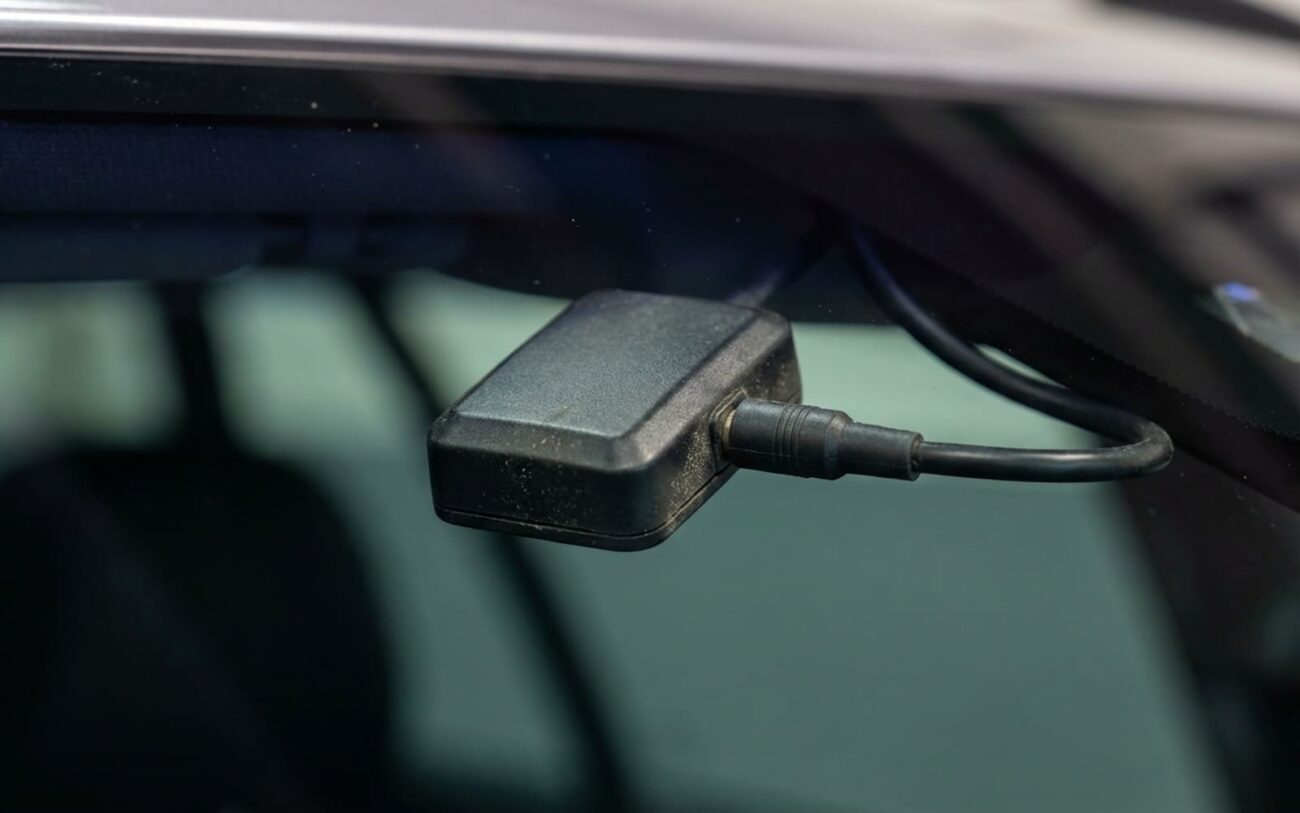
External GPS Repeater
Did It Actually Work?
Don’t trust “seems better.” Test it. I don’t care if the installer says it’s fixed—verify yourself.
For GPS: Use the same app. Measure SNR on the dash, then behind the new tint. Difference should be under 5 dB. More than that? Film’s still too dense.
For cell: Repeat the dual-phone test. RSRP difference under 10 dB is acceptable. If it’s worse, either the film’s not as transparent as claimed, or there’s another issue (like a damaged antenna).
What’s This Gonna Cost?
Real talk: it adds up. Here’s what I quote customers:
Full Removal & Replacement
DIY Cost: $300–$500 (film only; high risk of glass damage). Success Rate: 95% (if non-metallic, signal-friendly film is used). Secondary Risk: Scratched glass, damaged defroster grids, adhesive residue.
Selective Removal
DIY Cost: $20 (heat gun, blade, cleaner). Success Rate: 80% (depends on overall tint conductivity and antenna location). Secondary Risk: Broken defroster lines, visible patch, incomplete signal recovery.
External GPS Repeater
DIY Cost: $50–$150 (kit only). Success Rate: 100% effective for GPS; no impact on cellular. Secondary Risk: Cable routing issues, water intrusion, aesthetics, no cellular improvement.
Ask yourself: is perfect signal worth $1,000 on a $3,000 car? Probably not. But if you’ve got a newer vehicle with emergency calling or remote start tied to telematics, restoring function isn’t just convenient—it’s safety-critical.
Next Time: Don’t Get Burned
I tell every customer the same thing: test before they roll the car out. Bring your phone, your GPS, your OnStar fob. Turn it all on. Make a call. If anything fails, don’t leave. Once you drive off, the shop will say “it worked when you got here.”
And yes—wrap the film sample around your phone. Make a call in a weak-signal area. If it drops, that film’s not for you. I’ve had installers try to sell me “signal-safe” hybrid metal film. Tested it. Killed GPS in 10 seconds. Don’t get fooled by marketing.
