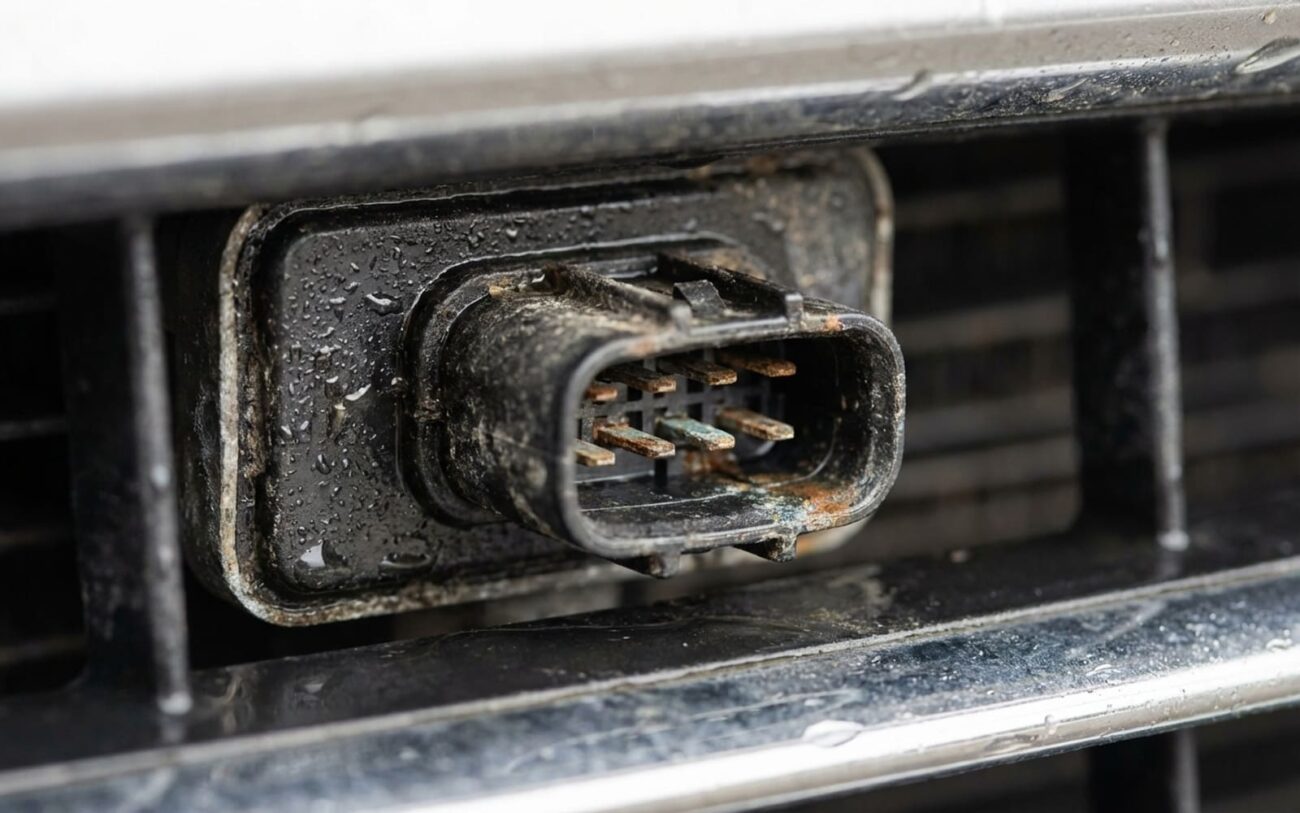
If you’ve been driving in a downpour or thick fog and your car suddenly screams “BRAKE!” or even slams them on for no visible reason, you’re not alone. I see this all the time in the shop. Most folks think something’s broken, but usually, it’s your Automatic Emergency Braking (AEB) system getting confused by the weather, not actually malfunctioning. It’s startling, no doubt, and can even be dangerous. The key thing I tell customers is this: it’s rarely a mechanical failure. More often than not, the system is actually working as designed — it’s just misinterpreting its surroundings. These false alerts typically pop up during or right after heavy rain, thick fog, or when you’re getting blasted by spray from a big truck. They’re intermittent; they come and go as the weather shifts. And here’s the kicker: you usually won’t find a diagnostic trouble code (DTC) stored. Why? Because the radar and camera sensors aren’t broken; they’re just seeing things that aren’t there.
Why Your Car’s Brain Gets Confused in Bad Weather
Your car’s AEB system is smart, but it’s not magic. It relies on a couple of key sensors working together: a millimeter-wave radar unit, typically tucked behind your front grille or bumper emblem, and a forward-facing camera, usually mounted up by your rearview mirror. They use what we call “sensor fusion” — meaning they cross-check data from both inputs to decide if there’s a real threat.
Here’s the problem: rain and fog can really mess with those signals.
That radar unit shoots out high-frequency waves (usually 76–77 GHz). When those waves hit a wall of raindrops or dense fog, they scatter. The control module, your car’s brain, sees all that scattered signal as “clutter” and can easily mistake it for a solid object. I’ve even seen a thin film of water on the radar’s cover (the radome) refract the beam, giving false returns. This is especially common on vehicles where the radome is recessed or doesn’t drain well.
The camera, meanwhile, depends on clear visibility and high contrast to detect lane markings, other vehicles, and obstacles. Water droplets, streaks, or a hazy film on the windshield distort the image. Fog? That reduces contrast dramatically, making it incredibly hard for the software to distinguish real shapes from background noise. In these low-visibility conditions, the camera might “see” phantom edges or shadows, triggering a warning or even braking.
Important Distinction:
When both sensors are compromised – the radar seeing ghost targets and the camera losing clarity – the system often defaults to caution. That means it might activate the AEB. This isn’t a design flaw; it’s a known limitation of the technology. For example, many manufacturers acknowledge this in their service documentation, noting that water on the windshield in the camera’s view can cause unexpected FCW or AEB alerts. It’s crucial to differentiate this from an actual hardware failure, like a misaligned camera after a windshield replacement.
Is It Just Rain, or a Real Problem? How I Diagnose It
Before we start throwing expensive parts at this, we need to figure out if the issue is truly just weather-related sensor interference or if you’ve got an actual hardware or calibration problem. I’ve seen plenty of non-weather issues that can mimic these false warnings — things like a misaligned sensor after a minor bumper tap, a dirty sensor cover, or even a wiring fault.
First Things First: The Obvious Checks
I always start with the simplest things. Is the radar sensor cover (the radome) behind your grille or bumper emblem clean? I’m talking free of dirt, mud, ice, or even a sticker someone put on it. And what about your windshield? Is there anything blocking the camera’s view, like a decal, a suction cup mount, or even just a heavy film of grime? You’d be surprised how often a thorough cleaning fixes the issue.
The Scan Tool is Your Best Friend
This is where we really separate the environmental noise from a genuine fault. I hook up my OEM-level scan tool. Here’s what I’m looking for:
- No DTCs? If there are no stored diagnostic trouble codes (DTCs) in the ADAS module, that’s a huge clue that the problem is environmental. A real hardware fault or a significant misalignment almost always throws a code.
- Live Data Monitoring: I’ll monitor the real-time radar and camera data. If I can, I’ll even drive the car in light rain or spray the front (safely, of course, like in a car wash bay). I’m looking for “Sensor Blocked” flags that resolve when the sensor is dry, or false object detections that disappear with better visibility.
- Live Camera Feed: With OEM software, I can often view the live camera feed. If the image is degraded, blurry, or hazy during fog, that confirms the camera is struggling optically due to the environment.
- Static System Self-Test: After ensuring everything is clean and dry, I’ll run a static system self-test. A clean pass on this test usually indicates no underlying hardware fault.
Software bugs? They usually trigger randomly, not just when it rains or gets foggy. So, if your problem is strictly conditional on weather, it’s probably not a bug.
Practical Solutions: What Actually Works (and What Doesn’t)
This isn’t a problem you fix by just throwing parts at it. In my 25+ years, I’ve found the goal is mitigation through good maintenance, proper calibration, and smart operation. Here are the most effective approaches, ranked by what I’ve seen work best.
1. Clean Sensor Surfaces Thoroughly (Your First and Cheapest Step)
Start here — always. The radar cover (radome) behind your grille or bumper badge needs to be clean. Gently clean it with mild soap and water. I’ll tell you straight: avoid wax, sealants, or abrasive cleaners. They can degrade the radar signal transmission. Just as important is your windshield — both inside and out — specifically the area right in front of the camera. Use a quality automotive glass cleaner and a clean microfiber towel. Never use household glass cleaners with ammonia; they can leave residues that actually make water cling worse. Check your owner’s manual for any restrictions; many automakers advise against stickers or tint films near that sensor zone.
2. Update Software and Recalibrate Sensors (For the Pros)
If cleaning doesn’t help, it’s time for a visit to a shop with OEM-level diagnostic tools. Manufacturers periodically release software updates (reflashes) that improve radar and camera filtering algorithms, especially for weather-related noise. A technician can apply these. This is also absolutely mandatory after a windshield replacement, as even a slight misalignment can throw off camera calibration. Dynamic recalibration involves a test drive with specific maneuvers while the system self-adjusts. Without proper calibration, even minor deviations can cause persistent false alerts.
3. Apply Hydrophobic Coatings (Targeted Use)
For chronic camera issues, an OEM-approved hydrophobic coating on the windshield (especially in the camera’s field of view) can help water bead up and sheet off more effectively. This improves visibility and reduces optical distortion. Don’t try to apply these coatings yourself unless you’re experienced — a poor application can cause wiper chatter or visual artifacts. For the radar, make sure the radome is intact and made of the correct OEM material. Aftermarket replacements may not transmit signals properly.
4. Temporary Operational Override (Last Resort, Be Smart)
As a last resort, if those false activations are truly disruptive — like multiple hard brakes at highway speed — you can temporarily disable AEB or FCW via the vehicle’s settings menu during heavy rain, fog, or snow. I’ll be straight: this removes a key safety net. I only recommend this if false activations are frequent and severe. And you must remember to re-enable it when the weather clears. Leaving it off long-term defeats the purpose of having the system in the first place.
How to Verify the Fix Worked
Don’t rely on guesswork. After cleaning, coating, or a software update, you need to test the system under controlled conditions. Drive in light to moderate rain and monitor for recurring warnings or “Sensor Blocked” messages. Lower-speed testing (under 40 mph) is safer and still effective for validation. If a technician is involved, they can use a scan tool to monitor live data: watch for false object detection or persistent blockage flags. A brief alert during a torrential downpour is normal — these systems have limits. But if the radar keeps registering phantom vehicles or the camera shows constant blockage, the issue isn’t resolved. The best validation is driving in the exact conditions that previously triggered the problem and confirming no unwanted interventions occur.
Cost vs. Value: What’s Worth the Investment?
I’ve seen too many people waste money on unnecessary repairs. The sensors themselves are rarely faulty in these cases. Replacing them won’t fix weather-related interference and could easily introduce new calibration issues. Here’s a realistic breakdown of your options, based on what I’ve seen actually work.
| Action | DIY Cost | Shop Cost | Success Rate for Weather-Related AEB Triggers | Secondary Risk if Ineffective |
|---|---|---|---|---|
| Sensor and Windshield Cleaning | < $20 (glass cleaner, microfiber cloths) | $0 (owner-performed) | Low–Moderate (effective if contamination is the primary cause, which it often is) | None, if done correctly. |
| Hydrophobic Windshield Coating (Professional) | $50–150 (DIY kit, but I don’t recommend it) | $100–200 | Moderate (improves water shedding, reduces camera blur significantly) | Poor application may cause wiper noise or visual distortion. |
| Software Update or Sensor Recalibration | N/A | $150–300 (diagnostic and labor) | Variable (highly dependent on whether an updated calibration or Technical Service Bulletin exists for your specific issue) | Minimal, if performed with OEM tools and procedures. |
| Radar or Camera Replacement | N/A | $1,000–$2,000+ (parts and calibration) | Very Low (hardware is rarely the root cause for weather-related issues) | Unnecessary expense; potential for new calibration errors or DTCs. |
Preventing Recurrence: My Maintenance Tips
Staying ahead of this issue comes down to consistent, sensor-aware maintenance. It’s not rocket science, but it makes a big difference.
To Prevent Recurrence
-
Use a high-quality windshield washer fluid. Avoid cheap formulations or DIY mixes, as they can leave residues that worsen water adhesion and camera blur. I’ve seen this make a noticeable difference.
-
Clean the front grille, bumper, and windshield regularly, especially after driving on salted or muddy roads. Don’t forget that radar cover!
-
Pay attention to the pattern of false alerts: does it happen only in heavy rain at high speed? Or does light fog trigger it? That kind of detail helps me, as a technician, distinguish normal system behavior from actual faults much faster.
Remember, AEB systems have operational limits. They’re designed to help, but they aren’t perfect. Recognizing that boundary helps you manage the system wisely instead of fighting it.
Cost-Saving Tip from the Shop
Don’t rush to replace expensive sensors. In most cases of weather-induced false AEB, the hardware itself is perfectly functional. Focus on thorough cleaning, software updates, and recalibration. These are significantly more cost-effective than replacing components that aren’t actually faulty. You’ll save yourself a lot of money and headache.
