After 25 years under the hood, I’ve seen just about everything. And these modern Forward Collision Warning (FCW) systems? They’re incredible when they work, but a real headache when they don’t. When your car starts acting up with an FCW issue, it’s not just being finicky; it’s trying to tell you something important. And trust me, you don’t want to ignore it.
What Your Car’s Actually Telling Me (Symptoms & Initial Checks)
When a customer comes in complaining about their FCW, it usually boils down to one of two things: false alarms or missed warnings. And sometimes, the system just throws up its hands and quits.
The Ghost in the Machine: Early or False Positive Warnings
This is the most common complaint I hear. You’re driving down a clear road, maybe a bit of a curve, and suddenly the dash lights up red, the alarm screams, and the brakes might even tap. There’s nothing there! It’s startling, distracting, and frankly, makes you want to turn the system off. What’s happening? The system is misreading its environment. In my experience, this often points to a sensor that’s either out of alignment or something simple like dirt or ice blocking its view. Shadows, guardrails, or even certain road features can trick a poorly calibrated camera or radar. I’ve seen metal expansion joints on bridges cause this, especially if the sensor’s angle is off even slightly.
The Silent Alarm: Delayed or Missed Warnings
This one’s more serious. You’re approaching slower traffic, your foot is already lifting off the gas, and the FCW stays quiet until the very last second—or doesn’t warn you at all. This means the system isn’t detecting the vehicle ahead, or it’s not calculating the closing speed correctly. It could be a weak radar signal, something partially blocking the sensor’s field of view (like an aftermarket license plate frame), or an internal processing failure. This is the kind of fault that can put you in a bad spot.
“FCW Unavailable”: The System Has Given Up
If your dash displays “FCW Unavailable” or a similar message, don’t ignore it. That means you’ve lost a critical layer of protection. This can be caused by something temporary like heavy snow or mud covering a sensor. But if it’s persistent, it usually points to a more significant issue: a fault in a shared network system (like a bad steering angle sensor that affects other safety features), a loose or corroded connector, or an internal failure in the FCW module itself. I often see this pop up after a windshield replacement if the camera wasn’t recalibrated, or after bumper work where the radar might have been disturbed.
My Diagnostic Approach: Finding the Real Problem
Diagnosis isn’t about guessing; it’s about systematically ruling things out. The warning light is just a symptom, not the problem itself. You can’t just throw parts at it and hope for the best—that wastes time and money. Here’s how I break it down in the shop:
For Early/False Positive FCW:
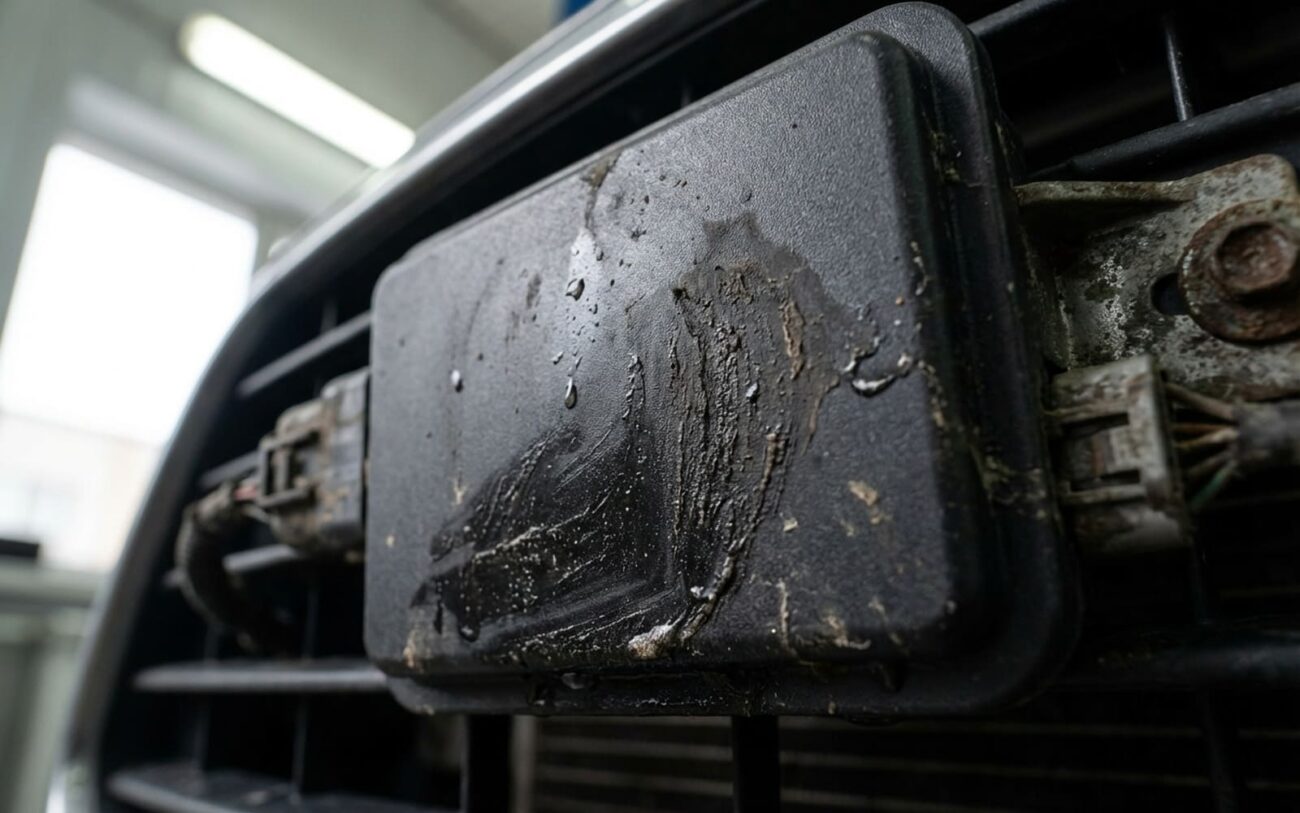
First, I’m checking the obvious. Is there dirt, ice, or residue on the radar cover or camera lens? This is a surprisingly common culprit. Then, I’ll look for any signs of physical damage or misalignment. Has the car been in a fender bender, even a minor one? Was the windshield recently replaced? Even suspension geometry changes can alter the sensor’s angle. If everything looks clean and physically intact, I’ll hook up the OEM scan tool. I’m looking at live data here: radar-reported distance and angle to a known stationary object. If the radar says there’s a car 10 feet away when there’s nothing, or its reported angle is off by more than 0.5 degrees, then we’re definitely looking at a calibration issue within the FCW system’s logic. That’s when I move to OEM-recommended static and dynamic calibration procedures using proper targets.
For Late/False Negative FCW:
When the system isn’t warning you, or it’s too late, I start by checking for partial sensor obstructions. An aftermarket license plate frame, a non-OEM bumper, or even a poorly installed grille emblem can block the radar’s field of view. I also check system voltage; low voltage (below 11.5V under load) can cause all sorts of electronic gremlins, including degraded sensor performance. Sometimes, a minor misalignment that isn’t severe enough to trigger a “system disabled” fault can still cause late warnings. With the scan tool, I’ll run OEM functional tests, often using a soft target or a test vehicle. I’m also monitoring radar signal quality, like the Signal-to-Noise Ratio (SNR). Consistently poor SNR metrics tell me there’s an internal sensor issue or a problem with the processing unit.
For “FCW Unavailable” or System Disabled:
This is where I immediately pull Diagnostic Trouble Codes (DTCs). A code like “U0423 – Invalid Data from FCW Module” or “C1A12 – Internal Electronic Failure” points me directly to the failed component or communication problem. I’ll also check the High-Speed CAN bus integrity between the radar, camera, and the domain controller. These systems rely on constant, clear communication. If a temporary blockage (like snow) isn’t the issue, then I’m looking for electrical faults: loose or corroded connectors, damaged wiring, or a fault in another system that the FCW relies on, like the steering angle sensor or ABS module. Sometimes, the FCW module itself has an internal fault and just can’t function.
Beyond the Obvious: When the Component Itself Fails
Once I’ve ruled out external issues—clean sensors, intact wiring, proper suspension geometry—the problem often lies within the system’s hardware or software. These internal failures aren’t always obvious.
A radar sensor might still communicate on the network, but it could be sending degraded data due to aging RF components. Over time, the millimeter-wave transmitter can weaken, making it slow to detect objects or fail under specific conditions, like light rain or fog. I’ve seen this on older vehicles where the radar just isn’t as ‘sharp’ as it used to be.
Camera sensors can develop dead pixels or a reduced dynamic range. This means they miss detections in low-contrast scenarios, like a dark car against a dark road at dusk. I see this more often on vehicles that spend a lot of time parked in direct sun; that constant thermal cycling can really damage the sensor’s internal components over time.
Software corruption is a very real issue. The calibration data and object recognition parameters are stored in the domain controller’s memory. A failed software update, a power interruption during reprogramming, or even a momentary voltage spike can corrupt this data. Some manufacturers have even issued service bulletins for this—I specifically remember certain Nissan and Infiniti models where a software reflash was the magic bullet for persistent FCW false alarms. Thermal stress is another hidden culprit; repeated heating and cooling can create micro-fractures in solder joints on a sensor’s circuit board, leading to intermittent failures that come and go with temperature. It’s frustrating to diagnose because it’s not always ‘broken’ when you’re looking at it.
Remember: a bent mounting bracket from a minor fender bender might cause the exact same symptoms as a failed radar, but it’s a mechanical alignment issue, not an electronic one. That’s why careful, systematic diagnosis is so critical. Misdiagnosis leads to unnecessary parts replacement, and nobody wants that.
The Fix: Why This Is Professional Territory
Seriously, Don’t DIY This
Working on safety-critical components like your FCW system demands specialized tools, proper training, and strict adherence to OEM procedures. There are no safe shortcuts here. Trying to fix this yourself is like performing surgery with a butter knife.
External, Physical Defect Professional Only
Software or Calibration Issues Professional Only
Hardware Failure Professional Only → Replace & Recalibrate
Verification: Making Sure the Repair Actually Worked
This step is non-negotiable. Just clearing DTCs and seeing “no faults” isn’t enough. After any calibration, the diagnostic tool must show “Calibration Complete – Status: OK” for both static and dynamic phases. Any abort or failure code means the process didn’t complete, and it has to be repeated. I’ve had customers come in after a “repair” elsewhere, only to find the dynamic calibration was never properly finished, leaving the FCW unreliable.
For sensor replacements, we run a full functional test. After confirming all FCW-related DTCs are gone, we test the system’s response. Ideally, this is done with an OEM-approved soft target or a test vehicle at controlled distances. The FCW should provide a staged response: a visual “heads up” alert, then an audible “get ready” warning, and finally a loud “brake now” alert with Automatic Emergency Braking (AEB) activation if equipped. If any stage is missing or mistimed, the system isn’t safe, and it’s going back on the lift.
The Hard Truth: What This Is Going to Cost and When to Think Twice
Let’s be upfront: these repairs aren’t cheap. The costs reflect the complexity, the specialized tools, and the critical safety role of these systems. Here’s a realistic breakdown based on what I see in the shop:
Sensor Recalibration
This is if it’s just an alignment issue. No DIY access to tools. If there’s no underlying hardware fault, success rate is high. But if it’s not done right, you’ll get ongoing false alerts, reduced AEB effectiveness, and a whole lot of driver distraction.
Radar Sensor Replacement & Calibration
This is for a failed radar unit. Definitely not a DIY job. Success rate is high with proper installation and calibration. The risk here is improper calibration making the new sensor perform just as poorly as the old one, or even worse.
Camera Replacement & Calibration
For a failed camera sensor. Again, professional-only. Often, this requires a windshield replacement if the camera is bonded to it. Remember, any windshield work usually means recalibration is needed.
Now, here’s where I get real with customers: consider your vehicle’s value. If the root cause is a failed domain controller, repair costs can easily exceed $2,000. If that’s more than, say, 40% of your car’s market value, you’re at a crossroads. You can repair it, live with the risk (which I strongly advise against), or consider replacing the vehicle. Some older models don’t support aftermarket or used modules without programming locks, making repairs even less economical. This isn’t just about the money; it’s about whether the car can still be trusted as a safe daily driver. Sometimes, it’s just time to move on.
Keeping the System Healthy: My Advice
To Prevent Recurrence
-
Keep those sensors clean! The radar sensor is usually behind the front grille emblem, and the camera lens is mounted near your rearview mirror. Use a soft microfiber cloth and a mild automotive cleaner—never abrasive wipes or ammonia-based window sprays.
-
Avoid aftermarket anything over these areas. That means no tints, no vinyl wraps, no coatings. Even clear bra film can scatter radar waves or block the camera’s view. It’s just not worth the risk.
-
Wash your car regularly and inspect the sensor areas. Ice, mud, road salt, or bug buildup can all trigger false alerts or disable the system. If you park outdoors in winter, make sure you clear snow and ice from the front end before you even think about driving.
-
Pay attention to patterns. If FCW false alarms happen only on certain curves, near specific bridges, or after certain road repairs, that’s incredibly valuable diagnostic info. It could indicate a calibration drift or sensitivity to specific radar-reflective surfaces. Share this with your technician—it saves us a ton of time and improves accuracy.
-
Stay on top of software updates. When you visit the dealer for routine service, always ask if there are any active safety system updates. Manufacturers quietly roll out refinements that improve object detection and reduce false positives. Think of it like a firmware update for your phone—only here, it can literally prevent a collision. For vehicles with known FCW sensitivity issues, these updates can make a noticeable difference. You can also check for open recalls at NHTSA.gov or your dealer’s service portal.
