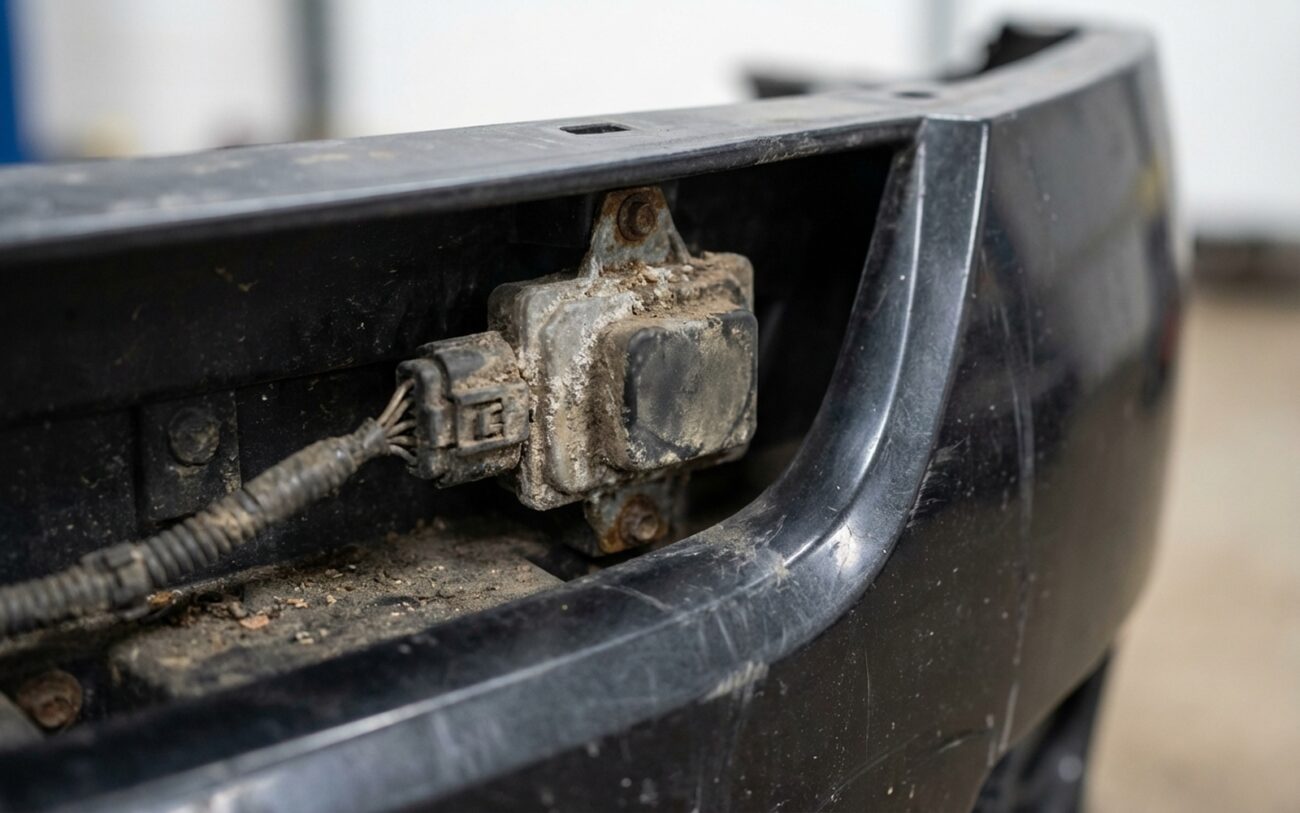
If you’ve just slapped an aftermarket bumper on your ride and suddenly your adaptive cruise control (ACC), forward collision warning (FCW), or automatic emergency braking (AEB) systems are acting wonky, don’t even think it’s a random glitch. I’ve seen this play out dozens of times in the shop. It’s almost never a bad sensor; it’s signal interference, plain and simple. That new bumper is blocking or screwing with the radar’s field of view, and usually, the symptoms hit you the moment you pull out of the driveway.
The Problem I See All Too Often: Aftermarket Bumpers and Your ADAS
You’ll get a dashboard full of warnings: “ACC Unavailable,” “Front Radar Obstructed,” or “Driver Assistance Systems Limited.” Sometimes the system won’t even turn on, or it’ll cut out on you mid-drive. Sure, a dirty sensor lens or some wiring damage during the install could do this, but if it started the second that new bumper went on, that bumper is my prime suspect.
Another dead giveaway is when the forward collision system starts acting like it’s had too much coffee. False alarms are common—sudden beeps or flashing lights when there’s nothing in front of you. Or, worse, the system just ignores traffic slowing down. I’ve even had cars hit the brakes unexpectedly on an open highway. These aren’t software bugs; this is the radar getting bad data, or no data at all.
And don’t be surprised if other systems, like Lane Keep Assist (LKA), start throwing fits. Modern driver-assist systems are all about “sensor fusion”—the radar and the forward-facing camera share information. If the radar’s blind, the whole system can go down, lighting up your dash like a Christmas tree.
When I hook up my scan tool, I often pull diagnostic trouble codes (DTCs) like U0233 (“Lost Communication with Radar Sensor”) or specific manufacturer codes for “radar misalignment” or “field of view obstructed.” These codes aren’t always super precise, but when they pop up right after a bumper swap, they’re screaming “physical interference” or “electromagnetic blockage” at me.
Look, this isn’t just about convenience. When your ACC or AEB isn’t working, you’ve lost critical safety features. In an emergency, that system might not be there to back you up. The real problem isn’t a broken part; it’s that aftermarket bumper messing with the millimeter wave radar’s ability to “see” the road.
How I Pin Down the Real Culprit: My Diagnostic Approach
Before we go blaming the bumper outright, you’ve got to be methodical. Yeah, it’s the most likely suspect, but misdiagnosis means wasted money and parts. Let me walk you through how I narrow it down in the shop.
First, I always rule out the simple stuff. Is the sensor lens actually clean? No mud, ice, or bugs? Was the wiring harness damaged during installation? I’ll check for pinched wires or loose connectors. These are the “common external mimics” you need to eliminate—easy wins if they’re the problem.
A generic OBD2 scanner won’t cut it here, not for this kind of work. You need an OEM-level diagnostic tool—the kind the dealerships use. This lets me talk directly to the radar module, pull live data, and check alignment values. It’s the only way to really know what’s going on.
When I suspect the bumper, I start with a static sensor alignment verification using the OEM scan tool. This tells me if the radar beam is pointed where it should be. If I see a DTC for sensor alignment or obstruction, the aftermarket bumper causing physical misalignment or radio frequency interference is high on my list. I’ll also visually inspect the bumper’s sensor zone for any obvious issues—warping, weird textures, or metallic paint that shouldn’t be there. I’ve even used a borescope to peek inside the bumper and check for internal pressure on the sensor housing. But honestly, the most reliable confirmation, if it’s feasible, is to temporarily reinstall the original bumper (if the customer still has it) and see if the symptoms vanish. That tells you everything you need to know.
If you’re getting false positives from the FCW, especially when traffic is clear, that’s often the aftermarket bumper reflecting or absorbing radar signals—what we call multipath interference. Before blaming the bumper, I’d check for a dirty or iced-over sensor lens, any aftermarket grille guards, or even large metallic objects on other vehicles that might be confusing it. But if those are clear, I’ll scan for DTCs, perform a vehicle target test according to OEM procedures, and really scrutinize the bumper’s sensor zone for warping or texture issues. Again, putting the original bumper back on is the most definitive test here.
I’ve seen shops replace perfectly good radar sensors, costing customers a fortune, only to find the aftermarket bumper was the problem all along. Don’t fall into that trap. Many issues are invisible to the naked eye—like the plastic’s dielectric properties or subtle geometry mismatches. You need proper diagnostics, and sometimes, a component swap test.
Under the Hood: Why These Bumpers Cause Trouble
So, why does a piece of plastic mess with a high-tech radar system? It all boils down to materials, design, and how it’s installed. These are the corners cheap aftermarket parts often cut, and it’s where the real failure mechanisms lie.
Material Composition: OEM bumpers use specific plastics—stuff engineered to be radar-transparent. The dielectric constant and signal loss are carefully controlled so those 77 GHz radar waves pass right through, clean as a whistle. Aftermarket bumpers? They might use fiberglass, carbon fiber-reinforced plastic, or just cheap recycled polymers. These materials can absorb or reflect radar energy. It might look identical on the outside, but the internal chemistry can block the signal completely.
Radome Geometry: That little section covering the radar sensor—we call it the radome—isn’t just a simple piece of plastic. Its thickness, curvature, and even the internal contours are precisely designed to minimize phase distortion and beam scattering. Aftermarket versions often get this wrong. The wall might be too thick, or the profile might be flatter than OEM, which totally changes the radar’s field of view. Think of it like putting a warped, cheap lens on a high-end camera.
Paint and Surface Coatings: This is a big one. Metallic paint, chrome wraps, or even just excessively thick base coats applied over the radome area can act like a Faraday cage, blocking radar waves. I’ve measured paint layers over 150 microns thick on some repainted bumpers—OEM spec is usually 60-80 microns. Even clear coats with UV inhibitors can attenuate the signal if they’re laid on too heavy.
Mounting and Alignment: The bumper has to mount perfectly. If the alignment pins are off, or the mounting bolts are over-torqued, the whole assembly can tilt, pointing the radar off-axis. Some aftermarket bumpers just don’t have the precise mounting points needed. And if an installer has to force the bumper into place, they can actually compress or shift the sensor housing, even if the bumper looks fine from the outside. I’ve seen cases where a shop reused an old sensor bracket on a new bumper, and it was just 2mm too short, causing a consistent 1.2-degree misalignment. That’s enough to throw everything off.
Let me be clear: if the sensor connector was damaged or the wiring harness pinched during installation, that’s on the technician. But if the bumper material itself blocks the radar or distorts the beam, that’s a design flaw in the part.
Getting It Fixed: Your Options and What I Recommend
Okay, so we’ve confirmed the aftermarket bumper is the culprit. Now, what’s the fix? It depends on the exact problem, and not everything is repairable. Some issues mean a full replacement is your only path.
Paint-Related Signal Blockage Professional Only
Incorrect Material or Internal Geometry
Structural Warping or Poor Fitment
Are There Any Stopgaps?
The Bottom Line: Cost, Risk, and Making the Call
Let’s be realistic—fixing this correctly isn’t cheap. But cutting corners risks your safety and long-term reliability. Here’s a breakdown to help you make an informed decision.
| Repair Type | DIY Cost (Parts Only) | Shop Cost (Installed & Calibrated) | My Expected Success Rate | Risk if It Fails |
|---|---|---|---|---|
| Repaint sensor zone with compliant paint. | ~$200 (materials). | $500–$1,000. | High, if the bumper material is radar-transparent. |
You’ll still have system faults and likely need a full bumper replacement anyway.
|
| Replace with OEM bumper. | $800–$2,000 (part). | $2,000–$4,000. | ~99% when installed and calibrated correctly. |
Negligible, assuming proper calibration is done.
|
| Replace with certified aftermarket bumper. | $500–$1,500 (part). | $1,500–$3,000. | ~95%—depends heavily on the specific part’s certification and fitment. |
Reoccurrence of the same symptoms, wasted money and time.
|
I’ll be honest: if the total repair cost approaches 40% of your car’s current market value, you’re in a tough spot. For older vehicles out of warranty, some owners choose to permanently disable the radar system and drive without adaptive cruise or collision warnings. It’s not ideal—safety systems exist for a reason—but it’s a financial reality. Just know that disabling these features can affect resale value and complicate future inspections in regions with mandatory ADAS checks.
Keeping Your ADAS Happy: Prevention and Post-Repair Checks
The best repair, as I always say, is the one you never have to do. If your car relies on radar-based driver assistance, you need to be smart about any front-end work.
To Prevent Recurrence
-
Never, ever install an aftermarket bumper without first verifying its radar compatibility. Don’t just trust some generic fitment guide. Use your VIN, check the OEM parts catalog, and confirm that the bumper you’re looking at includes a radome specifically designed for your trim level and ADAS features.
-
If you absolutely must go aftermarket, insist on a CAPA Radar Certified label. Even then, make sure the shop documents that they inspected the bumper for correct material type, paint, and proper alignment before they even bolt it on.
-
For early detection: after any front-end work, test those systems immediately. Get on an open road and try to engage adaptive cruise. Watch your dashboard for any warning messages. If you have access to a scan tool, check the radar module status and alignment values. And always, always inspect the area directly over the sensor—look for any new paint repairs, stickers, or badges that weren’t there before.
Once the repair is done—whether it’s a repaint or a full bumper replacement—you have to validate it properly. Skipping this step is asking for trouble.
[PASS] criteria are strict and must include multiple steps:
-
First, clear all diagnostic trouble codes (DTCs). Then, cycle the ignition a few times and drive it a bit. Make sure no related codes return.
-
Next, use an OEM-level scan tool to perform a static sensor alignment. This is critical. The final calibration needs to be within ±0.5 degrees of specification; most good tools will give you an automatic pass/fail. Don’t accept anything less.
-
If your vehicle supports it, complete a dynamic alignment test drive. This usually involves driving on a straight, flat road with target vehicles under specific conditions. Follow the OEM procedure to the letter.
-
Finally, verify real-world performance. The radar should detect and track vehicles consistently, without any dropouts or false alarms. Take it on the highway, in light traffic, and make sure it feels right.
These tools are non-negotiable. You need a factory-compatible scan tool—think GM’s GDS2, Toyota’s Techstream, or whatever your specific manufacturer uses—that supports radar calibration. Some manufacturers, like Subaru or Honda, also require physical alignment targets placed at specific distances during calibration. If a shop skips these steps, the system might seem functional, but it could fail you when you need it most.
