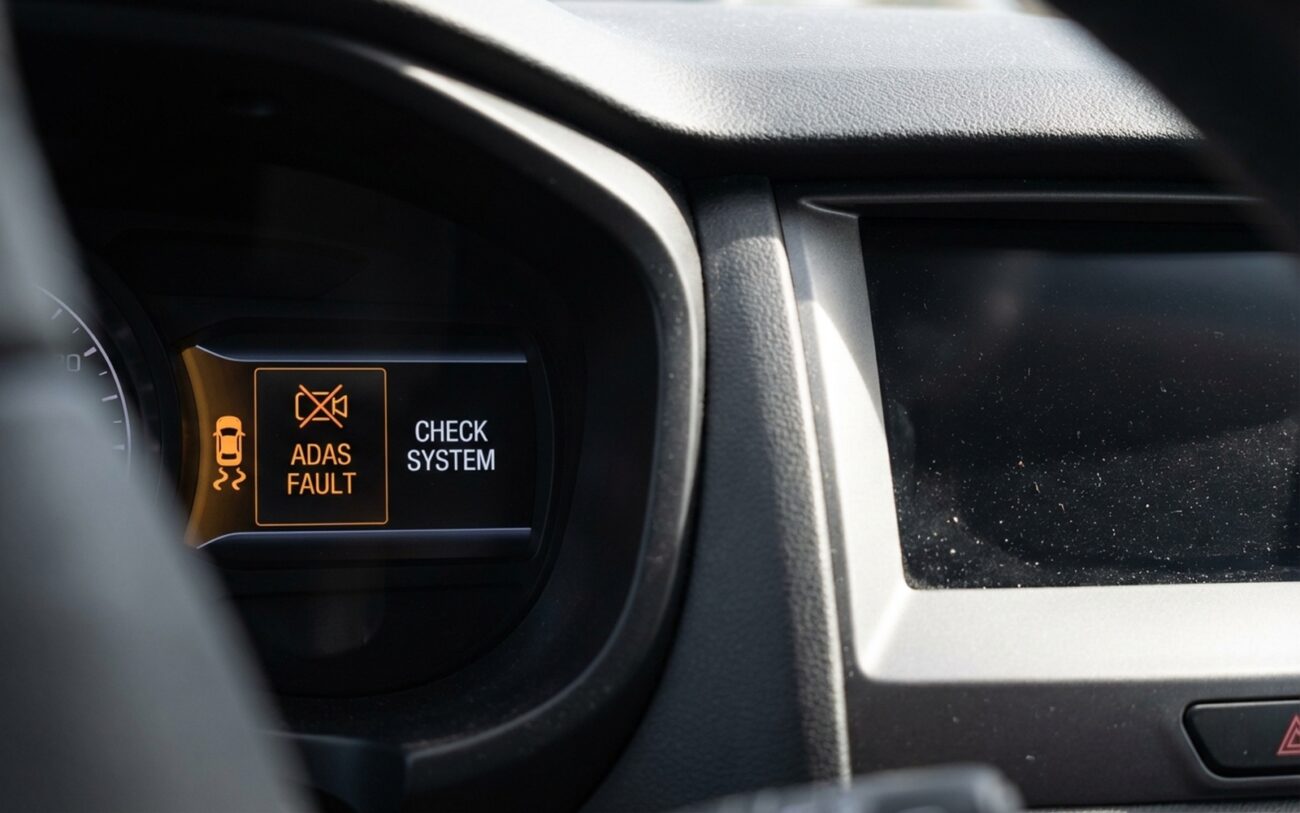
You’re driving, everything seems fine—until you shift into reverse and the screen stays black. No backup camera. No lane departure warning on the dash. Maybe the radio still plays, but half the car feels blind. Here’s what I’ve learned after tearing into hundreds of these systems: the ADAS sensors are probably fine. The problem? The computer that shows you the data—the infotainment head unit—is down. It’s like having a working security system with a dead monitor. The signals are there. You just can’t see them.
First: Is It the Display… or the System?
Start by asking: Can the car still detect things? If your forward collision warning still chimes when traffic stops suddenly—but the warning icon never shows up on screen—that’s a dead giveaway. The radar or camera is working. The display isn’t.
Same if Bluetooth and radio work but the surround-view camera is frozen. Or if the blind spot monitor doesn’t light up, but you hear a beep when a car cuts in. These are visual failures, not functional ones.
But—and this is critical—never assume ADAS is active just because it used to be. A failed head unit can corrupt the CAN bus and knock out communication with the ADAS controller entirely. So even if the chime worked yesterday, it might not today. Drive like the safety systems are offline. Get it checked. No exceptions.
Diagnosis: Follow the Data, Not the Symptoms
I’ve seen techs replace head units because the screen was black, only to find out the real issue was a severed LVDS cable behind the center console. Same symptom. Different fix. That’s why you don’t guess—you test.
The infotainment unit is a hub. It receives video from cameras via high-speed buses (MOST, LVDS, Ethernet), decodes it, and pushes it to the display. It also talks to the ADAS domain controller over CAN. A failure anywhere in that chain looks the same to the driver: no image.
So how do you isolate it?
| Symptom | Likely in Infotainment | External Mimics | Definitive Test |
|---|---|---|---|
| ADAS graphics missing on center screen only | Head unit graphics processor failure or software crash | Broken video cable, ADAS controller fault |
Use factory scan tool to pull live ADAS video stream. If data is present but not displayed, infotainment is the culprit. |
| ADAS icons missing on both cluster and center display | Infotainment module corrupting CAN bus | Gateway module failure, instrument cluster fault |
Monitor CAN traffic with oscilloscope. Disconnect infotainment. If ADAS icons return, the head unit was the problem. |
| Intermittent flickering across media and ADAS | Internal power regulation failure or SoC overheating | Weak battery, bad ground, failing display panel |
Check power and ground with multimeter during symptom. Stable voltage with flickering? Internal hardware failure. |
What Actually Fails Inside the Head Unit?
I’ve cracked open dozens of dead infotainment modules—from Tesla MCUs to BMW iDrive units. And the failures follow patterns.
Software Corruption (More Common Than You Think)
These aren’t car radios. They’re Linux- or QNX-based computers running multiple processes. A failed OTA update, memory leak, or file system corruption can brick the unit without a single hardware fault.
I had a 2021 Silverado come in with a black screen and no rear camera. No DTCs. No power issues. GM TIS pointed to a known software bug in the infotainment OS that caused video decoding to fail after a failed update. A full reflash—no hardware touched—and it came back to life.
If the unit boots but won’t display video, or gets stuck on the logo screen, don’t rush to replace it. Check for known software issues first.
Hardware: SoC and BGA Solder Cracks
The System-on-a-Chip (SoC) handles video decoding, graphics, and network comms. It’s soldered to the board with a BGA package—hundreds of tiny balls under the chip.
Thermal cycling—especially in Arizona or Texas summers—expands and contracts the board. Over time, solder joints crack. I’ve seen units work in the morning, fail by noon, and work again after cooling down. Classic BGA failure.
You can sometimes reflow the chip, but it’s a gamble. More on that later.
Bridge Function Failure
On many vehicles, the head unit isn’t just a display—it’s a network bridge. Cameras send video over a dedicated high-speed bus (like MOST or LVDS) to the head unit, which then translates and redistributes it over CAN or Ethernet to the instrument cluster and other modules.
If the bridge chip fails, the data stops. Even if the camera and ADAS controller are healthy, nothing gets through. That’s why one bad module can kill ADAS displays everywhere.
Fix It: Step-by-Step
Software Reflash DIY-FEASIBLE with caution
If diagnostics confirm the ADAS data is present but not displayed, and no hardware faults are logged, reflash the infotainment OS.
You’ll need a factory-level tool: GDS2 for GM, IDS for Ford, ISTA for BMW. Don’t try this with a cheap OBD2 scanner. It won’t work.
And use a battery maintainer. I don’t care if the car is new. A voltage drop during flash can corrupt the bootloader. I’ve seen it turn a $1,200 module into a paperweight. Follow the procedure exactly. “Do not interrupt power” isn’t a suggestion—it’s the only rule that matters.
Head Unit Replacement PROFESSIONAL-ONLY / REPLACE-UNIT
If the unit is dead—no boot, no response, or failed reflash—you’re replacing it.
It’s not plug-and-play. The new module must be VIN-programmed. You need a scan tool to activate it, link it to the telematics unit, and sync it with the network. On some Fords, skip this and remote start won’t work. On BMWs, you’ll lose climate control.
Installation torque: 2–4 Nm on connector fasteners. I’ve seen techs strip them with a power screwdriver. Don’t be that guy.
And if you disconnected the forward camera during removal? Recalibrate it. Even a slight misalignment throws off lane keeping and AEB. Static or dynamic—follow the manufacturer’s procedure.
Circuit Board Repair SPECIALIST-ONLY, HIGH RISK
Some shops offer BGA reflow or chip replacement. I’ve done it myself on early Tesla MCU1 units—success rate around 60%. But it’s high-risk.
You need a rework station, thermal profile data, and OEM schematics. One wrong move and you fry the power regulator. And even if it works, how long will it last? Thermal stress that cracked the joint once will do it again.
I only recommend this for out-of-warranty, high-cost modules where replacement isn’t economical. And I always warn the customer: it might come back.
Hard Reset (Battery Disconnect) — [TEMPORARY]
A 10-minute battery disconnect can clear volatile memory and bring the unit back. I’ve used it to get customers home. But it’s not a fix. If the problem returns in two days, the root cause—bad hardware or deep software corruption—is still there. And yes, it wipes presets and forces the car to relearn idle and throttle. Worth trying in a pinch. Don’t rely on it.
Post-Repair: Don’t Call It Fixed Yet
Screen on ≠ job done. You need to validate.
Start the car. Shift through gears. Pull up every camera feed—backup, front cross-traffic, surround view. Let them run 15 minutes. Watch for flickering, delayed rendering, or dropouts.
Check the instrument cluster self-test at startup. Every ADAS icon—lane departure, blind spot, forward collision—should illuminate briefly. If one’s missing, dig deeper.
Scan for DTCs in the infotainment, ADAS, and gateway modules. There should be none. If you see U-codes (network errors), the head unit isn’t communicating properly.
And if you replaced the unit or disconnected cameras? Calibrate. No excuses. Even a 0.5-degree misalignment can disable AEB at highway speeds.
Finally, check CAN bus health. Look for clean signal, no error frames. A generic OBD2 scanner won’t show this. You need a factory tool.
Cost, Risk, and When to Walk Away
Let’s be real: a new infotainment module and programming can cost $3,000. On a 10-year-old car, that’s not always worth it.
| Repair Type | DIY Cost | Shop Cost | Success Rate | Secondary Risk |
|---|---|---|---|---|
| Software Reflash | $0–$500 (tool rental) | $100–$300 | High (>80%) |
Bricking the module if power drops |
| Head Unit Replacement | $800–$2,500 (OEM part) | $1,200–$3,500 | Very High (>95%) |
Misprogramming disables key functions |
| Board-Level Repair | N/A | $400–$1,000 | 50–70% |
May fail completely, requiring full replacement |
Prevention: Keep It Alive Longer
You can’t prevent all failures, but you can reduce risk.
Maintain a healthy battery. Voltage drops during sleep mode or startup stress the infotainment module’s memory and power circuits. I’ve seen weak batteries cause recurring boot failures. Test the battery before any major software update.
When doing an OTA update, plug in a battery maintainer. Don’t rely on the alternator. Use a strong Wi-Fi signal. Interrupted updates are a top cause of bricked units.
And pay attention to early signs. Is the screen slower to boot? Touch response lagging? Minor flickering? These aren’t just quirks. They’re red flags. Address them early—reflash before it crashes—and you might avoid a full replacement.
