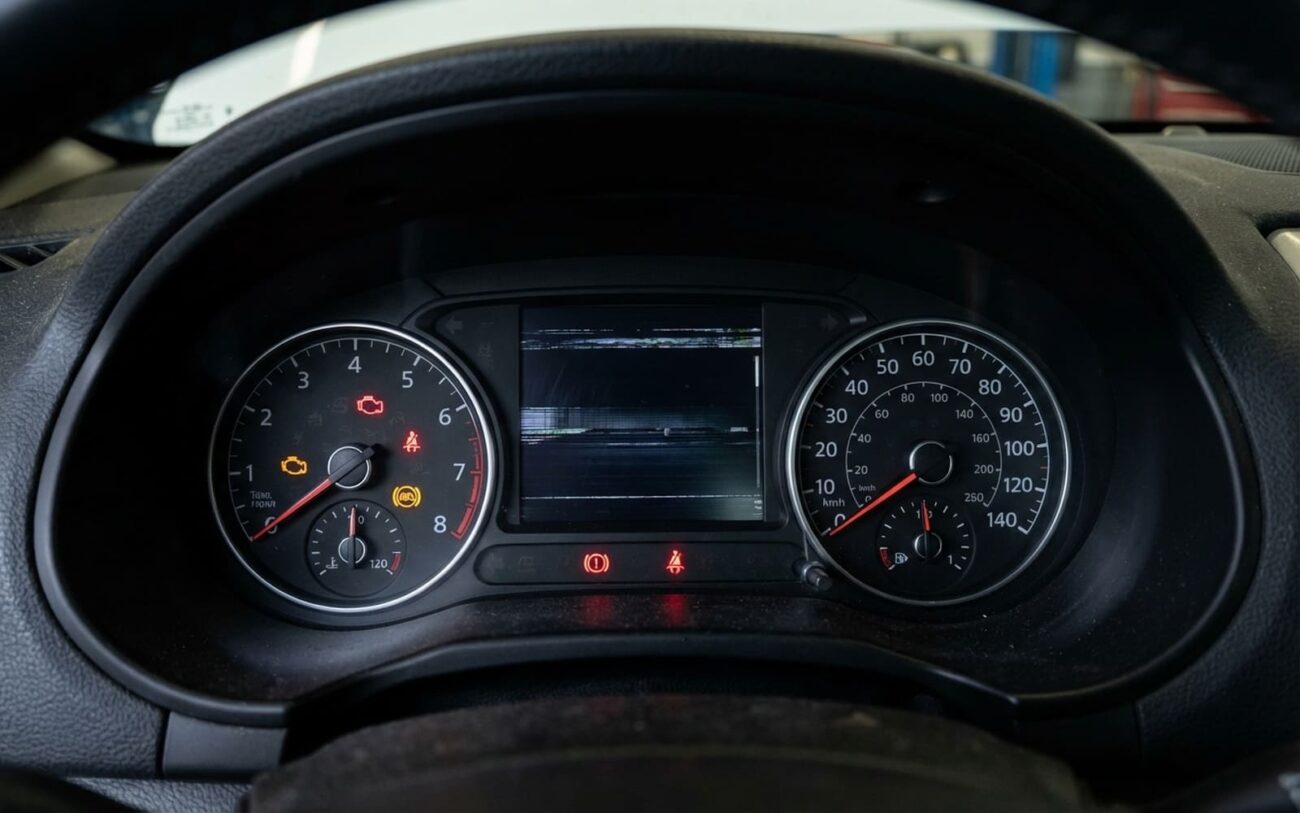
You’ve got a flickering instrument cluster and a dead central display—or maybe they’re glitching in sync, freezing together, or throwing a parade of warning lights. I see this at least twice a week in my shop. It’s not random. These systems talk to each other, share power, and rely on the same network backbone. When one goes haywire, the other often follows. But before you yank out a $1,500 infotainment unit, let’s figure out where the fault really starts. Because more than half the time, the root cause isn’t obvious—and throwing parts at it will burn cash fast.
Symptoms That Matter—And What They Actually Mean
First, ignore the noise. Not every glitch points to the central display. But when both screens fail at the same time—especially if the cluster freezes when the infotainment reboots—that’s a red flag. I’ve bench-tested dozens of these modules, and synchronized failures usually mean one of three things: shared power collapse, network flooding, or data starvation.
If your speedo and fuel gauge still work but you’ve lost turn-by-turn nav prompts or audio track info on the cluster, that’s not a cluster fault. That’s the infotainment unit failing to send data. The cluster’s just sitting there blind. On BMWs with MOST networks, I’ve seen this traced to a dead optical transceiver in the head unit. On Fords, it’s often a corrupted software state in SYNC3 or SYNC4.
Then there’s the scary one: both screens go dark. No gauges, no warnings, no nothing. That’s not just inconvenient—it’s dangerous. You’re driving without oil pressure or coolant temp. I’ve had customers limp in after driving 20 miles like that. If this happens, pull over. This isn’t a “wait-and-see” situation.
And don’t ignore random ABS, traction control, or tire pressure warnings after a display crash. I’ve seen techs waste hours chasing wheel speed sensors when the real issue was a failed infotainment module spamming the CAN bus with garbage. The network gets so noisy that other modules time out. It’s not a sensor failure—it’s digital crosstalk.
How I Isolate the Real Culprit
So both screens are down. Now what? You can’t guess. You need a plan. I start by asking: is the central display the cause—or just another victim?
A basic OBD2 scanner won’t help here. You need a factory-level tool—something like GM’s Tech2, Ford’s IDS, or BMW’s ISTA. You’re not reading codes. You’re watching the network breathe. Can you see live data from the infotainment module? Is it sending speed data to the cluster? If it’s silent, that’s a clue. If it’s sending malformed packets, that’s even better.
| Symptom | Likely Originating in Central Display | Common External Mimics | Definitive Test to Confirm Source |
|---|---|---|---|
| Both displays fail or reset simultaneously | Internal voltage regulator failure in the display causing overvoltage or current spike on shared power rail | Failing gateway module, body control module (BCM) fault, or corroded main ground connection |
Monitor power supply and CAN signals at both display and cluster connectors during failure. Use a lab scope to catch transient spikes. If abnormal current or voltage originates at the display’s harness, the unit is the source. |
| Instrument cluster loses media/navigation data only | Infotainment processor failure halting data output on MOST bus or Ethernet | Fiber-optic ring break in MOST network, failed audio amplifier, or dead telematics module |
Use a factory scan tool to check for live data messages from the infotainment module. For MOST-based systems, use an optical signal tester to verify ring integrity. If the ring is intact but no data comes from the head unit, the display is the culprit. |
| Erratic gauges or random warning lights after display crash | Software crash or hardware fault in display flooding CAN bus with error frames or spam messages | Physical CAN bus short, failing instrument cluster, or noisy sensor on the network |
Perform a CAN bus traffic log. The definitive test: safely disconnect the central display per the service manual. If network errors and cluster instability stop immediately, the display was the source of the noise. |
This table isn’t just a checklist—it’s how I think. For example, I had a 2018 Traverse come in with a dead cluster display and no nav prompts. Owner had already replaced the cluster. Didn’t help. We pulled the infotainment, checked data output—nothing. Unit was powered, but the processor wasn’t talking. One reflashed module later, everything worked. Saved him $800 on a second cluster.
What Actually Breaks Inside the Display?
Let’s say testing confirms the infotainment unit is the source. Now—what’s wrong inside? This isn’t a screen. It’s a full computer. I’ve cracked open dozens of these. Here’s what fails.
Electrical failures top the list. The internal voltage regulator is a weak spot. If it fails short, it can send 16+ volts back into the shared power rail. I’ve seen that fry gateway modules and BCMs. The CAN or MOST transceiver chip can also fail—either going silent or broadcasting noise. On a 2016 Audi A4 I worked on, a bad transceiver was sending 200 error frames per second. Cluster was resetting every 30 seconds.
Thermal stress is next. These units bake in the dash. The system-on-chip (SoC) runs hot, and if the thermal paste dries out or the heatsink loosens, the processor overheats. I’ve seen units work fine in the morning, then glitch by noon. Intermittent, heat-related lockups. Not a full failure—just enough to kill data to the cluster.
Software corruption is more common than you think. A botched OTA update, a memory leak in an app, or a failed boot sequence can hang the OS. On some Ram trucks, a known bug causes the cluster to lose speed data after a software crash. Fix? A reflash per TSB 14-005-20. But only if the hardware’s good. If you skip diagnosis, you’ll reflashing a dead board.
How I Fix It—And When to Walk Away
Now that you know the source, how do you fix it? Depends on what’s broken.
Software or Configuration Fault (DIY-FEASIBLE with caution)
Internal Hardware Fault Professional Only
How I Know It’s Really Fixed
Don’t call it done after one start-up. I test like I’m getting paid by the hour (because I am).
For a software repair, I cycle the ignition three times: off, lock, restart. All shared data—nav, audio, phone—must show on the cluster. Then I scan every module. No U0155 (Lost Comm with Cluster) or U0164 (Lost Comm with Infotainment). If I see a pending code, it’s not stable.
For a hardware replacement, I go further. Touch response, Bluetooth, HVAC display, backup camera—all must work. The scan tool must show the module as “Programmed” and “VIN-Coded.” Then I run a 30-minute network health test: key on, engine running, audio playing, climate active. Zero errors. If I see even one U-code, I don’t hand over the keys. Something’s off.
And yes—you need a professional scan tool. A $30 OBD2 reader can’t monitor CAN traffic or program modules. It’s like using a tire gauge to diagnose a transmission.
Cost vs. Value: When to Repair, When to Replace, When to Walk
Let’s talk money. A new infotainment unit can cost $1,200–$2,500 at a dealer. I get it—some people would rather sell the car than pay that.
| Repair Type | DIY Cost | Shop Cost | Success Rate | Secondary Risk if Failed |
|---|---|---|---|---|
| Software Update/Reset | $0 – $100 (if software license required) | $100 – $200 (1.0 hr labor) | High for confirmed software faults | Minimal; if it fails, no damage done. Proceed to hardware diagnosis. |
| Central Display Unit Replacement | $500 – $1,500 (OEM or remanufactured part only) | $1,200 – $2,500 (part + 2–3 hrs labor + programming) | Very high for confirmed hardware faults | High cost if misdiagnosed. Risk of damaging connectors during install. Incorrect programming may disable key functions. |
My rule: if the repair costs more than 40% of the car’s value, pause. Look for alternatives. I’ve started sending customers to specialists who do circuit-level repair—replacing voltage regulators, resoldering transceivers, reballing SoCs. Costs $200–$500. Not every shop can do it, but for high-end or rare units, it’s a lifesaver.
How to Keep It From Happening Again
You can’t stop aging electronics. But you can slow it down.
Heat and bad power are the killers. Keep your alternator in check—output should stay between 13.5V and 14.8V under load. Chronic low voltage stresses modules. Overvoltage? That’s a fast death sentence. And park in the shade. I’ve measured dash temps over 160°F in July. That’s oven-level baking.
Watch for patterns. If glitches happen only during Android Auto use, it could be thermal overload. Some vehicles have hidden menus—button combos that show system voltage, module temps, or error logs. I check those on every customer vehicle now. Caught a failing voltage regulator before it took out the BCM.
And only update software through official channels. OTA is safest. Avoid third-party mods. I’ve seen “performance” firmware brick infotainment units because it disabled the gateway handshake.
Bottom line: treat the infotainment system like any other critical component. It’s not just a screen. It’s a node on your car’s nervous system. Diagnose it right, fix it right, and it’ll last.
