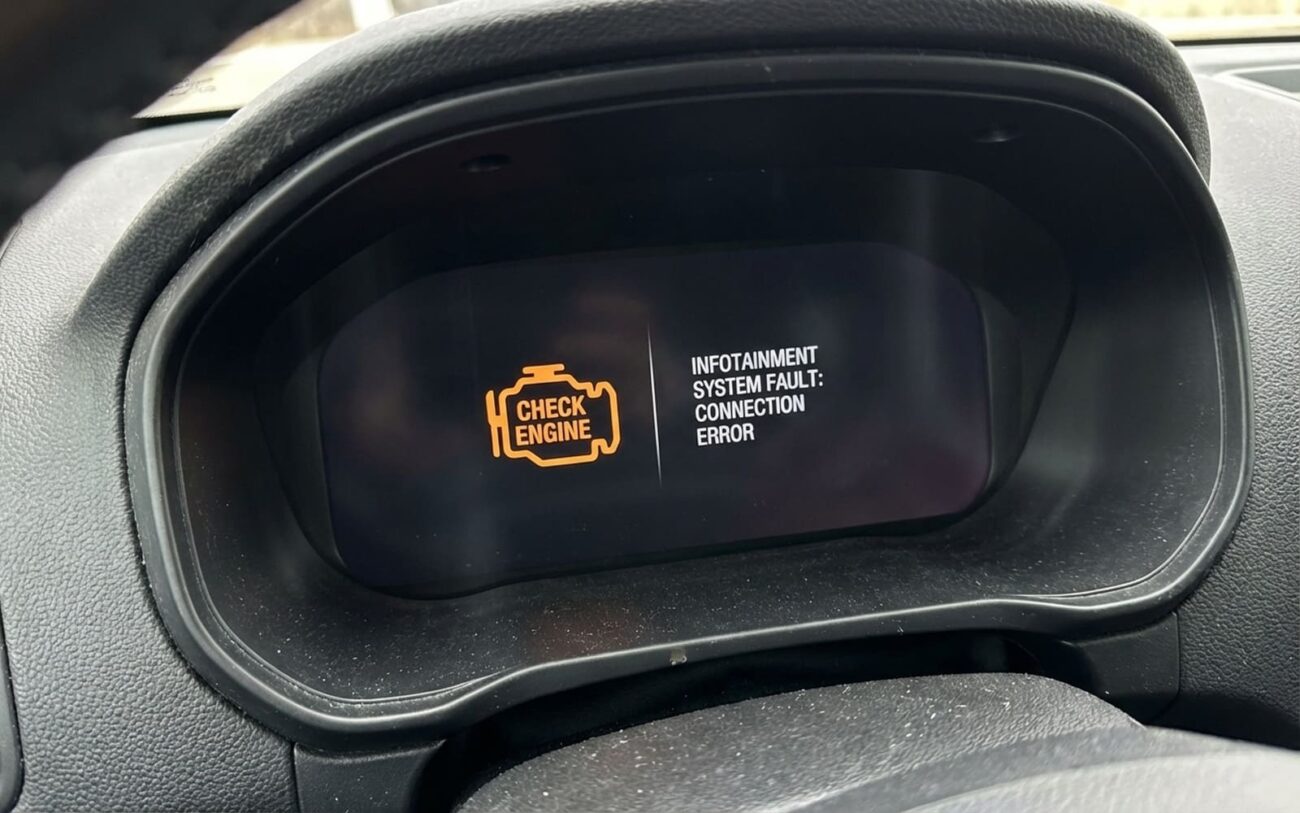
When your screen locks up the second you plug in your phone, it’s not “just one of those things.” I’ve torn into hundreds of these systems—Fords, Toyotas, BMWs, you name it—and what most people call a “glitch” is usually a stress response. The head unit is getting overwhelmed, and it’s screaming for help. Problem is, most folks hit the reset button and call it fixed. That’s like ignoring a check engine light because the car still runs.
What’s Really Happening When the Screen Freezes
If the freeze hits the moment you connect your phone—every time—it’s not random. This isn’t a loose wire or bad luck. You’re watching a system fail under load. The head unit has to mirror your phone, manage data streams, render graphics, and stay responsive. When it can’t, it locks up.
Here’s the tell: does the audio keep playing? I can’t stress this enough. If you’re still hearing turn-by-turn directions or your playlist, the main processor is alive. The graphics subsystem—the GPU or display driver—is the weak link. That’s different from a full crash, where everything dies. This distinction saves hours of wasted troubleshooting.
Step One: Rule Out the Obvious
You’d be surprised how often the problem isn’t the car. I’ve had customers swear their head unit was dying—turns out it was a $5 Amazon cable with no data lines. Or an iPhone running a beta OS that hadn’t been tested with CarPlay.
Before you touch the car, test with a different phone. Doesn’t matter if it’s Android or iOS—just something known to work. Use a high-quality cable: MFi-certified for Apple, USB-IF certified for Android. If the freeze stops, the issue is your original phone, its software, or the cable. Done.
If it still freezes? Now you’re looking at the head unit.
Check the battery first.
Weak voltage destabilizes these systems. If your battery is over 4 years old or the charging voltage dips below 13.2V at idle, that’s a red flag. I’ve cleared “failing head unit” symptoms with a new battery more than once. Don’t skip this.
What’s Actually Breaking Inside the Head Unit
Three root causes dominate here. I see them in order, every time.
1. Resource Exhaustion
Older head units—especially 2016–2019 models—weren’t built for today’s phones. They’ve got limited RAM and slow processors. When you plug in a modern smartphone running CarPlay or Android Auto, the system tries to mirror high-res graphics, stream audio, and handle notifications. It runs out of memory. The screen locks up, but audio keeps going because the core processor is still alive. It’s not broken—it’s just out of headroom.
2. Software Bugs
These are real flaws in the firmware. I remember a batch of 2017 Fusions where iOS 14 updates would crash the APIM module during handshake. Ford issued a bulletin, but only if you knew to check. These bugs are fixable with updates—but only if the manufacturer releases one.
3. Hardware Degradation
Heat kills these units. The System-on-a-Chip (SoC) runs hot, and most head units have zero active cooling. Over time, thermal cycling cracks solder joints under the CPU or GPU. That leads to intermittent failures—works when cold, freezes after 10–15 minutes. Also, the NAND flash wears out. Failed OTA updates leave corrupted files. When the system tries to load a broken driver, it crashes.
How to Fix It (Without Wasting Money)
Don’t replace the head unit yet. Try these in order.
Soft reset
Factory reset
Update the firmware
When You Need a New Unit
If software fixes fail, the head unit is likely failing. Replacement is the only real fix. This isn’t a DIY job unless you’ve got programming tools. You’ll need:
- OEM module with correct part number (APIM, HU, or ICM)
- Factory software (FDRS, SPS, Techstream) and license
- Calibration files for nav, SiriusXM, ADAS
- Wiring harness adapter if connectors changed
Torque mounting screws to 8–12 Nm (6–9 lb-ft). Overtightening cracks the brackets—seen it too many times.
Temporary Workaround
If you’re not replacing it yet, reduce the load. Close all apps before connecting. Use Bluetooth audio only. Avoid navigation while streaming. It’s not ideal, but I’ve had customers run this way for years on older vehicles. It’s stable, just limited.
Test It Like a Pro
Don’t just turn it on and call it good. Validate under real conditions.
If you did a software fix, here’s what I test:
-
Unit boots normally, no lag.
-
Connects to the phone that caused the issue.
-
Stays responsive for 30+ minutes with navigation, audio streaming, and a simulated call.
For a hardware replacement, go further:
-
All features active—voice, nav, satellite radio.
-
Scan tool shows “OK” status on CAN bus, no DTCs.
-
Three full ignition cycles—off, run, drive, off—no hiccups.
Without a scan tool, you’re guessing. The network might not recognize the new module fully. That’ll bite you later.
Is It Worth Fixing?
| Repair Type | DIY Cost | Shop Cost | Success Rate | Secondary Risk |
|---|---|---|---|---|
| Software Update/Reset | $0 (if update is free) | $75 – $150 | High for bugs, Low for hardware-limited | Bricked module if power drops during update |
| Head Unit Replacement | $500 – $1,500 + programming | $1,000 – $2,500+ | Very High (if programmed right) | Feature loss if calibration fails; salvage units may be VIN-locked |
If the repair costs more than 40% of your car’s value, think twice. A Bluetooth FM transmitter and a phone mount with GPS covers 90% of what people use the screen for. I’ve recommended this on older Accords, Camrys, even a 2014 Explorer. It’s not sexy, but it works.
Prevention: Treat It Like a Computer
These are mini-computers. They need updates, clean power, and good cables.
Check your manufacturer’s portal every 3–6 months for infotainment updates. Many fix known CarPlay or Android Auto bugs. I’ve stopped freezes before they started just by updating early.
Use only certified cables. I keep a known-good one in my glovebox—MFi for Apple, USB-IF for Android. Skip the dollar-store junk.
And when it freezes? Don’t just restart. Note what was happening. Was Waze loading? Did a text pop up? That detail might match a service bulletin. The more you observe, the faster we fix it.
