That “12V Battery Needs Service” Alert in Your Tesla: What It Really Means
Alright, let’s talk about that dreaded “12V Battery Needs Service” message popping up on your Tesla’s screen. As a tech who’s been wrenching on cars for over 25 years, and seen my share of Teslas come through the shop, I can tell you this isn’t some minor software glitch. It’s your car trying to tell you its low-voltage system — the one that runs everything from your touchscreen to the door locks, sensors, and even those critical relays connecting the big traction battery to the motor — is struggling. If that little 12V battery dies, those relays won’t close, and you’re not going anywhere. Period. What’s even scarier? A failing 12V system can cut out your power steering and brake assist while you’re driving. That’s a serious safety issue, not just an inconvenience.
So, yeah, this alert is urgent. But don’t panic and assume the worst right away. It doesn’t always mean the battery itself is toast. Often, it’s a symptom of something else going on. We need to dig a little deeper to figure out what’s truly happening.
Beyond the Warning: Other Signs of a Struggling 12V System
Sometimes, that “12V Battery Needs Service” alert is the only clue you get. Other times, though, your Tesla will start acting possessed, throwing a whole cascade of issues. The most straightforward case is when the car is completely dead — no lights, no screen, no communication with the app. That’s usually a fully depleted or failed 12V battery, plain and simple.
What gets tricky are the intermittent or multiple system alerts. You might see “door ajar,” “window fault,” various sensor malfunctions, “Can’t shift into Drive,” or “Electrical system unable to support all features.” These aren’t always what they seem. What’s really happening is that low or unstable 12V voltage is causing modules to reset or misbehave, making it look like you have a dozen unrelated failures. It’s like your car’s brain is having a seizure because it’s not getting enough juice.
The key red flags I look for in the shop? If the car struggles to wake up, hesitates when shifting, or randomly shuts down systems. That’s not a software hiccup; it’s a power delivery problem. And if you’re getting limp mode or drive restrictions, the 12V system is almost certainly the culprit. Don’t assume it’ll “come back.” Once these symptoms start, they usually get worse, and fast.
Diagnosing the Real Problem: Is it the Battery, the Charger, or Something Else?
Just because the car says “12V battery” doesn’t automatically mean you need a new one. The vehicle’s control modules are designed to detect voltage issues and log a generic warning. The real work for a technician is figuring out if the battery itself is bad, or if something else is starving it. I see this misdiagnosed all the time. Shops will jump straight to a battery replacement without properly testing the charging system or checking for parasitic drains. That’s just throwing parts at a problem, and it rarely works out.
Here’s how I approach it in the shop, breaking down common symptoms and the definitive tests needed to confirm the root cause:
| Symptom | Likely 12V Battery Issue | Common External Causes | Definitive Test to Confirm |
|---|---|---|---|
| Vehicle completely dead, no response | Internal cell failure, open circuit, or deep discharge beyond recovery. This battery is usually toast. | A failed DC-DC converter (PCS), a severe parasitic drain, or a battery isolation fault preventing any charge. |
Perform a loaded voltage test using a dedicated 12V battery load tester. A healthy AGM battery should hold above 10.0 volts under load for at least 10 seconds. Anything less, and it’s likely bad. |
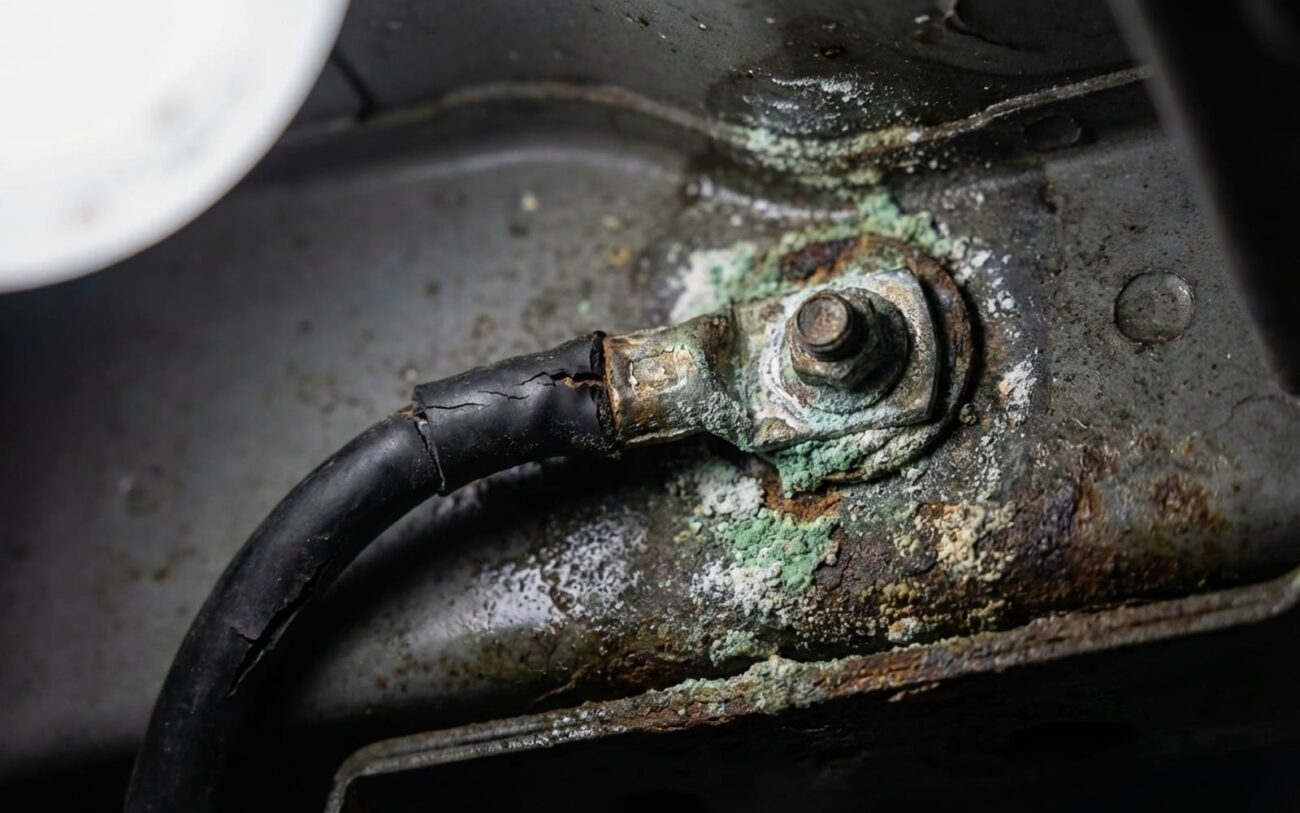
| Warning appears intermittently, especially in cold weather | High internal resistance due to age, sulfation, or capacity loss. Cold temperatures really expose a weak battery. | An intermittent DC-DC converter output, loose or corroded battery connections (yes, check these!), or a poor ground connection. |
Monitor 12V voltage during a sleep cycle using a scan tool capable of live data. A rapid or excessive voltage drop (more than 0.1V per hour) points to a weak battery or a parasitic drain. |
| Multiple electrical faults after wake-up | A weak battery causing significant voltage sag during the high-current startup events when the car wakes up. | A faulty Body Control Module (BCM), poor power distribution, or a short in a low-voltage circuit that’s pulling too much current. |
Use an oscilloscope connected to the battery terminals during wake-up. If the voltage dips below 10.5V during the initial current draw, the battery simply can’t supply enough stable current. |
Why the 12V Battery Fails (and its Charging System)
In the majority of cases, especially on Teslas that are three to four years old, the 12V battery is just plain worn out. It’s a sealed AGM (Absorbent Glass Mat) unit, and like any battery, it has a finite lifespan, typically 3 to 5 years under normal conditions. Over time, those repeated charge-discharge cycles cause sulfation — hard crystals that form on the battery plates, reducing its ability to hold a charge. Once its capacity drops below a critical point, it can’t handle the car’s startup surge, and that’s when you get the warnings.
Deep discharges really accelerate this process. Leaving Sentry Mode or Camp Mode enabled for weeks while the car is parked, for example, can drain the 12V battery far below its recovery levels. Each deep cycle damages the cells, and after a few, it’s pretty much game over for the battery. I’ve seen it too many times.
But here’s a critical point: the battery is often the victim, not the primary cause. I’ve also seen cases where the DC-DC converter (part of the Power Conversion System, or PCS) overcharges the 12V battery, boiling off electrolyte and killing it prematurely. In those situations, just replacing the battery without fixing the faulty charger is a waste of money. The new battery will just die the same way. And while it’s rarer now, early Model 3 and Y builds sometimes had firmware glitches that caused false 12V warnings. Tesla has issued updates that resolve these, so always make sure the car is running the latest software before assuming a hardware failure.
Getting It Fixed: The Right Way to Tackle 12V Battery Issues
Once you’ve done your diagnostics and confirmed the actual problem, here’s how to fix it. This isn’t just about swapping parts; it’s about doing it correctly to avoid bigger headaches.
DIY 12V Battery Replacement (with critical precautions)
Now, here’s the biggest mistake I see: disconnecting the battery without preserving power to the vehicle’s computers. If the car loses power during the swap, it can corrupt module settings and trigger a flood of false codes that are a real pain to clear. To avoid this, you absolutely need to either put the car into Service Mode via the touchscreen before you start, or connect a separate 12V power supply (like a small jump pack or trickle charger) to the dedicated jump-start terminals under the frunk liner. Once you’ve got power preserved, carefully remove the old battery, clean the tray thoroughly, install the new one, and torque the terminals to 6.5 Nm (57 lb-in). Don’t overtighten them — I’ve seen too many stripped, soft lead terminals from folks cranking down too hard.
DC-DC Converter (PCS) Replacement Professional Only
TEMPORARY / LAST-RESORT: Emergency Jump Start
Verifying the Fix: Don’t Just Assume It’s Done
Swapping a battery or fixing a charger isn’t the end of the job. You have to verify that the repair actually holds. First, clear any stored Tesla error codes using a capable scan tool or Tesla-specific diagnostics. That “12V Battery Needs Service” message should disappear. If it doesn’t, you’ve missed something.
Next, and this is a step too many DIYers skip, perform a sleep cycle test. Lock the car and let it sit completely undisturbed for at least 15–20 minutes. It should enter its deep sleep mode, where the 12V current draw drops significantly, usually to around 20–50 milliamps. After it’s been asleep, wake it up using your phone or key card. It should respond quickly and fully, with no hesitation or new error messages. If it’s slow to wake up or throws new errors, something’s still wrong.
If you have the tools to monitor voltage during sleep, look for a slow, steady decline — about 0.1V per hour is normal. A sharp, rapid drop means either the new battery is faulty (it happens), or you’ve got a parasitic drain you haven’t found yet. This verification step is absolutely essential. I’ve seen countless cases where someone replaces the battery, skips this validation, and comes back two weeks later with the exact same warning because the DC-DC converter was still faulty, or there was another issue lurking.
What This Is Going to Cost You
Let’s talk money. Here’s a realistic cost breakdown based on what I see in the field and current parts pricing. These are average figures, so your mileage may vary.
| Repair Type | DIY Cost | Shop Cost | Success Rate | Secondary Risk |
|---|---|---|---|---|
| 12V AGM Battery Replacement | $100 – $200 (for the battery) | $300 – $500 | Near 100% (if it’s the only fault) | If the DC-DC converter is failing, it will kill the new battery too. Improper DIY swap can corrupt modules. |
| DC-DC Converter (PCS) Replacement | $500 – $800 (parts) + specialized tools | $1,000 – $2,000 | ~95% | Replacing the PCS unnecessarily is a very expensive mistake. Always rule out wiring or battery issues first. |
Thankfully, even the pricier repairs here are manageable compared to the overall value of the car. But if the root cause turns out to be a complex wiring fault or a failed control module, costs can certainly climb. That’s why proper, thorough diagnosis is non-negotiable. A Tesla mobile service call for diagnosis usually runs $150–$250, but in my experience, that’s often cheaper than replacing the wrong part and still having the problem.
How to Keep Your 12V Battery Healthy (and Avoid This Headache)
You can’t really “service” the internals of a sealed AGM battery, but you can definitely protect its lifespan. The best thing you can do, honestly? Drive the car regularly. Long periods of inactivity — especially with power-hungry features like Sentry Mode or Camp Mode enabled — will drain that 12V battery faster than the car can keep it topped off.
My Best Advice for 12V Battery Care
-
If you know the car will be parked for days or weeks, consider connecting a quality trickle charger to the jump-start terminals. It’s cheap insurance.
-
Keep your firmware updated. Tesla constantly refines the 12V charging logic and how the car manages power during sleep cycles through those over-the-air updates.
-
Newer software versions have even optimized how often the battery coolant pump runs while parked, which helps reduce parasitic drain.
-
Don’t ignore early warnings in the Tesla app. Low voltage alerts or repeated wake-ups are your car telling you it’s struggling. Address them immediately to avoid being stranded.
