The Transmission Control Module: Decoding the Brains of the Operation
Alright, let’s talk transmissions. When a customer rolls in complaining about hard shifts, delays, or the thing just dropping out of gear, the first thing many folks jump to is a bad clutch pack or a sticky solenoid. And yeah, sometimes that’s exactly what it is. But in my 25+ years turning wrenches, I’ve learned to always look at the real brain behind the operation first: the Transmission Control Module (TCM).
This isn’t just some glorified sensor. The TCM is the decision-maker. It handles everything from shift timing and clutch apply pressure to torque converter lockup and adaptive learning. If this module is compromised, everything it controls is going to go haywire. Think of it like this: the TCM is the air traffic controller of your drivetrain. If that tower goes dark or starts giving bad commands, no amount of engine power is going to keep the flight smooth. You’re going to have problems, and often serious ones.
Signal: NO LINK
So, how do I figure out if the problem is actually in the TCM’s hardware, or if it’s just a software glitch or a communication issue somewhere else? It all comes down to timing, behavior, and what I can actually test.
Spotting the Difference: Hardware vs. Software
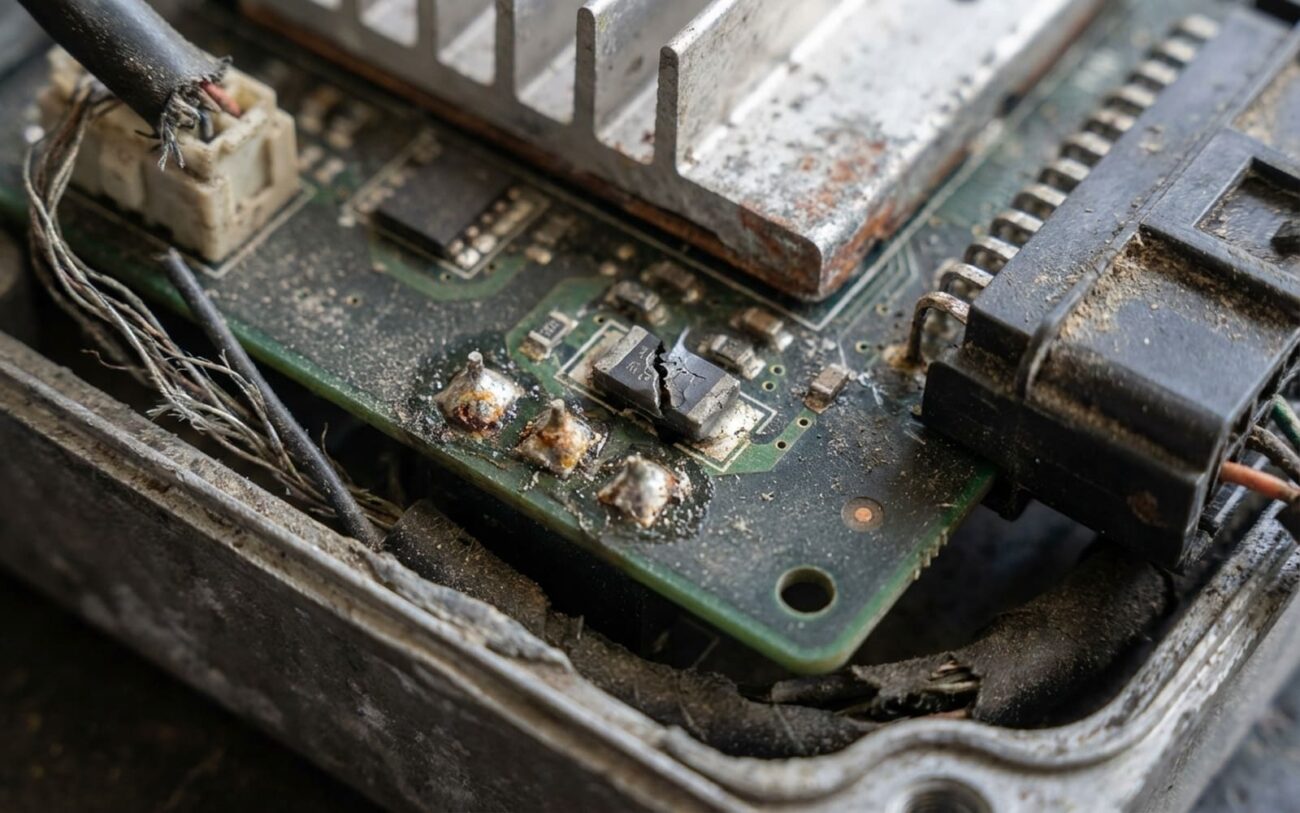
When a TCM’s hardware goes south, it’s usually pretty definitive. The most obvious sign I look for is a complete lack of communication. If my professional OBD2 scanner can’t even link up with the TCM—and I’ve already double-checked power and ground to the module—then I’m almost certainly looking at an internal electronic failure. Unlike those annoying intermittent sensor issues, a dead TCM usually just fails instantly and consistently. Another big giveaway is visible damage: corroded or green-stained pins on the connector, water inside the module housing (I’ve seen this on plenty of Fords and GMs where the TCM is mounted low), or burnt circuit traces and bulging capacitors on the board itself.
If the transmission slams into limp mode—which typically means it’s stuck in third gear—immediately at startup and stays there no matter what you do, that’s a huge red flag pointing to a hardware issue. It’s not adapting, it’s just failed.
Software or calibration issues, on the other hand, are often more subtle. You’ll see erratic shifting patterns: maybe it flares during upshifts, delays downshifts, or engages abruptly from a stop. These behaviors often pop up after a specific event, like a recent battery replacement, a jump-start, or even a factory software update. Why? Modern TCMs rely on adaptive learning values stored in non-volatile memory (EEPROM). If the power drops during a critical write cycle, those values can get corrupted, and the TCM starts making bad decisions.
The Diagnostic Grind: Don’t Just Blame the TCM!
This is where I see a lot of shops make big mistakes. They assume the TCM is faulty just because it’s not communicating or the transmission is in limp mode. The truth is, the TCM is often just responding to another problem, not being the problem. A failed sensor, a broken wire, or even an internal mechanical issue can perfectly mimic a TCM failure. You gotta do your homework.
| What I See (Symptom) | Could Be the TCM | What Else It Could Be (Mimics) | My Go-To Test |
|---|---|---|---|
| No communication with TCM. | Internal TCM power supply or processor has died. | Blown fuse, bad relay, poor ground, damaged CAN bus wiring (I see this a lot with rodent damage). |
First, verify 12V at all power pins and a solid ground. Then, check for proper CAN bus resistance (should be around 60 ohms between CAN High and CAN Low). |
| Transmission stuck in limp mode. | TCM hardware fault (failed memory, output driver for a solenoid). | Faulty range sensor, speed sensor failure, low fluid, internal mechanical damage, even a clogged filter. |
Use a good scan tool to command solenoids on and off. While doing that, monitor all live sensor data for plausibility. If the TCM commands a shift and nothing happens, or a sensor reading is way off, that tells me a lot. |
This process of elimination is non-negotiable in my shop. I’ve seen too many technicians replace a TCM only to find out the real issue was a $15 sensor or a corroded ground strap. It’s the same disciplined logic we apply when diagnosing other complex drivetrain issues—like figuring out if a DCT shudder is from worn DCT clutch packs or just a software calibration flaw. You’ve got to be methodical.
Why Do These Things Fail Anyway? (Root Cause Analysis)
Most hardware failures in a TCM are a direct result of environmental stress. Heat, plain and simple, is the number one enemy. A lot of TCMs are mounted right on or very near the transmission itself, where they’re exposed to extreme thermal cycling. That constant expansion and contraction can cause tiny microfractures in solder joints, especially under larger surface-mount components like the main microprocessor. I’ve even seen this on older Mercedes and BMWs where the TCM sits inside the transmission valve body.
Important Note on Adaptation:
The TCM is designed to adapt to wear. As clutches wear down, it’ll actually increase apply pressure to try and maintain shift quality. But when it hits its maximum adaptive limit, it’ll trigger a fault and often enter limp mode. That’s not the TCM failing; that’s the module doing its job by telling you that mechanical repair is needed. Don’t confuse the messenger with the message.
Electrolytic capacitors are another common weak point. Over time, the electrolyte inside dries out or leaks, causing the capacitor to swell or lose its capacitance. This can lead to all sorts of intermittent issues. Voltage spikes from a failing alternator are also a silent killer. Excessive AC ripple voltage (anything over 0.1V is too much in my book) or consistent overcharging (above 15V) will damage sensitive semiconductors in the TCM, even if it doesn’t blow a fuse immediately.
Getting It Fixed: Your Resolution Pathways
A Word on Programming Risks
Reprogramming a TCM requires a rock-solid, stable 14V+ power supply. I always hook up a dedicated power supply. If that power is interrupted during the flash—even for a second—you risk permanently “bricking” the module. This is strictly professional territory; don’t try this with a cheap battery charger.
Software Reprogramming Professional Only
Connector & Harness Repair DIY Feasible
Hardware Replacement Professional Only
The Proof is in the Drive: Post-Repair Validation
Replacing or reflashing isn’t the finish line—it’s just the start of the validation phase. I never just hand back the keys and hope it works. You’ve got to confirm the fix.
My Validation Checklist:
-
First, verify the flash completed without any errors and that the software version now matches the latest release from the manufacturer.
-
Next, I take the vehicle for a good test drive. I want to see at least 10 normal shift cycles under both light and moderate throttle.
-
Then, I perform the OEM-specified adaptation drive cycle. This usually involves a structured acceleration and coast-down procedure that helps the TCM “learn” the transmission’s characteristics.
-
Finally, I monitor the adaptive pressure values at full operating temperature (typically 80–100°C). I want to see those values settle into a normal range, indicating the TCM is happy and controlling things properly.
Dollars and Sense: Cost, Risk & Prevention
Software Reflash
This has a high success rate (over 95% in my experience) and is always my first step for erratic shifting issues if there are no hard communication faults.
Board Repair
Medium success rate. This is specialist work, usually done by dedicated electronics repair shops. There’s always a risk of latent failures popping up later.
Full Replacement
This includes the part and programming. It’s necessary for a confirmed hardware death, and it’s often the most straightforward, albeit expensive, solution.
Prevention & Monitoring
Electrical Hygiene is Key
Keep your charging system healthy. As I mentioned, AC ripple voltage over 0.1V is a sign of a failing alternator diode, and that can slowly kill sensitive modules like the TCM. Also, always, always use a memory saver during battery swaps. That little device prevents data corruption and saves you a headache.
