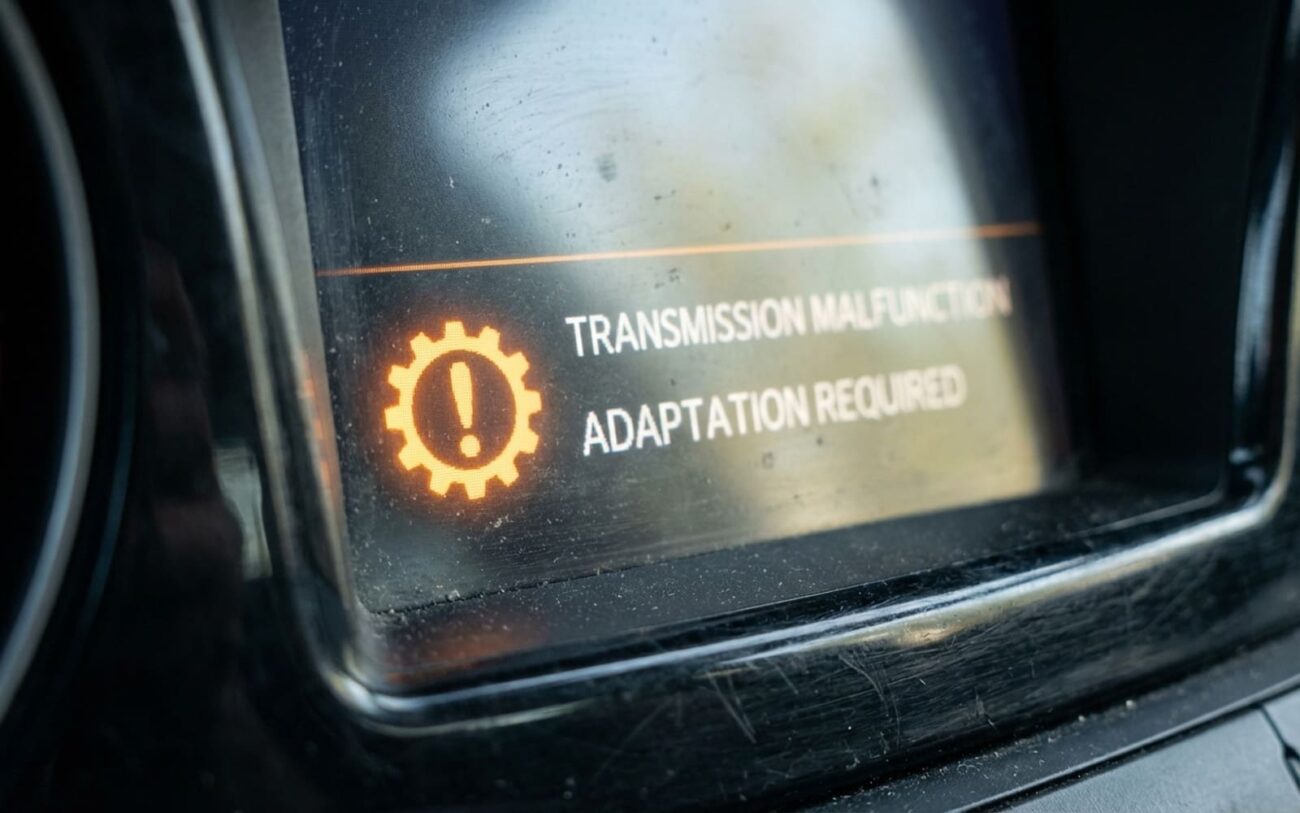
When a Software Update Breaks Your Transmission’s Brain
Look, if your car just came back from a software update and now the transmission feels like it’s fighting you—jolting into gear, clunking on downshifts, or holding gears way too long—you’re not imagining things. This is a real issue, and I see it all the time in the shop. It’s more common than most drivers, or even some technicians, realize.
The culprit? Usually, it’s the Transmission Control Module (TCM). This is the computer that manages everything from shift timing and clutch engagement to how much torque gets sent where. Over time, your TCM learns your specific driving habits. It fine-tunes those shifts, making them smooth and predictable. But a software update? That often wipes all that learned data clean, resetting the TCM right back to factory defaults.
Mode: FACTORY DEFAULT
So, what does that mean for you? Well, the TCM’s factory defaults are usually pretty aggressive. They’re designed to protect the transmission components, which often means firmer, less comfortable shifts while the system tries to relearn everything. Think of it like a professional athlete being forced to use a generic training manual—the talent is there, but the rhythm is gone, and they’re just not performing at their peak.
What you’ll typically feel are rough 1–2 upshifts and clunky downshifts, especially when you’re coming to a stop and it drops into first gear. You might also notice shifts that are delayed, the torque converter locking up too early, or just generally erratic shift points. It’s not a fun driving experience.
Diagnosing the Real Problem: Software or Hardware?
Okay, so you’ve got the symptoms. But here’s the deal: not every rough shift is a software problem. You’ve got to rule out the mechanical stuff first. I’ve seen too many guys chase ghosts when it was just low fluid or a failing solenoid. A mechanical problem usually gets worse over time, consistently. An adaptation issue, on the other hand, might improve slightly with driving, but it’ll plateau—it never quite gets back to that smooth feel you had before the update.
| Symptom | Adaptation/Software Issue | Mechanical/Electrical Mimics | Definitive Diagnostic Approach |
|---|---|---|---|
| Harsh 1–2 shift | TCM adaptation tables reset or corrupted. | Low fluid, 1–2 shift solenoid failure, worn clutch seal. | Perform a TCM adaptation reset and monitor solenoid current. If pressure control is precise but timing is off, it’s adaptation-related. |
| Erratic shift schedule | Driver profile reset to default; learned shift points lost. | Faulty throttle sensor, wheel speed sensor error, engine misfire. | Check live adaptation values (clutch fill times). If they’re at zero/default and sensor data is stable, the issue is software-side. |
| General shift harshness | Global adaptation values lost; TCM in “limp” learning mode. | Valve body wear, incorrect fluid type, degraded clutch material. | Verify fluid first. Use bi-directional control to command line pressure. Consistent pressure with bad timing points to software. |
Why It Happens: The Software Side of Things
So, why does this happen? It’s not usually a broken part. The problem is rooted in how the software update interacts with the TCM’s calibration and memory management. After a TCM software update, I typically see three main issues that prevent the transmission from adapting properly:
-
Corrupted or incomplete flash: If that update gets interrupted—even for a second—the new firmware might load, but the critical adaptation calibration tables don’t initialize correctly. Then you’re stuck in limbo.
-
Incompatible adaptation memory structure: Sometimes, new software versions completely reorganize how learned values are stored. When that happens, the old data gets purged, and the new system has nowhere to start from.
-
Volatile memory wipe: A lot of those crucial adaptation values are stored in RAM. This memory often clears during the multiple ignition cycles required for a software update, leaving the TCM with a blank slate.
Expert Insight:
In my experience, I see this misdiagnosed as a failing transmission more often than it should be—especially when shops skip the proper reset step after an update. Harsh shifting after a TCM update is frequently flagged in internal service bulletins as a known follow-up condition. It’s a common oversight.
How to Fix It: Your Options
Professional Territory Only
Let me be clear: some of these fixes absolutely require OEM factory tools (think BMW ISTA, VW/Audi ODIS, Ford IDS, GM MDI). And you must have a stable battery maintainer connected. If your battery voltage dips during these procedures, you can corrupt the module and brick it. Generic OBD2 tools just don’t have the bi-directional control functions needed for this kind of work.
Professional TCM Adaptation Reset Professional Only
Forced Relearn via Driving Cycle
TCM Software Reflash Professional Only
Checking Your Work: Post-Repair Validation
You can’t just fix it and send it. After performing a reset or reflash, validation is key. Here’s how I confirm the job’s done right:
-
Scan tool verification: Hook up the scan tool and check those adaptation values. They should no longer be at zero or factory default. More importantly, they should be actively updating in real-time as you drive.
-
No fault codes: Make absolutely sure there are no pending or stored TCM codes (like P0700, P0741, P2714, etc.) after the procedure and road test.
-
Road test: This is critical. Drive the vehicle through a mix of city and highway conditions. The initial shifts might still be a little firm, but they should be smooth—no bone-jarring clunks or hesitation. It should feel like it’s learning again, not fighting.
Cost, Risk, and Making the Right Call
Alright, let’s talk brass tacks. What’s this going to cost you, and what are the risks involved with each approach? Here’s how I break it down for my customers:
| Repair Type | DIY Cost | Shop Cost | Success Rate | Secondary Risk |
|---|---|---|---|---|
| Scan Tool Reset | $50–$150 (Rental) | $75–$150 | 85% | If it fails, it points to a deeper software or mechanical fault. |
| Driving Relearn | $0 | Included in service | 60% | None—just your time invested. |
| TCM Reflash | Not Advisable | $150–$300 | 95% | Bricked TCM if power or internet fails during the process. |
Professional Tip
If a shop performed the original software update, they’re responsible for completing the full procedure—and that includes the adaptation reset. While some might try to charge extra, ethically, it should be part of the initial service. For DIYers, if you own a modern vehicle with adaptive systems, investing in a capable bi-directional scan tool will absolutely pay for itself over time.
Prevention & What to Watch For
Preventing this issue starts with proper update procedure. Any software flash should be done with the vehicle connected to a professional-grade power supply—not just a trickle charger. A single voltage dip can corrupt calibration data, and then you’re back to square one.
As a driver, your best defense is awareness. After any software update, monitor those first few drives closely. A brief period of firmer shifts (say, 20–50 miles) is normal as the system starts to relearn. But if those harsh, jarring shifts persist beyond that, don’t wait. Get it back to the shop and specifically request a transmission adaptation reset or a driving style relearn procedure. Be clear about what you’re asking for.
