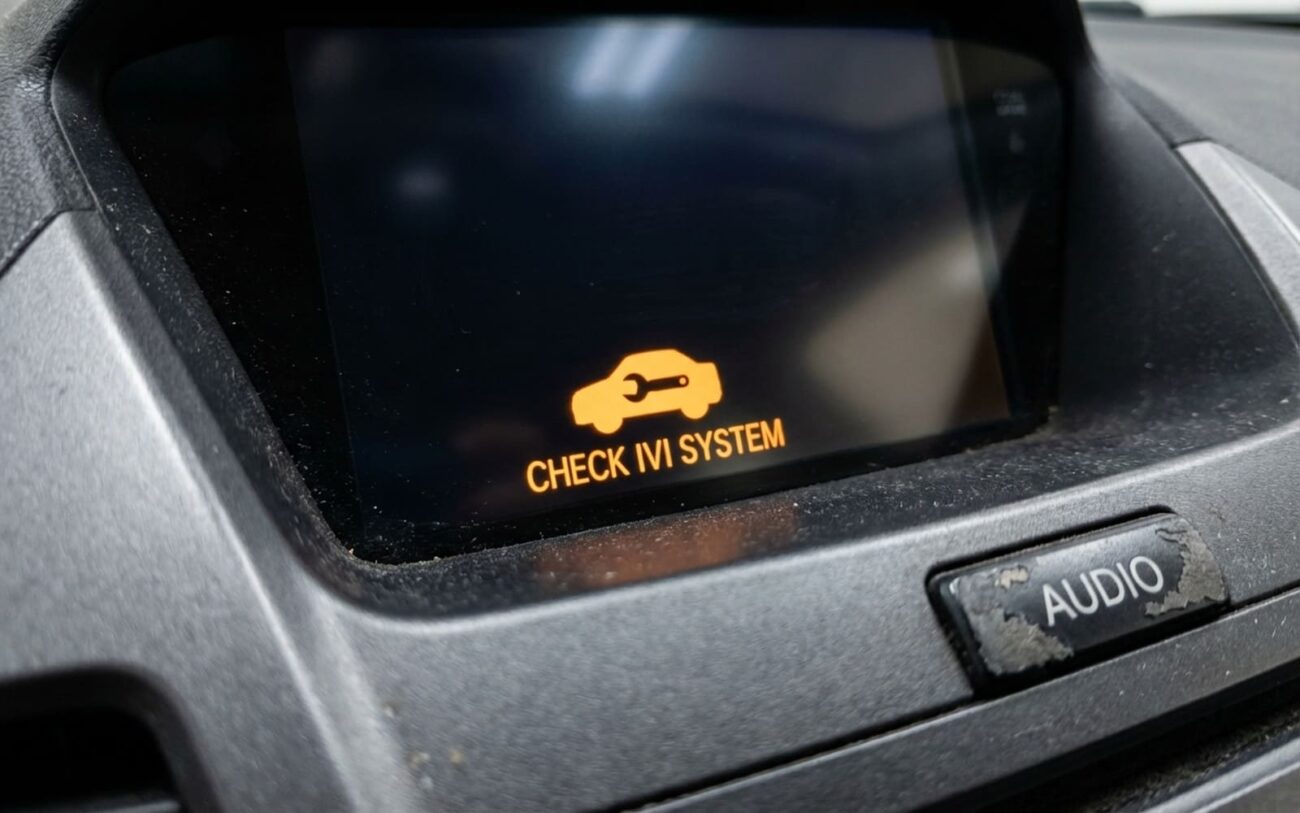
After more than 25 years turning wrenches, I’ve seen my share of car problems. But when your infotainment system—your IVI head unit—goes south, it’s not just a minor inconvenience. We’re talking about losing your music, sure, but also your navigation, climate controls, Bluetooth for calls, and even critical safety features like the backup camera. It really throws a wrench in your whole driving experience.
In my shop, I typically see three main ways these units fail, and each one tells a different story about what’s going on inside.
What a Failing Infotainment System Feels Like
First, there’s the “dead as a doornail” scenario. This is a complete no-power condition. No backlight, no boot screen, no status lights—nothing. It’s like the unit was never even installed. When I hook up my diagnostic tools, I often see internal rail checks come back unresponsive, with critical components like the NAND flash memory or the System-on-Chip (SoC) showing as failed or uninitialized. That usually points to serious hardware corruption or thermal damage right out of the gate.
Then you have the “hard freeze.” The screen is lit up, maybe stuck on a logo or a single image, but it’s completely unresponsive. Touch inputs don’t work, buttons do nothing, and even cycling the ignition won’t bring it back. Sometimes, a full battery disconnect for 10-15 minutes might reset it temporarily, but if it keeps happening, you’ve got deeper issues.
And finally, there’s the “silent treatment.” Everything looks normal on the display. Menus respond, you can connect your phone for Android Auto or Apple CarPlay, but there’s absolutely no sound. No chimes, no radio, no navigation prompts, no alerts. In my experience, this usually points to a problem with the internal audio circuit or the amplifier chip itself.
My Approach to Diagnosing Infotainment Failures
Before you even think about yanking that head unit out of the dash, you’ve got to confirm what you’re actually dealing with. Is the unit truly dead, or is it just not getting what it needs from the car? I always start by eliminating the external stuff, because a blown fuse, a bad ground, or a communication error on the CAN bus can look exactly like a dead infotainment system. It’s a logical process: check power, then ground, then signal integrity.
When You Have a “No Power” Situation
If your unit is completely dark, the first thing I check are the fuses. There’s usually a constant 12V fuse and an ignition-switched fuse. A blown fuse is the easiest fix, and it’s amazing how many times that’s the culprit. Beyond that, I’m looking for a faulty ignition-switched power feed or a poor ground connection. If all those external checks pass, then we’re likely looking at an internal issue—a failed DC-DC power regulator, an internal fuse that’s gone, or even a cracked trace on the main circuit board.
My Definitive Test: Grab your multimeter. You need to test for constant 12V+ and switched 12V+ at the head unit’s harness connector. Then, verify you have good continuity to ground. If you’ve got power and ground at the connector, but the unit’s still dead, the problem is almost certainly inside the unit itself.
Dealing with a “Hard Freeze”
A frozen screen can be tricky. It could be software corruption, a glitch in the CAN bus communication, or even a brief power fluctuation. But if it’s persistent, I’m usually thinking about a failed NAND flash memory, an overheated System-on-Chip (SoC), or a degraded RAM module within the unit. I’ve seen a lot of these on certain Ford SYNC 2/3 units, for example, where the memory just gives up the ghost.
My Definitive Test: First, disconnect the vehicle’s battery for at least 10 minutes. This performs a hard reset. If the unit freezes again shortly after reconnecting power, or if it won’t even boot past a logo, you might try to get it into a USB recovery mode if your specific unit supports it. But honestly, if a battery disconnect doesn’t fix it, you’re likely looking at a hardware problem.
When You’ve Got “No Audio”
This one’s often mistaken for a speaker issue, but if you’ve got no sound from any source (radio, Bluetooth, navigation prompts), the head unit is usually the prime suspect. External mimics include a faulty external amplifier (common in premium sound systems), a broken MOST bus ring (if your car uses fiber optics for audio), or even just shorted speaker wiring. But inside the head unit, it’s typically a failed internal audio amplifier chip or cracked solder joints on the audio output circuitry.
My Definitive Test: This requires a bit more specialized equipment. I’ll use an oscilloscope or an audio probe to check for a signal at the head unit’s audio output pins on the harness. If there’s no signal coming out of the head unit, but all the power and communication lines are good, then the problem is definitely internal.
A Quick Diagnostic Pro-Tip from My Bench:
If your diagnostic scan tool is spitting out a U-code (like U0100) for lost communication with the radio, that’s almost always a wiring, fuse, or gateway module issue—not the IVI unit itself. The unit isn’t communicating, but it might not be dead. And if only your GPS is missing, always check the antenna and its coaxial feed first. Nine times out of ten, that’s where the problem lies, not in the head unit itself.
Why These Units Give Up the Ghost
Look, these modern infotainment units aren’t just radios anymore; they’re full-blown embedded computers. They’ve got processors, memory, and complex power management circuits all crammed into a relatively small space. And just like any computer, they have common failure points.
What I see most often is a problem with the power supply components. Specifically, those tiny surface-mount capacitors on the DC-DC converter stage. Over time, these little guys degrade. They might bulge, start leaking electrolyte, or simply go out of spec. When that happens, the System-on-Chip (SoC) inside the unit gets starved of stable voltage, and that’s when things start to get flaky or just quit altogether.
Thermal cycling is another silent killer. Think about it: your car gets hot in the sun, then cold at night, then hot again when you run the heater. That constant expansion and contraction puts stress on all the solder joints, especially the Ball Grid Array (BGA) connections under the SoC and memory chips. Eventually, those tiny solder balls crack, and you get intermittent or complete failure.
Your Options for Getting It Fixed
Once you’ve narrowed down the problem, you’ve got a few paths you can take. They range from simple resets to full-blown replacements, and the complexity—and cost—varies a lot.
The Hard Reset First, Easy Try
A Word on Internal Hardware Repair:
Let me be clear: getting inside these units for hardware repair is not for the faint of heart. You need an ESD-safe workstation, specialized fine-tip soldering tools, and often, boardview schematics specific to your unit. Without the right knowledge and equipment, you’re more likely to permanently destroy the circuit board or nearby components than you are to fix it. This is advanced stuff.
Component-Level Repair DIY-Feasible for the Skilled
BGA Rework / Chip Repair Professional Microsoldering Only
Full Unit Replacement The “Non-Repairable” Option
Making Sure the Fix Actually Stuck
Alright, you’ve done the repair or swapped out the unit. Don’t just slap the dash back together and call it a day. Validation is absolutely critical. You can’t just turn the key and assume everything’s golden. Especially with a microsoldering repair, that unit needs to boot up consistently and run all its functions for at least an hour. I always test every single audio source: AM/FM, satellite radio, Bluetooth, USB, Android Auto, Apple CarPlay—the works.
My Post-Repair Checklist
-
Monitor the internal temperature of the unit. Anything over 70°C (158°F) under load is a big red flag for me.
-
Run a full network scan on the vehicle. You want to make sure there are no communication DTCs (U-codes) popping up.
-
If it’s a replacement unit, verify the VIN programming and all feature codes using the OEM software or a J2534-compliant tool. This is crucial for proper function.
-
Confirm that the backup camera and all steering wheel controls are fully functional and responding correctly.
What This Is Going to Cost You
Alright, let’s talk brass tacks. What’s this going to set you back? The cost can vary wildly depending on the type of repair and whether you’re tackling it yourself (if you’re qualified, that is) or taking it to a professional shop.
| Repair Type | DIY Cost (Parts Only) | Shop Cost (Parts & Labor) | Typical Success Rate | Secondary Risk |
|---|---|---|---|---|
| Capacitor/Solder Repair | $20 – $100 (for components) | $200 – $500 | 50% – 80% | High potential for PCB damage during rework if not skilled. |
| Unit Replacement (New OEM) | $800 – $2500 | $1000 – $3000+ | 99% | Incorrect configuration or programming can cause feature loss or DTCs. |
| Unit Replacement (Remanufactured) | $400 – $1500 | $600 – $2000+ | 90% – 95% | Can sometimes have latent issues not fully addressed in remanufacturing process. |
Note: DIY cost for component repair assumes you already own the specialized tools. If not, factor in several hundred dollars for a proper soldering station, microscope, and ESD gear.
How to Keep This From Happening Again
The good news is, a lot of these IVI failures are actually preventable. In my experience, the single biggest factor is the overall electrical health of your vehicle. Your charging system has to be rock solid. With the engine running, I always look for a stable voltage between 13.5V and 14.8V. If you’re consistently running with under-voltage, it puts a huge strain on the head unit’s DC-DC converters, wearing them out prematurely. And if you’ve got voltage spikes from a failing alternator or regulator, those can slowly but surely fry capacitors and integrated circuits over time.
My Early Detection Tip:
Pay attention to the little things. If your infotainment screen starts taking longer to boot up, freezes more often, or reboots randomly, that’s usually a sign that the internal power circuit is starting to degrade. Catching these symptoms early gives you time to plan a repair before you suddenly lose critical functions like your backup camera. Also, keep your software updated, and if your car sits for long periods, consider using a battery maintainer to keep the voltage stable.
