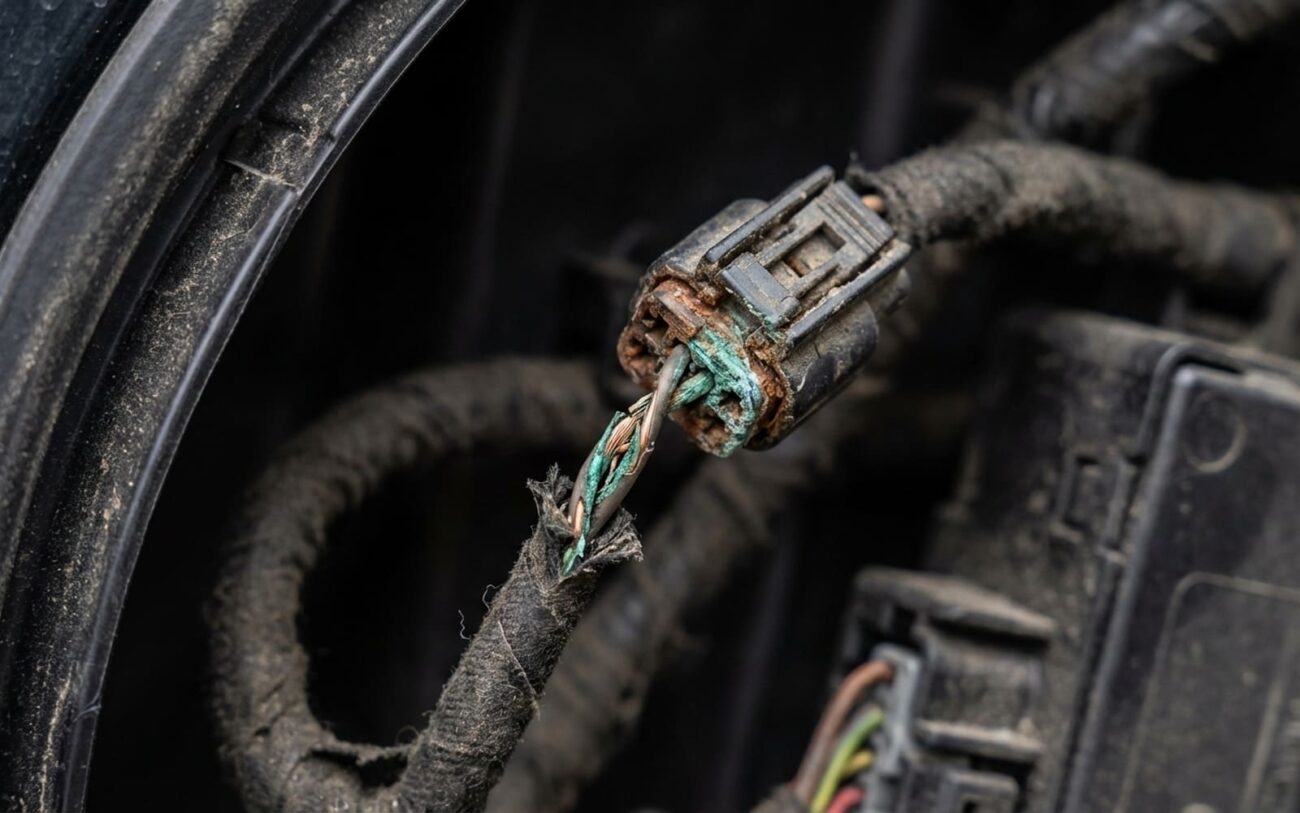
You know the drill: a customer rolls in, complaining their driver’s window is dead, or the passenger seat memory has gone rogue. Maybe the door locks on one side just stopped responding. It’s frustrating for them, and honestly, it can be a head-scratcher for us if we don’t know where to look. More often than not, these kinds of localized electrical gremlins point straight to the Local Interconnect Network – what we technicians just call the LIN bus.
I’ve been wrenching for over 25 years, and I can tell you, LIN bus faults are one of those things that get misdiagnosed constantly. Folks jump straight to replacing expensive control modules when the real issue is often something much simpler. Think of the LIN bus as a low-cost, single-wire communication line. The Body Control Module (BCM) acts as the master, talking to simpler, cheaper slave modules like the ones in your door, seat, or even the rain sensor. It handles all the non-critical stuff – the creature comforts, really – but when it goes down, it can drive you absolutely nuts.
What a LIN Bus Problem Looks Like
So, how do you spot a LIN bus issue? It’s usually pretty specific. If a single door control module fails, you’ll lose everything tied to it: power windows, mirror adjustments, and lock/unlock functions from that door panel. But here’s the kicker, and this is a crucial diagnostic clue: the master switch on the driver’s door might still operate the other windows. Why? Because that master switch often talks directly to the BCM over a completely separate, more robust network like CAN bus. If only the local functions are dead, but remote commands still work, that screams “problem isolated to that door’s LIN slave module or its immediate power and ground.”
And let me tell you, DTCs are your first real friend here. Forget generic “U0100 Lost Communication with ECM” codes. Those won’t help you much with LIN. What you need are module-specific codes like U0235 Lost Communication With Door Control Module B or B1A5F LIN Bus Communication with Seat Module. These codes tell you exactly which slave module the BCM can’t talk to. But here’s where experience kicks in: a single failing LIN slave can actually short out the LIN wire, dragging down the entire branch of the network. I’ve seen more than a few BCMs get replaced unnecessarily because a shorted door module was pulling the whole LIN bus to ground. Don’t fall into that trap.
Don’t Condemn the Module Yet: Basic Checks
Just because your scan tool points to “Door Module B” doesn’t mean that module is actually dead. In my experience, wiring issues and power supply faults are far more common than a module just failing internally. You absolutely have to rule out these external causes before you even think about replacing a module. The key here is systematic testing – no shortcuts.
First things first, you need to verify power, ground, and signal integrity right at the module connector. A good digital multimeter (DMM) is essential for checking voltage and resistance. You’ll want to back-probe the connector (with the module still plugged in, if possible, or using a breakout box if you have one) and check for a solid 12V power supply and a good, clean ground. Don’t just trust a quick check; load test the circuit if you suspect a weak power or ground connection. A light bulb or a power probe can help with this.
But for the LIN bus itself, a DMM will only get you so far. This is where an oscilloscope becomes a real game-changer. The LIN signal isn’t a steady voltage; it’s a communication waveform. You should see a clean 0–12V square wave when the BCM (the master) is interrogating the network. If that waveform is flat, or it’s clamped near 0V, or it’s just erratic and noisy, that’s a huge red flag. It usually means the LIN wire is shorted to ground, the master isn’t transmitting, or a slave module is pulling the line low.
Pro Tip: Isolating a Short. If you’ve got a shorted LIN line, disconnect the slave modules one by one. When the waveform comes back clean, you’ve found your culprit. That module, or its wiring, is dragging down the whole bus. This simple trick has saved me from replacing countless BCMs.
Okay, So It’s Actually the Module. Now What?
Alright, you’ve checked power, ground, and the LIN signal looks good. You’ve even tried disconnecting other modules to rule out a short. If your module still isn’t responding, then yes, the fault is likely internal. So, what typically fails inside these compact little boxes?
-
Internal voltage regulator: These modules need stable low voltage (often 5V or 3.3V) to operate. Years of heat cycles, voltage spikes (like from a bad jump-start), or just old age can kill that little regulator chip. If it’s dead, the module won’t boot up.
-
Microprocessor or memory corruption: Sometimes, an electrostatic discharge (ESD) during servicing, or even strong electromagnetic interference, can scramble the module’s brain. It’s rare, but it happens.
-
LIN transceiver chip: This small integrated circuit is responsible for the physical communication on the LIN bus. If the LIN wire gets shorted to ground, this chip is often the first thing to burn out.
-
Internal corrosion: This is a big one, especially for modules in doors, under seats, or in trunks. Moisture gets in, condenses, and starts eating away at the circuit board traces and solder joints. Once you see green or white fuzz, that module is usually toast.
Getting It Fixed: Your Options
DIY-Feasible (with caution)
Professional-Only Expert Required
Non-Repairable → Replace
Temporary Fix (for moisture)
The Job Isn’t Done Until It’s Verified (and Prevented)
Replacing a module isn’t the end of the job – validation is. First, clear all those diagnostic trouble codes. Then, you need to test every single function tied to that module. Don’t just hit the window switch once. Operate each window three times, cycle the mirror adjustments fully, test all door locks, and run seat motors through their entire range of motion. Do it multiple times. You’re looking for any intermittents that might creep back in.
While you’re doing this, keep your scan tool hooked up and monitor live data. Look for stable LIN communication status and make sure those error counters aren’t incrementing. But the real gold standard, the definitive check, is to recheck the LIN waveform with an oscilloscope at the module connector. A clean, undistorted 0–12V signal confirms that your repair is solid and the network is happy.
Prevention and When to Walk Away
Preventing LIN bus issues largely comes down to moisture control. Door modules are particularly vulnerable. Always make sure your door moisture barriers are intact, and critically, that the drain holes at the bottom of the door are clear. Clogged drains are a leading cause of water buildup and internal corrosion. And when you’re disconnecting or reconnecting any module, a small dab of dielectric grease on the terminals can go a long way in preventing future oxidation.
For early detection, pay attention to any intermittent behavior. Does the window only work after you slam the door? Does the seat position drift, or fail to recall correctly sometimes? These are huge red flags. Just like catching a worn brake wheel cylinder before it starts leaking, spotting a LIN bus issue early can save you a lot of time, money, and frustration down the road.
The Technician’s Rule of Thumb:
Here’s something I tell my customers all the time: If repairing a non-critical comfort module (like a passenger seat memory or a rear sunshade) is going to cost more than, say, 30% of the vehicle’s current market value, you really need to consider if it’s worth it. Especially if safety systems aren’t affected. It’s about making smart, cost-conscious decisions, not just fixing everything because it’s broken. Sometimes, it’s okay to live with a minor inconvenience.
