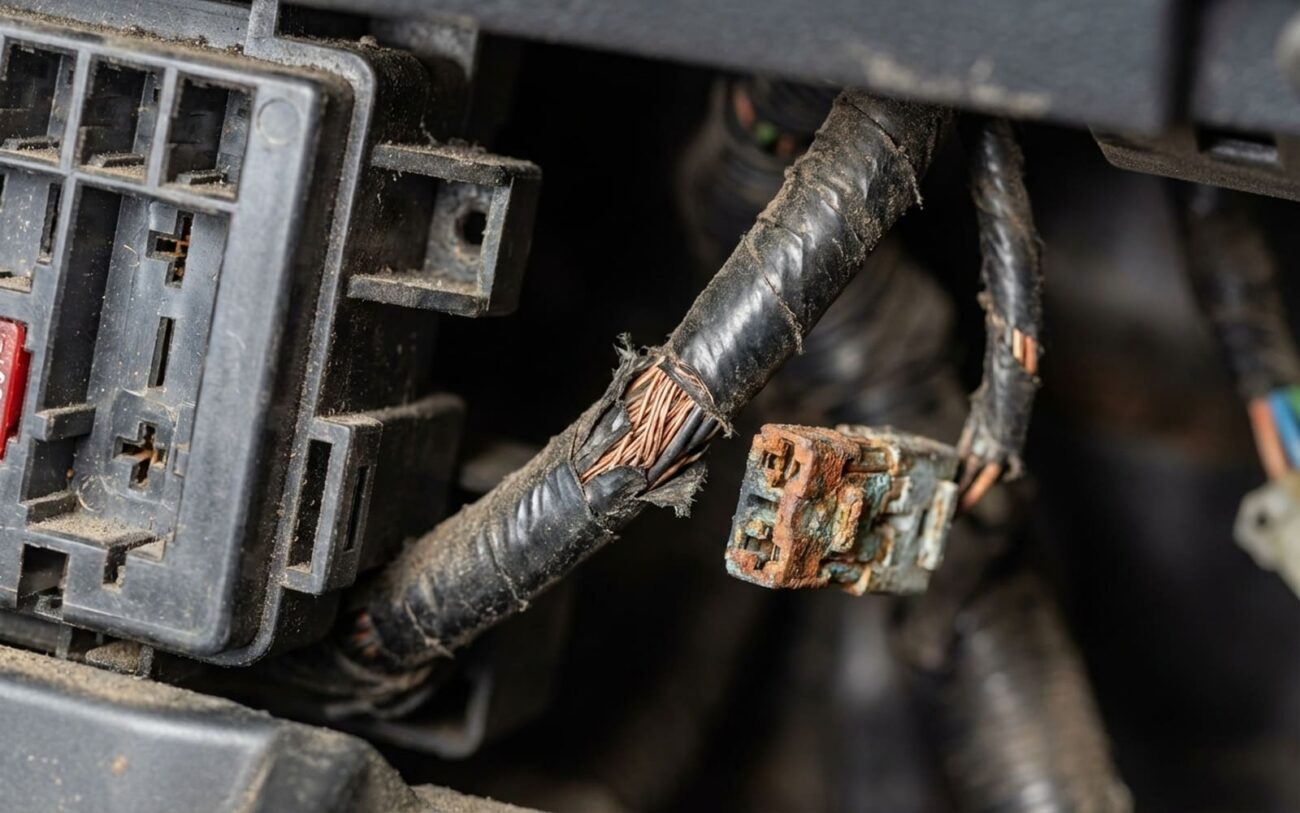
You had a remote start installed and now your headlights won’t turn off. Battery’s dead by morning. I’ve seen this exact scenario walk into my shop more times than I can count — especially on Fords, GM trucks, and Toyotas with half-baked aftermarket installs. Let me tell you straight: this isn’t some ghost in the machine. It’s almost always the remote start module either miswired, misprogrammed, or failing internally. And if you leave it, you’re not just killing batteries — you’re stressing the alternator, risking module damage, and possibly frying your BCM down the line.
First: Confirm It’s the Remote Start — Not the Car
Before you start cutting wires or reprogramming modules, you need to know where the fault lies. Was your car’s headlight system working fine before the install? If yes, the odds are overwhelming that the remote start is the trigger — but I’ve seen techs replace modules only to find out the factory BCM was already flaky.
Here’s what I do in the bay:
| Symptom | Remote Start Likely? | Factory Issue Mimic | Definitive Test |
|---|---|---|---|
| Headlights on, ignition off, remote start disabled | Yes — usually a miswired headlight output | Faulty headlight switch, BCM latch-up, DRL override |
Disconnect the module’s headlight trigger wire. If lights go off, the module’s at fault. If they stay on — it’s factory-side. Stop blaming the remote start. |
| Lights come on when locking with fob | Very likely — park light output misconfigured | Factory security confirmation flash (common on GM, Ford) |
Scan tool check: monitor BCM headlight command signal during lock. No signal? Then it’s not the factory — it’s your remote start sending the command. |
| Lights stay on after remote start shuts down | Almost always — relay not releasing | Retained Accessory Power (RAP) or follow-me-home delay |
Probe the headlight output wire with a multimeter. Should drop to 0V within 10 seconds of shutdown. If it stays at 12V — the module isn’t letting go. |
These tests take 20 minutes max with a decent multimeter and scan tool. If you skip them, you’re just guessing — and I’ve seen too many guys replace perfectly good BCMs because they didn’t isolate the issue.
Why the Remote Start Is Usually to Blame
Let’s be real: your headlights worked before. The new module introduced the fault. Doesn’t mean the installer was sloppy — but it does mean something in the interface failed.
Most common issue? Programming. I can’t tell you how many times I’ve pulled up the menu on a Viper or Compustar and found “Headlight Output” set to “Latch” instead of “Pulse.” That’s it. One setting. And now the lights stay on forever. Same with “Park Light Output” — if it’s set to trigger high beams instead of parking lights, you’ve got a problem.
Second most common: wrong wire. The headlight trigger from the module must connect to the switched control signal — not a constant 12V line. If it’s tapped into a live feed, the module can back-feed power and keep the lights energized even when off. I see this on Honda Accords and F-150s all the time — especially when T-harnesses aren’t used.
Then there’s the stuck relay. Internal relays can weld shut from voltage spikes or poor grounding. You might hear a faint hum from the module, or feel it warm to the touch. Once that happens, it’s game over — the relay won’t release, and you can’t fix it without replacing the whole unit.
And yeah, firmware bugs exist. I won’t name names, but certain Fortin and Directed modules have had known issues where the headlight output stays active after shutdown. A firmware update often fixes it — but only if you know it’s an option.
How to Fix It — For Real
Check the Programming
If you’ve got the right cable and software (Viper, Fortin, Compustar, etc.), plug in and verify all lighting settings. Make sure:
- “Headlight Output” is set to “Pulse” or “OFF” — not “Latch” or “On”
- “Park Light Output” is set to flash only, not continuous
- “Lights with Remote Start” is disabled unless you want them on during startup
Reprogram, reboot, and test. This fixes 80% of cases.
Verify the Wiring
Trace the headlight trigger wire from the module to the splice point. Use a wiring diagram (Mitchell1, Alldata, or OEM) to confirm it’s connected to the correct factory control wire — not a constant power source.
For example: on a 2018+ Silverado, the headlight control is a dark green wire at the BCM — not the pink constant 12V. Splice into the wrong one, and you’ve created a back-feed loop.
If it’s wrong, cut it, seal it, and reconnect to the right circuit. Use solder and heat shrink — no butt connectors. This isn’t a place to cut corners.
Replace the Module Pro Only
If the relay is stuck, replacement is the only fix. You can’t repair it — and bypassing it risks frying the logic board. Get a new or known-good unit, reprogram it, and bench-test before install.
Some systems allow cloning — others require full reprogramming. Either way, this isn’t a DIY swap unless you’ve done it before.
Firmware Update Pro Only
Some modules have known bugs. Check the manufacturer’s site for updates. But — and this is critical — use a battery charger during the update. A voltage drop can brick the module. I’ve seen it happen. Don’t rush this.
Emergency Fix: Kill the Output
If your battery’s dying overnight and you need a stopgap, disconnect the headlight trigger wire from the module and insulate it. This disables any light control from the remote start — no flash on lock, no illumination during startup — but it stops the drain.
Just remember to fix it right later. This is a band-aid, not a repair.
Test It Like a Pro — Don’t Just Assume It’s Fixed
So the lights went off. Great. But is it really fixed?
Here’s how I validate every repair in the shop:
-
With ignition off, check the headlight trigger wire — should be 0V.
-
Run a full remote start cycle — engine starts, runs, shuts down.
-
Monitor the trigger wire for 60 seconds post-shutdown — must stay at 0V.
-
Arm and disarm with fob — lights should only flash, not stay on.
-
Listen for the relay click in the module when lights are commanded. No click? Output isn’t cycling.
Run three back-to-back cycles. Heat can cause relays to stick only after warming up. If it passes all three, you’re good.
How to Avoid This Next Time
Prevention Checklist
-
Use a T-harness if available. On Fords, GMs, Toyotas, and Hondas, they exist. It eliminates splicing and cuts miswire risk by 90%.
-
Test every function post-install. Remote start, lock/unlock, light flashes, shutdown. Watch it yourself. Don’t assume.
-
Check for RAP conflicts. GM and Ford trucks often use retained power — if the module isn’t set to ignore it, it can misread signals and turn on lights.
-
Monitor battery voltage. After install, check it after 4–6 hours parked. Below 12.4V? You’ve got a drain.
-
Understand DRL behavior. Some systems keep DRLs on for a few minutes. But if they’re on for hours, something’s wrong — and the remote start might be interfering.
