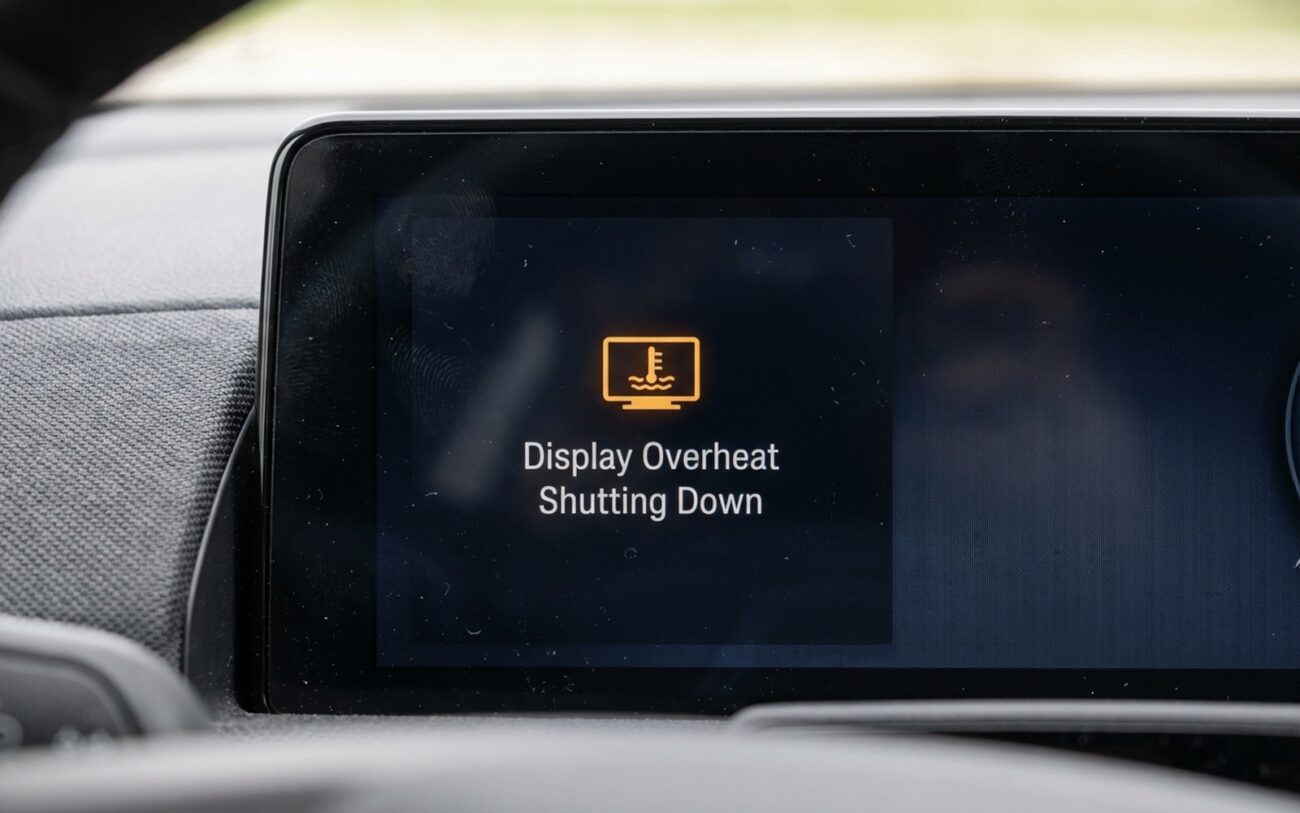
When the Screen Dies: It’s Usually Heat — But Not Always
I get this call all the time: “My screen went black. No power, no lights, nothing.” First thing I ask? “Was the car sitting in the sun?” If they say yes, and it comes back after 10 minutes of AC, we’re not dealing with a dead unit — we’re dealing with thermal protection kicking in. That’s not a failure. It’s the system doing its job.
Modern infotainment modules are packed with high-density ICs — GPU, memory, power regulators — all crammed into a thin housing with minimal airflow. They’re rated for 70–85°C (158–185°F), but leave your car parked in Phoenix in July, and the dash surface hits 90°C easy. That dark glass? It’s not just a screen — it’s a solar collector. The heat soaks in, the internal temp spikes, and the protection circuit cuts power before something fries.
The Concept
“It’s like a circuit breaker for heat — not current. When internal temps exceed safe limits, it trips. No damage done… yet.”
But here’s the catch: sometimes it’s not the sun. I’ve seen units shut down at 72°C when they should hold until 85°C. That’s when you know the problem isn’t environmental — it’s internal. Degraded thermal paste, clogged vents, or a failed micro-fan can all lower the threshold. And once that starts, the cycle accelerates.
Is It the Display — Or Something Else?
A blank screen doesn’t mean a bad screen. That’s where most DIYers go wrong. Could be the BCM, a relay, a loose harness, or even a failing ignition switch. Before you pull the dash apart, rule out the easy stuff.
| Symptom | Likely in Display | Common External Mimics | Definitive Test to Confirm Source |
|---|---|---|---|
| Sudden power loss | Internal thermal fuse or protection circuit activation. | Failing ignition switch, BCM power relay, or loose wiring harness connection. |
Use a multimeter to monitor 12V and ground at the display connector during failure. If voltage remains stable, the fault is internal. Pair this with an IR thermometer: surface temps above 85°C (185°F) at shutdown confirm thermal stress. |
| Shutdown correlated with cabin heat | Exceeding internal thermal limits due to poor heat dissipation. | Faulty ambient temperature sensor or HVAC control module misreading cabin conditions. |
Scan tool live data check on cabin ambient sensor. If readings are accurate and consistent with actual conditions, the display is likely at fault. Some vehicles allow access to internal display temperature logs via hidden diagnostic menus. |
| Pre-shutdown visual artifacts | GPU or display driver IC overheating. | Loose or damaged LVDS video cable, failing head unit, or ECU communication error. |
Swap in a known-good display. If artifacts persist, the issue is upstream. An oscilloscope can verify signal integrity on the video line—heat-induced noise often points to cable or source module issues. |
What’s Really Failing Inside?
Once you’ve ruled out the externals, you’re looking at internal degradation. And it’s not always obvious. I’ve opened units that looked fine — no burn marks, no bulging caps — but the thermal pad under the GPU was dried to dust. That’s the killer.
Most OEMs use a thin layer of thermal pad or paste to transfer heat from the GPU or power regulator to the metal chassis. But that material degrades over time — especially in high-heat cycles. I’ve seen it crack and flake after five years. Once that happens, the chip heats up fast, and the housing stays cool. An IR gun on the outside won’t catch it.
And don’t forget the micro-fans. Some displays — like in certain BMWs and Audis — have a tiny fan buried behind the board. It runs at low speed, never makes noise, and when it fails, nobody notices — until the screen dies. I check those with a borescope now. If it’s gummed up or seized, that’s your problem.
Then there’s BGA fatigue. Ball Grid Array chips — like the main SoC — are soldered with tiny balls underneath. Heat them up, cool them down, repeat for years, and those joints crack microscopically. When hot, the connection breaks. When cold, it works again. Classic intermittent. You won’t see it without an X-ray, and most shops don’t have one. That’s why so many of these get misdiagnosed as “ghost issues.”
Important Distinction:
Not all shutdowns mean hardware failure. Some models — like the 2018–2020 RAM 1500 — had TSBs for premature display shutdowns due to undersized voltage regulators. In those cases, the hardware wasn’t failing — it was never designed right. On the flip side, if the A/C is out and the cabin hits 60°C, the display is just a victim. Fix the A/C first. And don’t confuse this with software glitches that misreport temperature — that’s a different fix entirely.
How I Fix It — And When I Don’t
Professional Territory for Internal Repairs
This isn’t a job for the kitchen table. You need ESD protection, a rework station, and the right thermal materials. One static zap and you’ve turned a repairable unit into a paperweight.
Clean the Vents — Seriously, Do It
Internal Repair Professional Only
Replace It — But Do It Right
External Heatsinks? Not Worth It
Did It Actually Work?
Don’t hand it back because it turns on in the shop. That tells you nothing. You’ve got to stress-test it.
For vent cleaning: simulate sun load. Use a heat lamp (keep it 12+ inches away) and run the screen at full brightness for an hour. If it stays up, you’re good.
For internal repairs: thermal cycle it. Cold soak overnight. Power up, run nav and media at max brightness, let it heat up, power down, cool off. Repeat three times. Track surface temp with an IR gun — if it hits 75–80°C and holds, you’re in the clear.
For replacements: functional test everything — touch, cameras, climate, voice. Then run the manufacturer’s module self-test with a pro scan tool. That checks internal comms, sensors, and shutdown logic. If it passes, you’re done.
Tools for Validation
-
IR thermometer
-
Digital multimeter
-
Diagnostic scan tool
-
Safe method of applying thermal load (heat lamp or thermal chamber)
Is It Worth Fixing?
| Repair Type | DIY Cost | Shop Cost | Success Rate | Secondary Risk if Failed |
|---|---|---|---|---|
| External Cleaning | $20 (compressed air, brush, contact cleaner) | ~$100 (labor) | High (if blocked airflow was the sole cause) | None, if done carefully. |
| Internal Component Repair | $50–$150 (thermal paste, fan, materials) | $300–$600 (specialized labor) | Moderate (highly dependent on technician skill and equipment) | Risk of permanent damage from ESD, cracked LCD, or improper reassembly. |
| Display Replacement | $800–$2000 (OEM or remanufactured unit) | $1200–$3000 (parts + programming) | Very High (near 100% when diagnosed and installed correctly) | Incorrect programming may disable features like memory settings or integrated control functions. |
Rule of thumb: if replacement costs more than 30% of the car’s value, reconsider. And don’t think an aftermarket head unit solves everything — in modern cars, the display runs safety systems. On a Tesla, it’s the brain. Rip it out without integration, and you’ll spend more fixing the fallout.
Keep It Alive Longer
-
Keep the HVAC clean — change the cabin filter, clear the vents. A cold cabin means less thermal shock on startup.
-
Use a sunshade. Park in the garage. Simple habits, big difference.
-
Watch for early signs — lag, flicker, temporary dimming. That’s your warning.
-
Address it early. Clean the vents, check for TSBs, update firmware. A $100 fix now beats a $2,500 replacement later.
Proactive Care Tip
Some of my customers tape a small USB fan to the base of the dash, pointing up behind the screen. Draws 0.5 amps, costs $8. Not a fix, but
