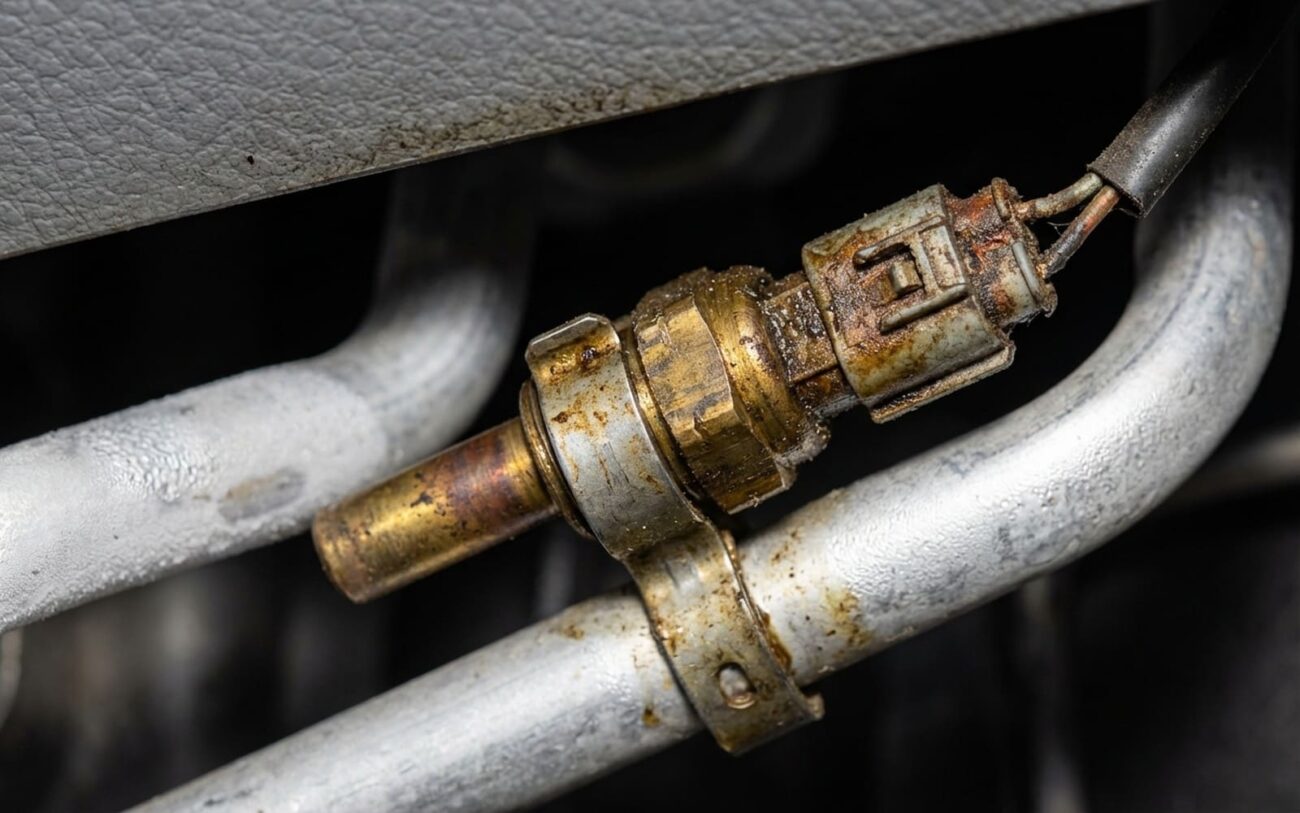
Alright, let’s talk AC. You know the drill: summer hits, you crank the air, and instead of a steady hum, you get that aggravating “click-clack, click-clack” from under the hood. The compressor clutch engages with a sharp click, then almost immediately disengages, only to repeat the whole dance every few seconds. It’s not just annoying; it’s a clear signal something’s off, and in my 25+ years turning wrenches, nine times out of ten, that rapid short-cycling points straight to a confused PCM getting bad info.
That Annoying AC ‘Click-Clack’: What It Really Means
When your AC compressor starts hammering on and off like that, it’s usually because the computer (the PCM, or Powertrain Control Module) thinks the evaporator core is getting too cold—we’re talking dangerously close to freezing. The component responsible for telling the PCM this critical temperature is the evaporator temperature sensor. If it’s sending a falsely low signal, the PCM interprets that as a risk of ice buildup, and to protect the system, it cuts power to the compressor clutch. The problem is, if that signal is just a little off, it’ll change slightly, the PCM will re-engage the compressor, and the whole cycle starts over again. The result? You get inconsistent cooling, especially noticeable when you’re cruising at highway speeds, because the compressor never stays engaged long enough to build proper refrigerant pressure.
Now, sometimes it’s worse. I’ve seen these sensors fail completely, either open or shorted. When that happens, the PCM gets an implausible reading—like -40°C or no signal at all—and just throws its hands up, disabling the AC entirely. No clutch engagement, no cooling, period. I can’t tell you how many times I’ve had customers come in convinced their compressor was shot, only for it to be a $50 sensor. But here’s the kicker: letting that short-cycling continue will eventually damage your compressor. Each on-off cycle stresses the clutch, its bearing, and the electrical circuit. Over time, that wear leads to premature compressor failure—and that’s a much, much costlier repair than just replacing a sensor.
My Approach to Diagnosing AC Headaches
Before you even think about replacing parts, you’ve got to rule out the usual suspects. That rapid short-cycling can be a sneaky symptom, and it’s not always the sensor. I’ve seen it caused by an overcharged system, a failing cycling clutch orifice tube (CCOT), or even a clogged orifice tube restricting refrigerant flow. A stuck pressure switch can also mimic these symptoms, so don’t jump to conclusions. If the compressor won’t engage at all, my first checks are always the basics: fuse, relay, clutch coil continuity, and a quick look at the refrigerant charge. But the real key to confirming an evaporator temperature sensor issue is getting a scan tool on it and looking at live data.
| Symptom | Likely Culprit (Evap Sensor) | Common Mimics & How I Confirm |
|---|---|---|
| Compressor Short-Cycling | Sensor reporting falsely low temperature, causing PCM to cycle compressor off prematurely. |
First, I hook up my scan tool and monitor the evaporator temperature sensor PID (Parameter ID) in real time. While that’s running, I’ll use an infrared thermometer or a probe thermometer to measure the actual temperature of the evaporator outlet tube, usually where it comes through the firewall. If the sensor reading on the scan tool is more than 5°F below what my thermometer shows, that sensor is lying. Don’t forget to verify the refrigerant charge with a manifold gauge set; an overcharge can raise high-side pressure and trigger cycling too.
|
| Compressor No Engagement | Sensor failure (open/short) causing implausible input, triggering a DTC and disabling AC operation. |
If there’s no engagement at all, I’m pulling diagnostic trouble codes right away. Common ones for this issue are P0532 (low input) and P0533 (high input), but always check for manufacturer-specific HVAC codes too. Then, with the ignition on and the sensor connector unplugged, I’ll test for a 5V reference and ground at the harness using a multimeter. If those are good, I’ll measure the sensor’s resistance directly and compare it to the factory temperature-resistance curve. A reading outside those specs confirms the sensor is kaput.
|
Why These Little Sensors Give Up the Ghost
The evaporator temperature sensor is just a thermistor—a fancy resistor whose resistance changes predictably with temperature. Sounds simple, right? But it lives in a brutal environment: constant heating and cooling cycles, exposure to moisture, and plenty of vibration. Most failures I see boil down to three things. First, internal thermal fatigue. Over years, that constant temperature swing causes micro-cracks in the thermistor element or its tiny solder joints, leading to erratic resistance or an open circuit. Second, manufacturing defects. Some sensors just weren’t built to last, plain and simple. I’ve seen repeat failures on certain models where the design just seems marginal. And third, physical damage. These sensors are often tucked away near the cabin air filter housing or the evaporator case, and rough handling during a filter change or other dash work can crack the housing. Once moisture gets in, corrosion sets in fast, and it’s game over.
It’s important to differentiate this from other issues, though. A clogged heater core or a really dirty cabin filter can reduce airflow across the evaporator. That can actually cause real evaporator icing and similar short-cycling symptoms—but that’s not a sensor problem, that’s an airflow problem. Likewise, a failed AC clutch relay or a bad ground will definitely prevent compressor engagement, but it won’t cause that rapid cycling. What we’re talking about here is an internal failure of the sensor itself, not a problem with the system around it.
Getting It Fixed: From a Quick Swap to a Major Operation
The complexity of this repair depends entirely on where the manufacturer decided to stick the sensor. Some are easy, some are a nightmare. On many vehicles, it’s pretty accessible on the evaporator housing under the dash, often right behind the glove box. You might get lucky.
Professional Territory Only
Let’s be clear: working on an AC system, especially if you have to open up refrigerant lines, isn’t a casual DIY job. It demands specialized tools, proper safety training, and the right personal protective equipment. Handling refrigerants requires EPA certification, period. There are no safe shortcuts for system evacuation and recharge. If you’re not certified, don’t mess with the refrigerant circuit.
DIY-Feasible (With Big Caveats)
Professional-Only Professional Only
No Shortcuts Here
What’s This Going to Cost You? (And When to Walk Away)
| Repair Type | DIY Cost | Shop Cost | Success Rate | Secondary Risk if Failed |
|---|---|---|---|---|
| External ETS Replacement | $30–$100 (part) + $150–$300 (AC service if system opened) | $250–$600 | 95% with correct diagnosis and procedure | Improper refrigerant handling or contamination can lead to compressor failure or moisture buildup. |
| Internal/Evaporator Assy. Replacement | N/A (not recommended for DIY) | $1000–$2500 | 98% when performed by experienced technician | Risk of dash rattles, airbag system faults, or HVAC airflow issues due to incorrect reassembly. |
Here’s a reality check from the shop floor: if the repair involves dash removal and the quote starts creeping up past, say, 40% of your car’s current market value, you really need to consider your long-term plan for that vehicle. On an older car with other aging components, dropping $2,000 or more just to get the AC blowing cold might not make financial sense. Sometimes, living without AC—or just using it sparingly in mild weather—is the more practical choice. It’s a tough call, but one I’ve had to advise customers on many times.
My Final Checks: Making Sure It’s Really Fixed
After any AC repair, I don’t just hand the keys back. I want to make sure the fix holds. I’ll run the AC for a good 15-20 minutes, monitoring the evaporator temperature sensor PID on the scan tool again. I’m looking for a stable reading, usually around 38-42°F (3-5°C), and consistent compressor engagement without that rapid short-cycling. I’ll also check the vent temperatures inside the cabin with my thermometer to ensure proper cooling. If the system was opened, I’ll always do a final leak check with a sniffer or UV dye. The goal is consistent, cold air, and a compressor that cycles normally, not like a broken record.
Keeping Your AC Happy (And Avoiding This Again)
Prevention starts with smart, consistent maintenance. The biggest thing you can do is replace your cabin air filter on schedule. Seriously, it’s cheap and easy. A clean filter ensures proper airflow across the evaporator core, which reduces thermal stress and prevents the PCM from seeing erratic cooling patterns that can strain the sensor. A clogged filter forces the system to work harder and can actually mimic sensor failure symptoms. Also, if you ever have refrigerant work done, always confirm the shop uses the correct type and viscosity of PAG oil. The wrong oil can degrade O-rings and seals, including the one at the sensor port. But honestly, the best early warning system is you. If you start to notice the AC cycling more frequently, taking longer to cool, or just blowing warmer air than usual, get it checked out. A drifting sensor often fails gradually—catching it early with a scan tool can prevent unnecessary compressor wear and save you a much bigger repair down the road.
