Traffic sign recognition (TSR) glitches aren’t random — they’re symptoms of a system struggling to make sense of conflicting data. I’ve been knee-deep in ADAS diagnostics for over two decades, and what most people call “camera problems” are usually software logic failures, outdated maps, or data fusion gone sideways. Let me walk you through how I actually diagnose and fix these — not the textbook way, but the way that saves time, money, and unnecessary part swaps.
What You’re Really Seeing
When the dash shows 55 mph in a 35 zone, your first instinct might be to blame the camera. Don’t. The camera’s job is just to see — the brain of the system decides what to do with that image. I’ve seen clean, functional cameras feeding perfect data into a system that still displays the wrong limit because the software’s logic is stuck on last week’s map data.
There are three core failure patterns I see:
-
Wrong number — sign is visible, but the system misreads it (like “80” as “30”). Often an OCR flaw.
-
No display — no icon, even on clear roads. Could be disabled, crashed, or communication dead.
-
Stuck value — speed doesn’t update when you pass a new sign. Classic data fusion hang-up.
How I Diagnose: Cut the Guesswork
Here’s what separates pros from parts changers: we don’t assume. On a 2020+ Toyota Camry with a stuck 65 mph readout, I once saved a customer $1,800 by proving it wasn’t the camera — it was a stale navigation database. The camera saw the 45 mph school zone sign just fine. The system just ignored it.
Diagnosis starts with a scan tool — but not the $30 OBD2 dongle from Amazon. You need OEM-level access. I use a Snap-on Zeus or factory system. Without live data from the ADAS ECU, you’re flying blind.
| Symptom | Likely Internal Cause | External Mimics | Definitive Test |
|---|---|---|---|
| Incorrect speed value | OCR error, GPS misalignment, bad map data | Dirty windshield, non-standard sign, camera misalignment |
Compare raw “Recognized Sign” data in live mode with displayed value. If camera sees “45” but dash shows “65”, the fault is downstream — likely cluster or data bus. |
| No TSR icon | ADAS ECU boot failure, software crash | Feature disabled, LIN/CAN fault, power issue |
Scan for DTCs in ADAS, camera, and gateway modules. Check TSR status in live data. Command a self-test. If no response, it’s either comms or power. |
| Stuck speed limit | Faulty data fusion logic | Poor GPS, outdated nav data, bad VSS signal |
Monitor “Sign Detected,” “Map Speed Limit,” and “Fused Output” while passing a new sign. If “Sign Detected” updates but “Fused Output” doesn’t — fusion logic is broken. |
Root Causes: It’s Almost Never the Camera
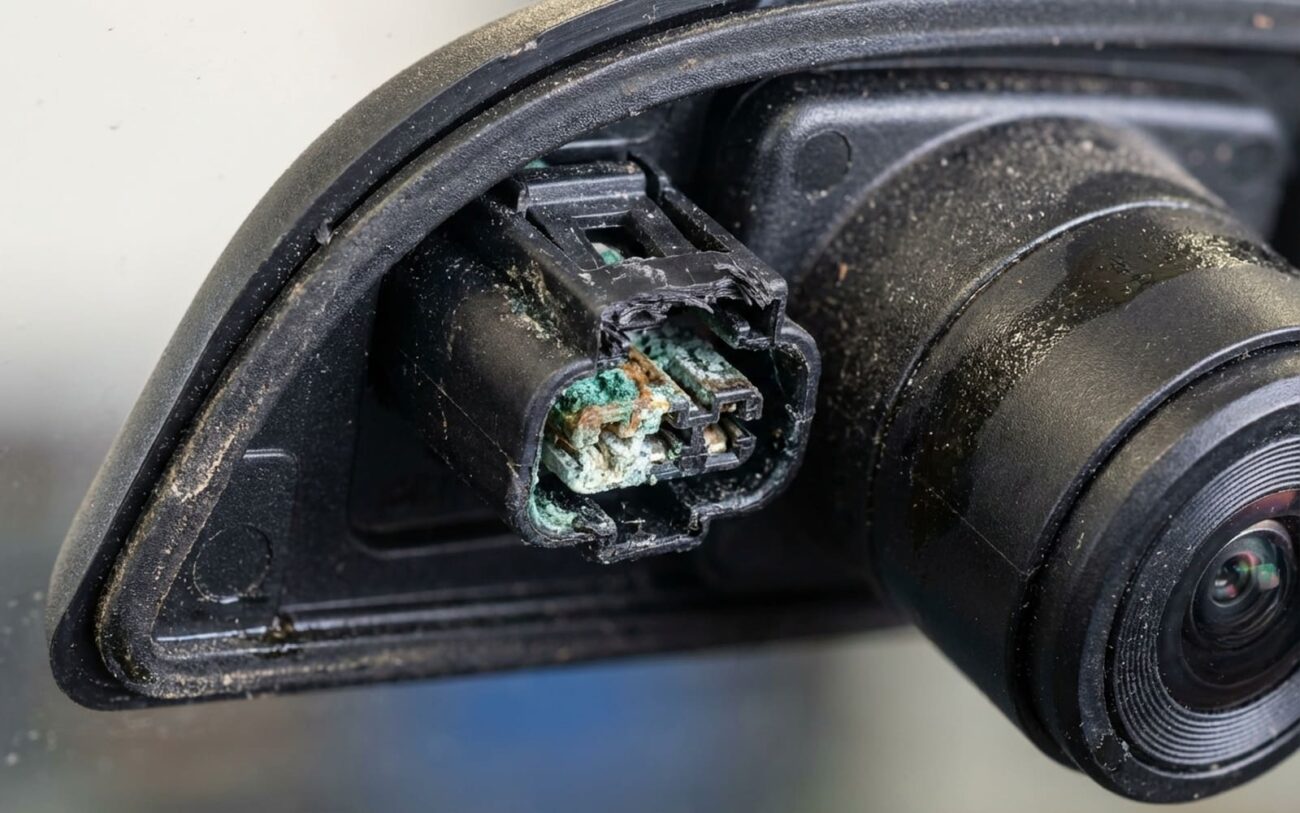
I’ve replaced exactly two TSR cameras in the last five years for actual hardware failure. One had water intrusion after a windshield swap. The other? A rodent chewed the harness (yes, really). The rest were software.
OCR Algorithm Defect: The camera sees the sign, but the software misreads it. I see this on 2016–2018 BMWs with reflective signs — “70” becomes “10” because the algorithm struggles with glare. A software reflash from BMW fixes it 90% of the time. No hardware change needed.
Data Fusion Logic Error: This is the big one. The system knows a new sign is there — live data proves it — but it won’t switch from map-based to camera-based input. I’ve traced this to outdated map data on Audis, but also to software bugs in Mercedes ADAS modules. The fix? A database reload or ECU reflash.
Software Corruption: Happens after a failed update or voltage drop during boot. The module powers up, but TSR won’t initialize. Standard reflash might not work — sometimes you need a deeper reset or full module replacement. I’ve had to do this on a 2021 Ford Explorer after a jump-start interrupted a background update.
Hardware matters — but only if it’s compromised.
A cracked windshield, dirty lens, or corroded connector will kill TSR just like a bad ground kills power mirrors. But those are physical failures. What I’m talking about here is when the system is powered, connected, and clean — but still broken. That’s software territory.
How I Fix It: No Shortcuts
This isn’t DIY territory.
You need the right tools, the right data, and the right process. No exceptions.
Software Update + Recalibration Professional Only
Module Relearn / Database Reload Professional Only
Non-Repairable Software State
Manual Deactivation
Validation: Prove It’s Fixed
I don’t call a job done because the light went out. I prove it works.
Validation Protocol
-
Drive a route with at least three speed changes (25, 45, 65 mph).
-
System must update within 2 seconds of sign entry.
-
Display clears within 5 seconds when no sign is visible.
-
Monitor live data: “Sign Recognized” must update, no DTCs return.
-
Check smooth transition between camera and map data — no hesitation.
-
If all pass, it’s fixed. If not, recalibrate or reflash.
Cost vs. Value: Is It Worth It?
Let’s be real: spending $2,200 to fix TSR on a $7,500 Corolla doesn’t make sense. Here’s how I break it down:
| Repair Type | DIY Cost | Shop Cost | Success Rate | Secondary Risk |
|---|---|---|---|---|
| Software Update/Recalibration | $0 (if tools owned), but OEM tools cost thousands | $150–$400 |
High (>85% for known bugs) |
Module bricking if power drops during flash |
| Module Replacement + Programming | $500–$1,500 (part only) | $1,000–$2,500+ |
Very High (>95%) |
Bad calibration affects lane keep, AEB, adaptive cruise |
Rule of thumb: if repair cost hits 25% of vehicle value, reconsider. Sometimes deactivation is the smart move — especially on older cars.
Prevention: Keep It Working
I tell my customers: treat TSR like your oil change. It needs maintenance too.
To Prevent Recurrence
-
Install OEM software updates — especially ADAS and nav. Many are free at dealerships.
-
Use only factory navigation databases. Third-party maps cause GPS correlation errors — I’ve seen it.
-
Monitor accuracy on familiar roads. A consistent mismatch is an early warning.
-
Keep the windshield clean — especially the top center. Dirt, ice, or tint strips block the camera. A quick wipe can save a diagnostic bill.
