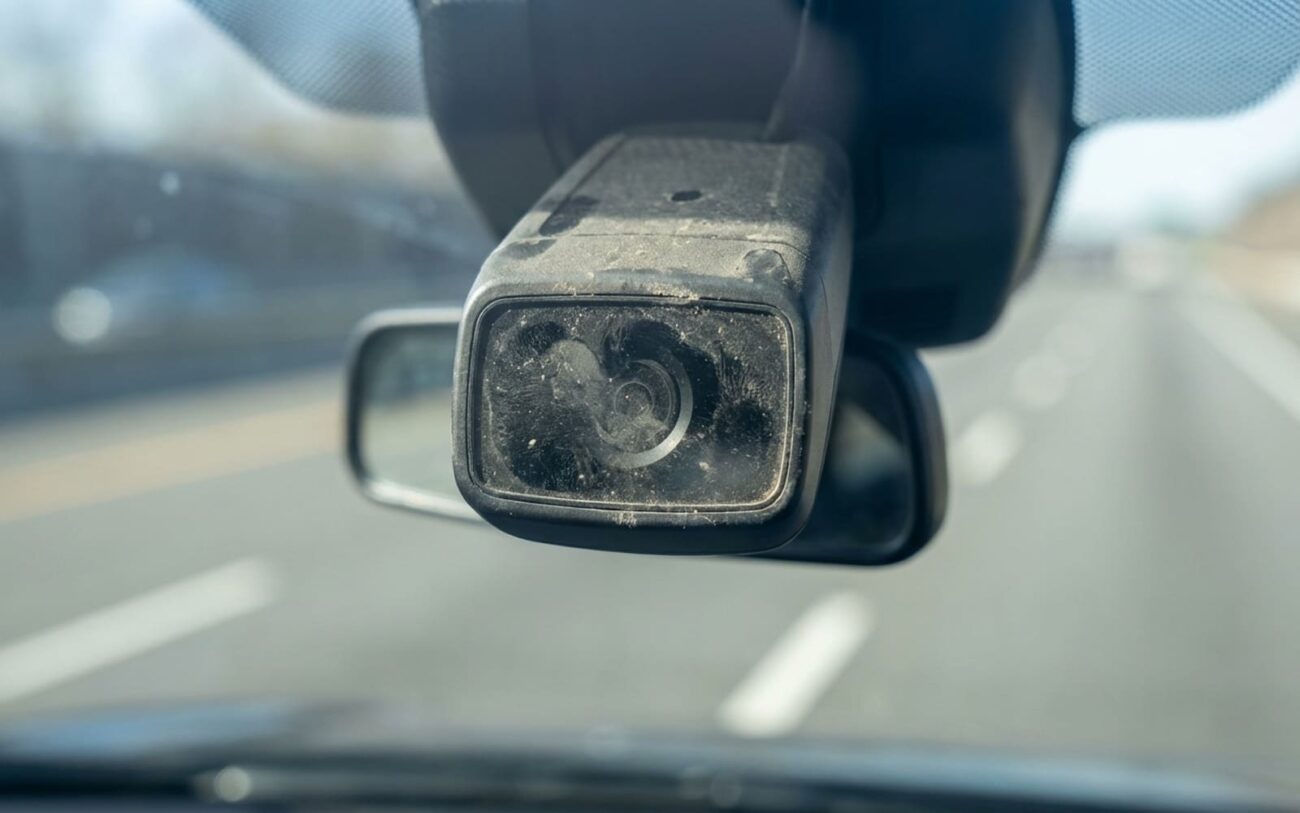
If your car’s tugging toward the shoulder like it’s got a mind of its own, don’t fight it—shut it off. Lane Keep Assist (LKA) overriding your steering isn’t just annoying; it’s dangerous. I’ve seen drivers white-knuckle the wheel for miles, thinking they can wrestle control back, only to drift across lanes when they finally let go. That’s not paranoia—that’s real. And it usually starts with a software-driven system acting on bad data, not a mechanical failure.
What’s Actually Happening Under the Skin
Here’s the truth: when LKA pulls the wheel, it’s the electric power steering motor doing the work—on command from the ADAS computer. That computer thinks the car is drifting because the forward-facing camera (usually behind the rearview mirror) is sending flawed data. Could be misaligned, dirty, or just confused by bad code. But the rack, tie rods, and steering column? Those are fine. What you’re feeling is the system fighting you—not metal failing.
And yes, it feels like a mechanical pull. I get it. But there’s a difference: mechanical drift doesn’t come with a vibrating steering wheel or a “Lane Keep Unavailable” warning. If the wheel jerks on its own and the dash lights up, that’s ADAS—not your alignment.
First thing I tell customers: hit the LKA disable button. Right now. Don’t wait. Take back full control. This isn’t something to “ride out.” I’ve had drivers come in after a near-miss on I-75, swearing the car “wanted to go off the road.” It didn’t. The system just failed silently, and they didn’t know how to stop it.
Don’t Blame the Camera Until You Rule Out the Basics
I’ve seen shops replace $1,200 camera modules when the real problem was a 15-minute alignment. Jumping straight to ADAS diagnostics without checking fundamentals is how you waste money.
A misaligned front end—especially toe or caster out of spec—can cause a constant pull that feels identical to LKA interference. But here’s the tell: no active steering corrections. No dashboard alerts. Just a steady drift. If your wheel isn’t moving on its own, don’t start pulling fuses.
And check the lens. I’m not joking. Mud, ice, bug splatter—stuff we see every winter—can blind the camera. I had a 2021 RAV4 come in with “LKA Unavailable” in February. Wiped the glass. Problem gone. Customer was embarrassed. I wasn’t. It happens all the time.
Low voltage is another silent killer. Weak battery? Failing alternator? ADAS modules are sensitive. Below 11.5V, they start glitching. I’ve seen “camera fault” codes clear up after replacing a 6-year-old battery. Always check charging system voltage before touching the camera.
| Symptom | Likely in LKA System | Common External Mimics | Definitive Test to Confirm Source |
|---|---|---|---|
| Consistent pull toward shoulder | Erroneous lane marking detection or incorrect path prediction algorithm | Severe front-end misalignment (toe or caster out of spec) |
Perform a full 4-wheel alignment. If alignment is within specification and the pull persists only when LKA is active, the fault is in the ADAS system. A misalignment of more than 0.5° confirms a mechanical cause. |
| Pull despite visible lane markings | Camera calibration error or software logic fault | Obstructed camera lens (dirt, ice, film), windshield replacement with optically distorted glass |
Visually inspect the camera lens and windshield behind the mirror. Use a professional scan tool to view live camera feed. If the image is blurred or cut off, the lens or glass is compromised. If the image is clear but the system reports no lanes, the issue is likely calibration or software. |
| Intermittent “LKA Unavailable” messages | Faulty camera module, internal wiring, or communication errors on the CAN bus | Low system voltage, faults in steering angle sensor or ABS module affecting ADAS integration |
Connect a capable scan tool and check for Diagnostic Trouble Codes (DTCs). Monitor live data for camera power supply and network communication. Voltage below 11.5V during operation suggests an electrical issue. Camera-specific DTCs (e.g., U0423, C1045) confirm an internal fault. |
When the System Itself Is the Problem
Once you’ve ruled out alignment, lens issues, and voltage, the problem is internal. Three main causes: calibration drift, software bugs, or hardware failure.
Calibration error is the most common. That camera has to be dead-nuts aligned with the vehicle’s centerline and pitch. Even a 1-degree shift—say, after a windshield replacement or a fender bender—throws everything off. The system thinks you’re drifting, so it yanks the wheel. This isn’t a software glitch. It’s physics. And no amount of cleaning will fix it.
Software faults plague older systems. I see it a lot on 2016–2018 Accords and Camrys. Faded lines, Botts’ dots, construction zones—these confuse the path prediction algorithm. The system defaults to a bad trajectory. Dealers often replace cameras when a $150 software update would’ve fixed it. Always check for TSBs before replacing parts.
Hardware failure means the camera itself is dying. Not dirty—dead. Internal solder joints crack from thermal cycling. Moisture gets in. The sensor degrades. You’ll see persistent DTCs, no live feed, or intermittent dropouts. Cleaning won’t help. Neither will recalibration. Only replacement.
How to Fix It—For Real
This Isn’t a DIY Job
I don’t care how many YouTube videos you’ve watched. ADAS calibration requires OEM-level tools, precise procedures, and a level floor. Get it wrong, and you’re gambling with highway safety.
Recalibration (Most Common Fix) Professional Only
Camera Replacement Professional Only
Temporary Workaround Driver-Level
How to Know It’s Really Fixed
Just because the warning light’s off doesn’t mean it’s fixed. I’ve seen too many “repaired” cars come back because the shop didn’t validate properly.
Use a scan tool. Confirm the calibration routine completed, no DTCs are stored, and live data shows correct lane detection. Then test drive—on both straight highways and gentle curves. The system should hold center without tugging or hunting. If it drifts or corrects aggressively, the calibration failed or there’s unresolved hardware damage.
And yes, floor level matters. I once had a recalibration fail three times because the shop bay had a 2° slope. Re-ran it on a flat surface—fixed.
Cost vs. Value: Should You Even Fix It?
Let’s be real: ADAS repairs are expensive. Here’s what you’re actually paying for:
| Repair Type | DIY Cost | Shop Cost | Success Rate | Secondary Risk if Failed |
|---|---|---|---|---|
| Camera Recalibration | N/A (requires proprietary tools and software) | $150 – $400 | High (>90% when root cause is misalignment or software) | Repeat visits if underlying hardware failure is missed |
| Camera Module Replacement + Calibration | N/A | $800 – $2,000+ (parts and labor) | High (>95% when done correctly) | Incorrect installation or calibration leading to recurring issues |
Always check your EV battery warranty status before authorizing repairs.
If your car’s worth $8,000 and the repair is $1,800, ask yourself: is it worth it? Some owners disable LKA permanently. You lose a safety feature, sure. But if you’re not using it anyway—or drive in rural areas with no lane markings—it might make sense. I don’t judge. I just give options.
How to Avoid This Next Time
Most LKA issues start with a windshield replacement. Use a shop that does ADAS recalibration—and ask if they use OEM procedures. Aftermarket glass can have optical distortions invisible to your eye but deadly to the camera. I’ve traced half a dozen “phantom” pulls back to non-OEM windshields.
And after any front-end work—struts, alignment, control arms—test the LKA. Even if alignment is perfect, ride height changes affect camera angle. Most manufacturers recommend recalibration. Most shops skip it. Be the one who asks.
Bottom line: LKA is only as good as its input. Keep the lens clean, the windshield true, and the system calibrated. Do that, and it’ll work. Ignore it, and you’ll be fighting your car on the highway.
