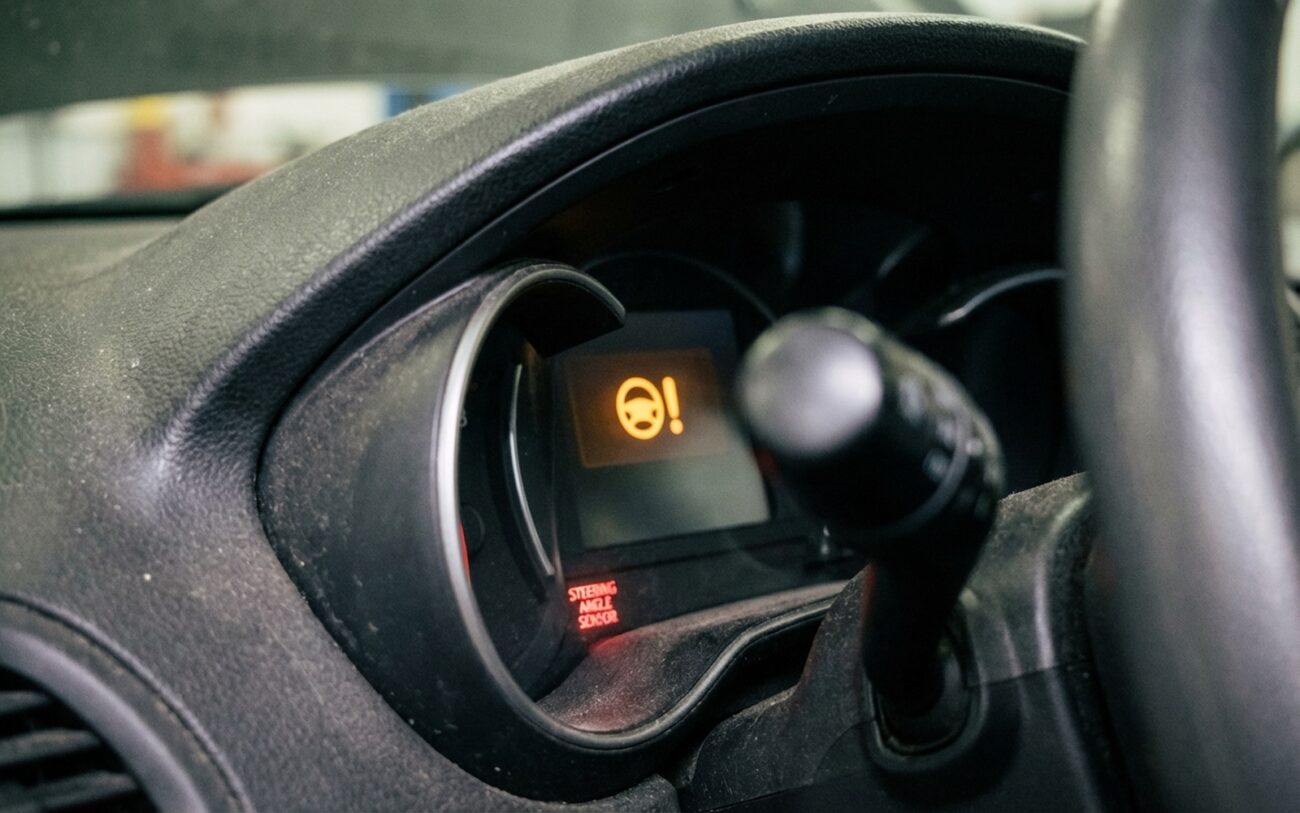
Alright, so your stability control light is on, and you’re wondering if you can tackle this yourself. Let’s talk.
When you see those ESC, traction control, or ABS warning lights pop up on the dash—especially if they all come on together—don’t just clear the codes and hope for the best. This isn’t some random glitch. What it really means is your car’s brain, the Electronic Stability Program (ESP) module, has basically thrown its hands up. It can’t trust the information it’s getting from the Steering Angle Sensor (SAS), so it shuts down the whole system.
Think of it this way: your car needs to know exactly where the steering wheel is pointed to compare it to what the wheels are actually doing. Without that accurate SAS input, it’s like trying to drive blindfolded in a skid. The system disables itself as a safety precaution, leaving you without those critical layers of control when you need them most – rain, ice, or an emergency maneuver. You’ll still have basic braking, sure, but you’ve lost a huge chunk of your active safety net.
The SAS is the “eyes” of your stability system. It tells the ABS/ESC module how far and how fast you’re turning the wheel. If that signal is missing, inconsistent, or just plain wrong, the computer logs a fault and disables everything. I’ve seen it countless times. When a scanner shows “SAS Signal Implausible” or tells you the “Zero-Point Calibration” has been rejected, that’s the system telling you loud and clear: “I don’t know where the steering wheel is, so I’m not helping you.”
Common signs? You might notice your steering wheel is a bit crooked when you’re driving straight (even if the car isn’t pulling), or maybe your electric power steering feels erratic. And of course, those recurring warning lights after you clear the codes are a dead giveaway. If your scan tool pulls up codes like C0040, C0050, U0125, or U0126, you’re almost certainly looking at a SAS issue. Oh, and don’t be surprised if the check engine light comes on too; many stability system faults can trigger it.
SAS MONITOR
Current: ERR°
Before you replace anything: Is it really the SAS?
Let me tell you, I’ve seen too many people—and even some greenhorn techs—jump straight to replacing the SAS. Before you spend a dime, you need to confirm the root cause. A bad wheel speed sensor, low battery voltage, or even a simple wiring issue can mimic SAS problems. Throwing parts at it is just a waste of time and money. Here’s how I approach diagnosing it:
Common Symptoms & How to Confirm Them
-
ESC/TCS Lights ON, with a “SAS implausible signal” DTC:
This usually points to internal sensor failure, corrupted memory, or a lost calibration. But don’t rule out external mimics like low system voltage, a damaged wiring harness, a faulty clock spring, or even a poor ground connection. These can all mess with the signal.
Definitive Test: Monitor live SAS data with your scan tool. Rotate the steering wheel slowly from lock-to-lock. The value should change smoothly, typically from around -720° to +720°. Any sudden drops, flatlines, or “N/A” readings indicate a sensor or wiring issue. -
Steering wheel off-center, ESC light ON:
This often means the zero-point calibration is lost or the sensor itself is physically misaligned on its mounting. However, it could also be a simple alignment problem with the front end (incorrect toe), a bent tie rod, or a worn steering rack.
Definitive Test: With the wheels visually straight ahead, check the SAS live data. If it’s not very close to 0.0° (I look for ±2.0°), then it’s a SAS calibration or mounting problem. After that, you can check your physical alignment specs. -
Loss of Electric Power Steering (EPS) assist with a SAS DTC:
This is usually the EPS module rejecting inputs because the SAS signal is invalid. Other possibilities include a faulty EPS motor, a bad torque sensor within the steering rack, or a control module failure.
Definitive Test: Scan both the ESC and EPS modules for codes. Then, compare the SAS live data with the EPS torque sensor reading. If the SAS data is erratic but the torque sensor looks good, it points back to the SAS.
What actually fails inside the sensor (or why it gets confused)
When the SAS itself goes bad, I typically see one of three things:
-
Internal Sensing Element Wear: The sensor uses a Hall-effect sensor or a precision potentiometer to measure rotation. While not “moving parts” in the traditional sense, they’re constantly exposed to electrical cycling and vibration. Over years, this can lead to signal drift or intermittent dropouts. It’s like a tiny, precise instrument slowly losing its accuracy.
The Concept
“Think of the SAS like a compass that’s lost its magnetic north; the car knows it’s moving, but it has no idea which way it’s pointed.”
-
Lost or Corrupted Calibration: This is probably the most common issue I see. The SAS stores a “zero point” in its memory—that’s the exact position where the wheels are straight. If your battery dies, gets disconnected, or there’s a voltage spike (say, from a bad jump-start), that crucial calibration can just vanish. Some models, like certain Chryslers and Toyotas, are particularly sensitive to this.
Pro Tip on Battery Service:
Many manufacturers have service bulletins specifically advising technicians to perform a SAS reset after any battery service. If your lights came on right after a jump-start or battery replacement, it’s almost certainly a lost calibration, not a broken part. Start there.
-
Physical Damage: This is rarer, but it happens. A hard impact to the steering column (like in an accident) can misalign or break the sensor internals. Also, if the sensor was improperly reinstalled after another repair—say, someone forgot to secure the clock spring before putting the steering wheel back on—you might have twisted and damaged the delicate ribbon cable and its circuit.
Your repair options, from simplest to most involved
Safety First, Always
Let’s be clear: stability control is a safety-critical system. Driving without it significantly increases your risk, especially in adverse conditions. If you’re not 100% confident in your diagnosis or calibration, please seek professional help. Your safety isn’t worth cutting corners.
Lost Calibration / Software Re-Learn DIY Feasible
- Park your vehicle on level ground, with the wheels pointed as straight as possible.
- Clear any existing SAS or ESC-related Diagnostic Trouble Codes (DTCs).
- Access the “Special Functions” or “Adaptation” menu on your scan tool. Look for “Zero Point Reset,” “Steering Angle Calibration,” or similar.
- Follow the prompts. This often involves turning the steering wheel slowly from lock-to-lock, then back to center.
I always tell folks: if the system just needs to “re-learn” its zero point, this can save you a bundle.
Physical Realignment DIY Feasible
- First, secure the steering wheel dead center using a steering wheel holder.
- Locate the SAS (usually behind the steering wheel, often integrated with the clock spring). Loosen its mounting bolts just enough so you can make minor rotational adjustments.
- While monitoring live SAS data on your scan tool, carefully rotate the sensor until it reads 0.0° (or as close as you can get, within ±2.0°).
- Once centered, tighten the mounting bolts to factory torque specs. Then, you must perform the software re-learn procedure described above.
Internal Hardware Failure / Replacement Professional Only
How to know you fixed it right (and avoid a comeback)
My Validation Checklist (Don’t Skip These Steps!)
-
Data Check: With your wheels perfectly straight, the SAS live data on your scan tool must read 0.0° ±2.0°. Anything outside that range means the calibration isn’t right.
-
Drive Test: Take the car for a good 10-15 minute drive. Make sure to include some turns, both left and right, and get above 15 mph. The warning lights absolutely must stay off throughout the drive.
-
Visual Alignment: After the drive, confirm that the steering wheel is visually centered when you’re driving straight down a flat road. If it’s crooked, something is still off.
-
System Confirmation: Do one final scan. Your tool should show “Calibration Complete,” “Adaptation Successful,” or no active SAS-related DTCs.
What this is going to cost you, and how to decide your next move
Here’s a breakdown of what you can expect to pay, whether you’re a DIYer or taking it to a trusted shop. This should help you decide if it’s a job you want to tackle yourself.
| Repair Type | DIY Cost | Shop Cost | Success Rate |
|---|---|---|---|
| Software Re-Learn | $50–$300 (for a capable scan tool) | $100–$200 | 95%+ (if it’s truly just a calibration issue) |
| Physical Realignment | $0 (assuming you own basic tools) | $150–$300 | 90%+ (if the sensor is just misaligned) |
| Sensor Replacement | $200–$600 (for the part itself) | $400–$1000 (part + labor + programming) | 98%+ (if correctly diagnosed and programmed) |
How to keep this from happening again
Prevention is Key (Take it from me)
The number one trigger for a lost SAS calibration? Battery disconnection. Seriously. Whenever you’re doing battery service, always use a memory saver to keep the vehicle’s modules powered, or at the very least, follow the manufacturer’s specific power-down and re-learn procedures. Also, if you ever have to remove the steering wheel for any reason, mark the position of the clock spring and the steering column shaft with a paint pen before you loosen anything. A small dot now can save you hours of troubleshooting later.
And while we’re on the topic of handling issues, remember: a car that feels like it’s wandering isn’t always an SAS problem. Worn suspension components—especially things like rear control arm bushings—can cause instability that feels similar, particularly at highway speeds. If your car feels loose or vague, it’s definitely worth checking those components too. You can learn more about that here: Can Worn Rear Control Arm Bushings Cause a Car to Wander at Highway Speeds?
