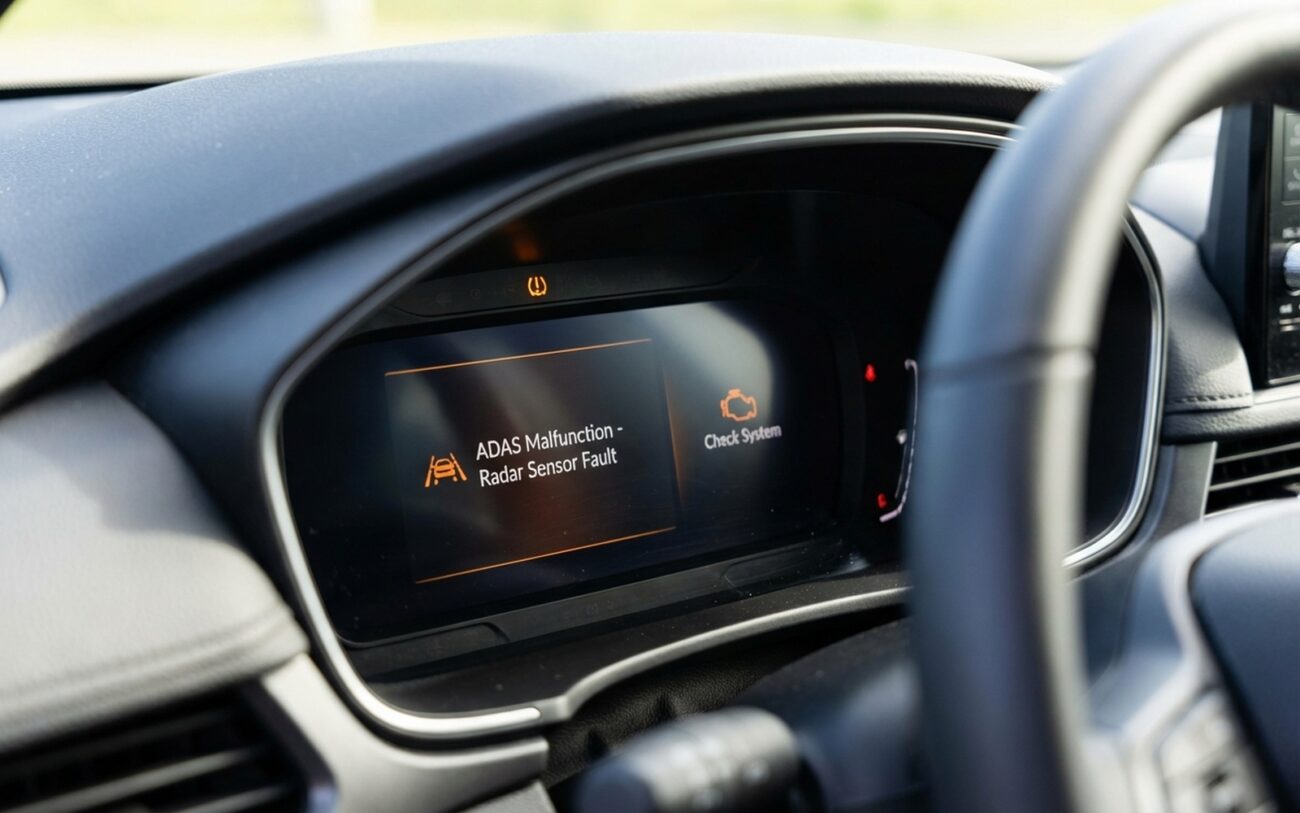
You roll out after an OTA update and suddenly half your ADAS is gone—or worse, it’s acting suicidal. I’ve seen this exact scenario roll into my bay more times than I can count, especially on Teslas, Ford BlueCruise trucks, and GM Super Cruise sedans. And let me tell you: the problem isn’t your radar. It’s not your camera. It’s software—specifically, something broke during that silent, automatic update while you were asleep or at work.
What Just Broke? Symptoms That Scream “OTA Gone Wrong”
If your lane keep assist vanished from the menu overnight—no warning, no prior issues—that’s not a hardware failure. That’s a software rollback or a feature flag reset. The system still has all the parts, but it’s been digitally locked out. I’ve had customers show up convinced their camera died, only to find the module was fine—just running old firmware that doesn’t support the feature anymore.
More dangerous are the “ghost” behaviors: adaptive cruise braking for nothing, lane centering shoving you toward the shoulder, or false forward collision alerts. These aren’t random glitches. They’re signs the sensor fusion algorithm got corrupted or the calibration data was wiped during the update. On a 2022 Silverado with Super Cruise, I once traced erratic steering to a missing camera alignment offset—same camera, same mounting, but the software forgot where it was pointing.
And when multiple ADAS features go down at once—say, blind-spot monitoring, AEB, and adaptive cruise—it’s almost never coincidence. That’s a network-level failure. Either the gateway module got mismatched software, or the update interrupted communication between the radar and camera. I’ve seen U-codes (network DTCs) flood the system after a botched OTA, and no amount of sensor cleaning fixes that.
Diagnostics: Don’t Guess. Scan.
Before you start replacing sensors or recalibrating cameras, you need a real scan tool—not the $50 code reader from the auto parts store. You need J2534 compliance, bidirectional control, and access to module-level data. I use a Bosch MD712 or OEM-specific tools (GM’s Tech2Win, Ford’s FDRS), and I’ll explain why in a second.
Here’s how I triage:
| Symptom | Likely Cause | Physical Mimics | Definitive Test |
|---|---|---|---|
| Feature missing from menu | Software version mismatch, feature flag reset | Blown fuse, wiring fault, dead module |
Check software version against OEM database. Look for DTCs like “invalid configuration” or “module not coded.” |
| Poor lane tracking, phantom braking | Lost calibration data, buggy algorithm | Misaligned camera, dirty lens, weak 12V battery |
Run static calibration check. Compare stored offsets to factory baseline. Monitor live camera/radar data for object detection accuracy. |
| Multiple ADAS features down | Gateway module corruption, CAN bus mismatch | Damaged wiring, poor ground, power fluctuation |
Scan for U-codes. Run network topology test. Confirm all modules are present, communicating, and on compatible software versions. |
Without this level of diagnostics, you’re just throwing parts at the problem. I’ve seen shops replace $1,200 radar units when all it needed was a reflash. Don’t be that shop.
Root Causes: Why OTA Updates Break ADAS
It’s not magic. These failures come down to one of four things:
1. Software version mismatch. Your front camera gets updated, but the radar stays on an older version. Now they can’t talk. I see this all the time on Fords—BlueCruise disables itself if the radar firmware doesn’t match the camera. It’s a safety feature, but it feels like a failure.
2. Corrupted install. Large OTA files, weak 12V battery, or spotty Wi-Fi? That update doesn’t retry like your phone. It writes partial data, and now the module’s brain is scrambled. I once had a Tesla Model 3 where the camera module wouldn’t initialize after an update—turns out the flash was incomplete. Required a dealer reflash.
3. Lost calibration data. This one’s sneaky. The camera hasn’t moved, but the software reset its alignment offsets to zero. So now it thinks it’s pointing straight when it’s actually angled. Symptoms? Drifting lanes, false warnings. I’ve fixed this more times than I can count with a simple recalibration—no hardware touched.
4. Feature flag reset. Your car “forgets” you paid for the feature. Happens on Tesla FSD, GM Super Cruise, even Subaru EyeSight. The hardware works, the software’s there—but the license flag is off. A reflash or re-coding usually fixes it.
And yes—some of this is preventable. But we’ll get to that.
Fixing It: What Actually Works
Not a DIY Job (Unless You’re Serious)
Reflashing, recalibrating, re-coding—these aren’t weekend projects. You need the right tools, stable power, and know-how. Get it wrong, and you can brick a module.
Software reflash or rollback: This is dealer or specialty shop territory. You need a J2534 tool (like a Drew Tech CarDAQ), OEM programming access, and a battery maintainer holding voltage above 13.0V. The process is strict: initialize, download, erase, program, configure. Interrupt it? You might be buying a new module.
Sensor recalibration: Static cal requires targets, level floor, exact spacing. I use OEM charts and a laser level. Dynamic cal is simpler—you drive under specific conditions—but you still need a scan tool to initiate and monitor it. Miss the speed or road markings? Calibration fails.
Gateway module reset: Some guys try disconnecting the battery for 15–20 minutes. It can clear temporary glitches, but it won’t fix deep corruption. And you’ll lose learned adaptations—throttle response, window auto-up, etc. I’ve used it as a field workaround, but don’t expect miracles.
Did It Work? Validation Matters
Don’t just clear codes and call it good. You have to verify.
After a reflash, confirm all modules report correct software versions. Clear DTCs, power down for one minute, then rescan. If U-codes or software mismatch codes come back, the fix didn’t stick.
For calibration, the scan tool might say “complete”—but that doesn’t mean accurate. Take it for a test drive on a straight, well-marked highway. Engage adaptive cruise and lane keep. The car should track smoothly, follow traffic without jerking, and stay centered. If it drifts or brakes for nothing, something’s still off.
I always monitor live data during the drive. If the camera isn’t detecting lane lines or the radar is dropping targets, you’ve got more work to do.
Cost, Risk, and When to Walk Away
| Repair Type | DIY Cost | Shop Cost | Success Rate | Secondary Risk |
|---|---|---|---|---|
| Software Reflash | $500–$2,000 (tool + software access) | $150–$500 | >95% |
Potential to brick module if power drops during flash |
| Sensor Calibration | $1,000+ (targets, tools, space) | $200–$600 | >98% |
May reveal a failing sensor that now needs replacement |
| Dealership TSB Repair | N/A | $0 (if covered) | ~100% |
Time and hassle of dealership visit |
Call the dealership first. If there’s a TSB for your model and software version, they might cover the repair—even out of warranty. I’ve seen GM and Ford eat $600 calibration jobs because the OTA caused it. It’s their update. They own the fix.
On a 10-year-old car, a $1,500 ADAS repair might not pencil out. But know this: buyers expect these systems to work. A car with disabled lane keep or phantom braking warnings? That’s a red flag. Resale value takes a hit. And honestly, it’s a liability if you sell it that way.
Prevention: Don’t Get Bit Twice
Before any OTA update:
- Test your 12V battery. Load test it. If it’s over 4–5 years old, replace it. Voltage sag during an update is the #1 cause of corruption.
- Use strong Wi-Fi. Don’t rely on cellular. Park in your garage, connect to 5GHz if possible, and let it finish uninterrupted.
- Write down software versions. Many cars show them in settings. If something breaks, you’ve got proof of what changed.
- Test after update. Don’t wait. Drive it, engage cruise, check lane centering. If it’s off, act fast. The sooner you catch it, the better your case for a free fix.
