That 90% Charge Limit in Your Chevy Bolt? It’s a Red Flag.
Alright, let’s talk about your Chevy Bolt EV. If you’re seeing messages like “Propulsion Power Reduced” or “Service Vehicle Soon” popping up, especially right after you’ve been charging, don’t just clear the code and hope it goes away. These aren’t just random glitches. In my 25+ years turning wrenches, I’ve learned to listen to what the car is trying to tell us, and these are serious warnings coming straight from the Battery Management System (BMS).
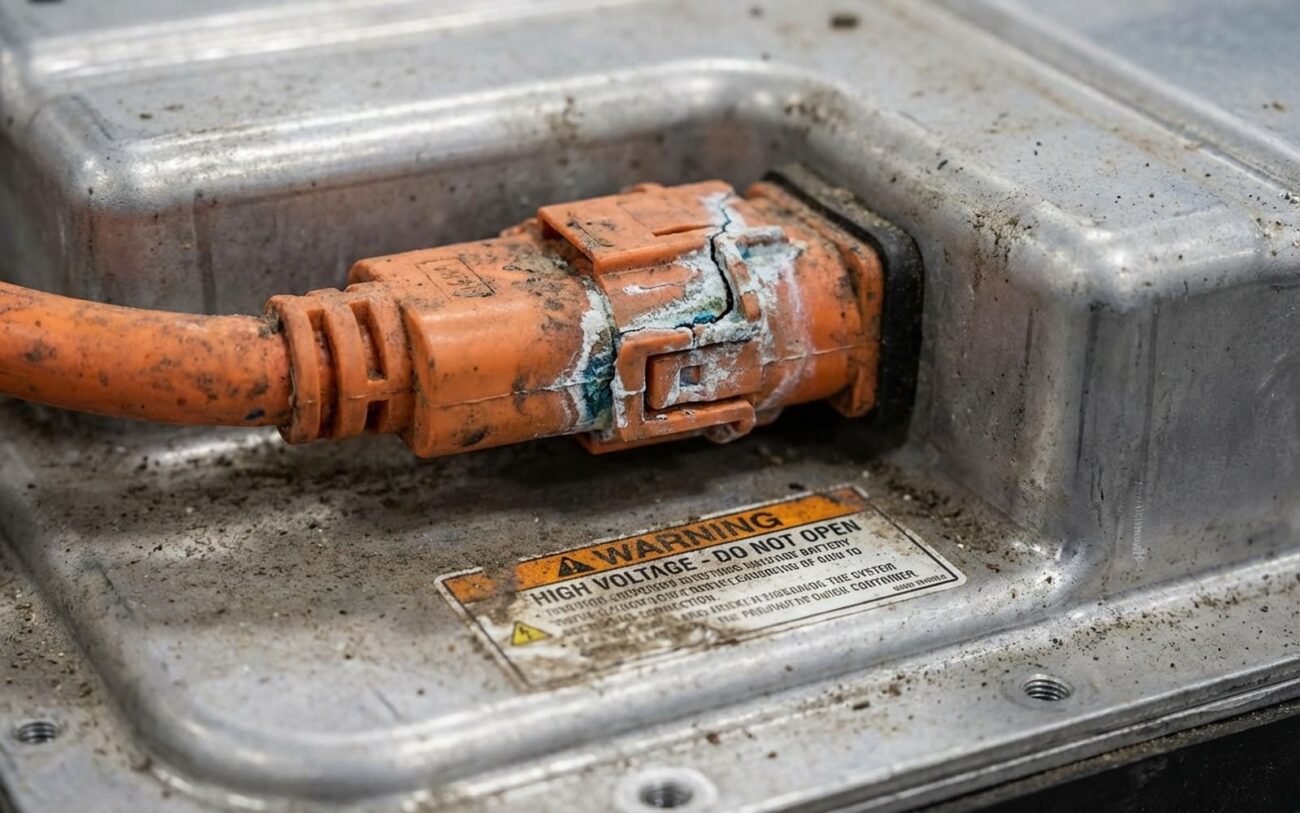
What I typically see in the shop when these messages appear on a Bolt are diagnostic trouble codes like P0E00, P0E01, or P0E02. These aren’t generic warnings; these are specific BMS fault codes that point directly to an internal problem within the high-voltage battery pack itself. We’re talking about a compromised cell or connection inside that big battery.
The most obvious symptom you’ll probably notice? Your car just won’t charge past about 90% state of charge (SOC). You can leave it plugged in all night, try different chargers, but it’ll just sit there, stuck at 90%. This isn’t your charger acting up, and it’s definitely not a software bug you can wish away. This is the BMS doing its job – it’s detected an instability, maybe a voltage spike, a temperature anomaly, or a shift in internal resistance. So, it deliberately limits the charge to reduce stress on the pack. Think of it like a circuit breaker tripping in your house; it’s there to prevent a fire, not to make your life harder.
How We Confirm It’s the Battery (and Not Something Else)
Before we jump to replacing a multi-thousand-dollar battery pack, we always follow a strict diagnostic process. You want to make sure you’re fixing the right thing. While those P0E00-series codes and the persistent 90% charge cap are strong indicators, a good technician will always rule out the simpler stuff first. Here’s how we do it in the shop:
-
Charge limited to ~90% SOC: This is the big one. While a faulty home charger (EVSE) or even a hiccup in your house’s power can sometimes cause charging issues, if your Bolt consistently stops at 90% no matter where or how you charge it, that’s a huge clue. We use a factory GM scan tool to dig into the BMS data. We’re looking for specific “Inhibit Charge” flags and, critically, we’re checking the individual cell voltage balance. If one cell group is way off, that’s a problem.
-
DTC P0E00, P0E01, P0E02: These codes are almost always tied to an internal battery defect – a bad cell, a weak weld, or a busbar issue. Now, you could have a faulty BMS sensor wiring harness or a loose connector, but those are rare with these specific codes. To confirm, we perform a high-voltage battery isolation test using a specialized tool called a megohmmeter. If that test fails, showing a resistance below 550 Megohms, then we’ve confirmed internal damage. There’s no arguing with that.
-
“Propulsion Power Reduced” alert: The BMS isn’t just limiting charge; it’s also limiting power output to protect the compromised cells. Sometimes a faulty drive motor controller or even a weak 12V battery can cause power reduction warnings, but if it’s accompanied by the other symptoms, it’s usually the battery. Again, the factory scan tool is key here. We monitor real-time BMS power limits. If the system is drastically cutting power because of an internal fault, you’ll see it clearly in the data.
The Real Problem: It’s a Factory Defect, Not Your Fault
Let me be absolutely clear about this: if your Bolt is showing these symptoms, it’s not because you charged it too aggressively, or didn’t maintain it properly, or used DC fast charging too much. The root cause here goes back to manufacturing defects in the lithium-ion pouch cells themselves, supplied by LG Chem. These cells weren’t aging out or wearing down; they were flawed from day one. GM’s own investigations and the NHTSA recall documents confirm this.
Specifically, there are a few types of defects that, when present, drastically increase the fire risk:
- Anode Tear: This is a physical tear in the anode tab that happens during cell assembly. It creates a hotspot, and over time, lithium dendrites can form, which are basically tiny metallic spikes that can cause an internal short circuit.
- Separator Fold: The separator is a critical layer that keeps the anode and cathode apart. If it’s folded during cell stacking, its effectiveness is reduced, making an internal short far more likely, especially when the battery is under high voltage or temperature stress.
- Contaminated Electrolyte: Impurities introduced during cell filling can accelerate degradation and lead to gas production, causing cells to swell and build up pressure.
That BMS software update that imposes the 90% charge limit? That’s just a temporary band-aid. It lowers the voltage stress on the cells, which reduces the chance of triggering a short. But the defect itself is still there. I’ve seen people misdiagnose this as a cooling system issue, thinking the battery is just overheating. But the recall isn’t about coolant pumps or fans. It’s about fundamental flaws in the cells themselves. The battery recall program exists precisely because these defects were systemic, not isolated incidents.
The Only Real Fix: A New Battery Pack
This is Not a DIY Job. Seriously.
Once we’ve confirmed those P0E-series codes and the BMS isolation test fails, there’s no workaround. You can’t patch it, you can’t reprogram it away. The only repair is a complete high-voltage battery pack replacement. Trying to open that pack yourself is incredibly dangerous – you’re risking severe electrical injury, exposure to toxic materials, short circuits, and you’ll definitely void any remaining warranty.
This isn’t just a “dealership upsell”; it’s a safety-critical procedure that absolutely has to be done by a certified GM technician. We follow extremely specific procedures, and for good reason:
-
We use insulated gloves and tools rated for 1000V. This isn’t your average wrench set.
-
The high-voltage system is properly disabled using a factory scan tool. You can’t just pull a fuse.
-
We use specialized lift tables to safely remove and install that new pack, which weighs over 900 pounds.
-
Every mounting bolt is torqued to GM’s exact specifications – typically 80 Nm plus an additional 90-degree turn. This isn’t guesswork; it’s critical for structural integrity and safety.
The good news? If your car is part of the recall (which covers 2017–2019 models, and some 2020–2022 Bolts under recall N242560811), this replacement is fully covered by GM. You shouldn’t pay a dime for the parts, labor, or calibration. The old pack gets shipped back to GM and LG Chem for forensic analysis, which, believe it or not, actually helps them improve future battery designs.
My Shop’s Checklist: Making Sure the New Battery is Perfect
Once the new pack is in, our job isn’t finished. We have a rigorous set of checks to make sure everything is working exactly as it should and that the BMS is happy. This isn’t optional; it’s how we ensure your safety and the longevity of the repair:
The Full Charge Test
BMS Flag Clearance
Cell Balance Check
Isolation Re-Test
Drive and Charge Cycle Verification
A Critical Safety Warning:
Some owners, understandably frustrated, ask about disabling that 90% limit with third-party tools or “hacks.” Let me be blunt: that’s incredibly dangerous. The limit is part of the BMS logic, designed to keep you safe. If the underlying defect is still present, overriding that limit dramatically increases your risk of thermal runaway. Don’t do it.
What to Do While You Wait for the Fix
If your Bolt is stuck with the 90% charge limit and you haven’t gotten your new battery yet, you absolutely need to change how you use it. That software restriction isn’t just an inconvenience – it’s your only line of defense until the hardware is replaced. Treat it like a lifeline.
-
Monitor charging closely: Use the myChevrolet app or check the dash. If it consistently stops at 90%, that’s the BMS reacting to real data. Don’t ignore it.
-
Never leave it plugged in unattended indoors: Especially overnight. If a thermal event starts, it can escalate incredibly quickly. This is GM’s official guidance for a reason.
-
Park outdoors and away from structures: Again, this is direct from GM. If a fire occurs, you want it as far away from your home, garage, or other vehicles as possible.
-
Avoid DC fast charging: While fast charging isn’t the root cause of the defect, high-current charging does add thermal stress to the battery. Until that pack is replaced, it’s best to limit that extra stress. Stick to Level 2 (240V) or Level 1 (120V) if you can.
Your Next Steps Are Simple and Critical:
Get your car to a certified GM dealer, have them pull the BMS logs, and get yourself on the list for the new battery pack. That maximum charge setting will only return to 100% after the pack is replaced and the BMS is properly reprogrammed and calibrated. Don’t delay; this isn’t a problem that will fix itself.
