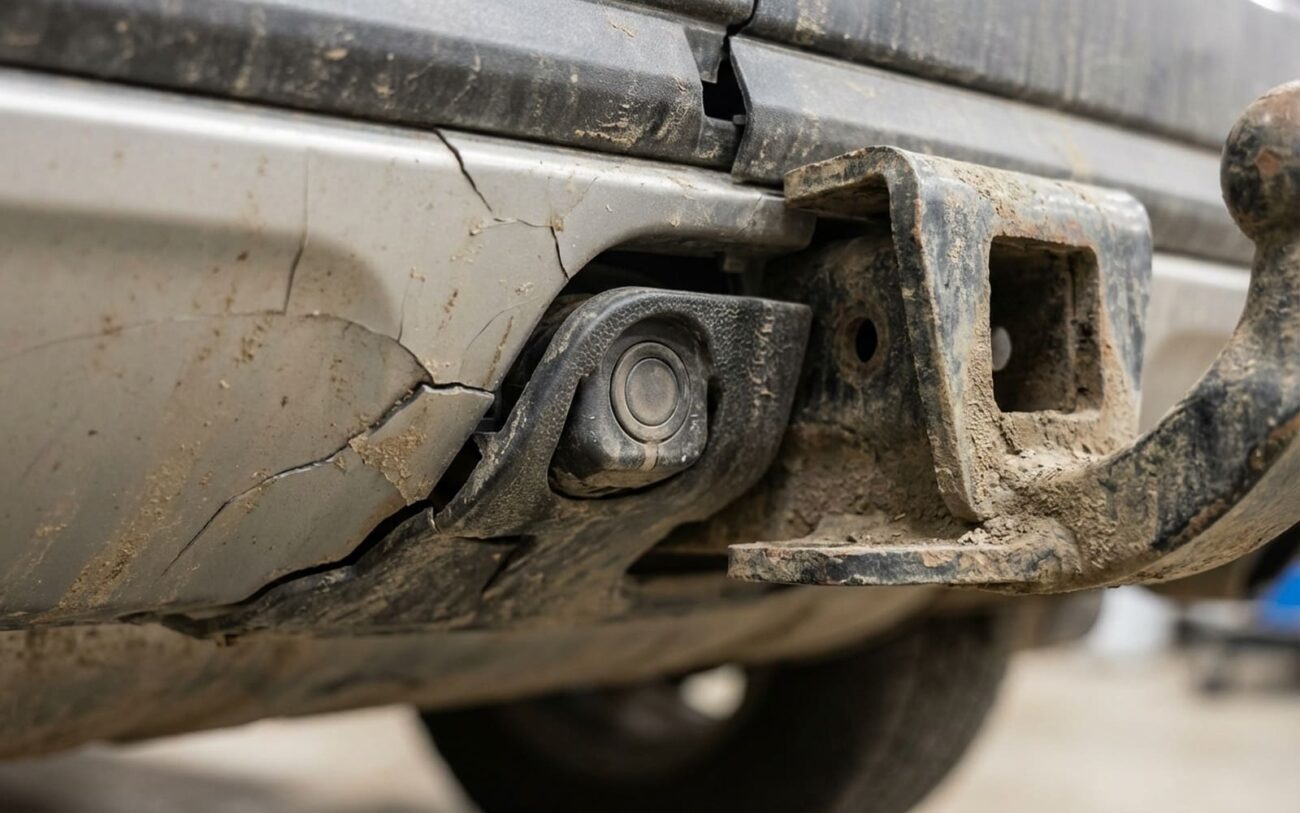
After 25+ years turning wrenches, I’ve seen just about every weird electrical gremlin a car can throw. And let me tell you, a tow hitch causing blind spot monitoring (BSM) issues? That’s not a “weird gremlin” anymore; it’s practically a Tuesday in my shop. People install a hitch, maybe a bike rack, and suddenly their BSM system goes haywire. It’s frustrating, but it’s usually solvable if you know where to look and, more importantly, what questions to ask the car.
Reading the Dash: What Your BSM System is Telling You
When a BSM system acts up after a hitch install, the first thing I tell folks is to pay attention to the dashboard and mirrors. The warning light—or lack of one—tells a pretty clear story about what’s going on. Don’t just ignore it; that’s your first clue.
The Solid Amber Light: “I’m Broken, Don’t Trust Me.”
This is the most common sign: a solid amber or yellow BSM indicator on your mirror or in the instrument cluster. It’s not flashing to warn you of a car; it’s just stuck on. This means the system has detected a hard fault and has shut itself down. It’s in “fail-safe” mode, and you absolutely cannot rely on it. It’s effectively blind. Now, this could be the hitch physically blocking the radar sensor, but it could also be a pinched wire from the install, a cracked sensor housing, or even just a control module that happened to kick the bucket at the same time. Don’t jump to conclusions, but recognize the symptom.
No Alerts, But No Warning Light: “I Think Everything’s Fine, But I’m Blind.”
This one’s more subtle, and frankly, more dangerous. No warning light, but you never get alerts when cars are clearly in your blind spot. What’s often happening here is that the hitch itself, or an accessory like a bike rack, is permanently sitting within the sensor’s field of view. The radar sees this big, stationary metal object a foot or two behind the bumper and eventually decides it’s just part of the car. It classifies it as “background noise” and ignores it—and everything behind it. The BSM is technically “on,” but it’s functionally useless. This can easily be mistaken for a calibration issue or a failing sensor, but it’s often just a big metal object fooling the system.
Ghost Alerts: “I’m Seeing Things!”
Then there are the phantom warnings: the system chiming or flashing when there’s no vehicle nearby. If this erratic behavior started right after the hitch went on, it screams “interference” to me. That metal hitch can reflect radar signals in unpredictable ways—what we call multi-path reflections—causing the system to detect targets that aren’t there. Electrical interference from poorly shielded trailer wiring or a faulty trailer light converter can also mess with the sensitive radar receiver. And don’t overlook the simple stuff: a thick layer of road grime or ice on the sensor lens can cause the same kind of false alarms.
My Take: If your BSM system is faulted or unreliable, treat it like it doesn’t exist. Period. Go back to disciplined mirror checks and shoulder glances. These systems are safety aids, not replacements for driver awareness. When they’re compromised, your risk of a collision goes way up. Assume it’s down until you’ve proven otherwise.
Getting to the Bottom of It: My Diagnostic Approach
Before you start ripping things apart, you need to confirm if that hitch is actually the problem, or if something else just failed coincidentally. This is where real diagnostics begin, not with guesswork, but with data. You absolutely need a quality scan tool that can talk to the BSM module. If you don’t have one, find a shop that does. Trust me, it’ll save you time and money.
Step 1: Scan for Codes & Live Data
Plug in your scan tool and pull any Diagnostic Trouble Codes (DTCs) from the BSM module. Don’t just clear them; write them down. Then, dive into the live data. This is where the system tells you what it’s “seeing.”
If you have a persistent fault (solid light):
- Look for DTCs like “Sensor Obstructed,” “Alignment Fault,” or “Sensor Communication Error.”
- Check the sensor’s live data for target detection. A fully blocked sensor will show zero targets even when there are cars around.
- Visually inspect the sensor housing and bracket. Did someone ding it during installation? Is the sensor visibly crooked?
- If the codes point to a communication error or internal failure, it might not be the hitch at all. Could be a wiring fault (open/short) or the sensor itself died.
If you’re getting no alerts (but no fault light):
- This is trickier. The system thinks it’s working.
- Monitor the sensor’s target list with the hitch installed. If you see a stationary object listed at 0–2 meters with 0 mph relative speed, that’s your hitch or accessory. The sensor is seeing it and ignoring everything else.
- Perform a dynamic test: have a buddy drive a vehicle through your blind spot. If no moving target appears on the scan tool’s live data, and no alert triggers, that hitch is blocking the field of view.
- Also, check if the system is properly armed. Some vehicles only activate alerts with the turn signal, or have different settings.
If you’re getting erratic or false alerts:
- This often doesn’t throw a hard code, but sometimes you’ll see “Intermittent Target” or “Signal Noise” related codes.
- The best test here is to remove the hitch (if it’s an aftermarket bolt-on) and clear any fault codes. Then, take a test drive. If the false alerts stop, the hitch was the source, likely due to multi-path reflections.
- For suspected Electromagnetic Interference (EMI) from trailer wiring, you’ll need to inspect the wiring carefully. Look for frayed insulation, poor grounds, or aftermarket trailer light converters that aren’t properly shielded. An oscilloscope can be invaluable here to check for noise on power/ground lines near the connector.
Pro Tip: Don’t just clear codes and hope for the best. You need to understand why the code set. And always verify with live data and a real-world test drive. That’s the difference between guessing and diagnosing.
The “Why” Behind the Failures: What’s Actually Happening
When a tow hitch messes with BSM, the root cause usually falls into one of four buckets. Understanding these helps you figure out the fix.
1. Physical Obstruction: The “Wall” Effect
This is the big one. BSM radar sensors are typically tucked into the rear bumper corners, designed to scan a very specific arc behind the vehicle. If the hitch receiver, a bike rack crossbar, or a solid cargo carrier extends into that zone, it’s like putting a book in front of a security camera. The radar signal hits it, reflects back, and nothing behind it can be seen. The system just thinks there’s a solid object right there, all the time.
2. Electromagnetic Interference (EMI): The “Noise” Problem
These radar systems operate on precise frequencies and are incredibly sensitive. Poorly shielded trailer wiring or a faulty trailer light converter can pump out radio frequency noise that basically jams the sensor’s receiver. Sometimes, the hitch itself, being a large metal structure, can act like an antenna, amplifying this interference. The sensor just can’t distinguish real signals from all that electronic static. I see this more often with older aftermarket wiring harnesses or when people use cheap LED trailer lights that aren’t properly filtered.
3. Multi-Path Reflection: The “Echo” Chamber
This happens when the radar signal bounces off the hitch or an accessory, then reflects off the road or another surface (like a guardrail), and then returns to the sensor. This delayed, distorted signal confuses the system’s processor, leading to those phantom alerts or missed detections. It’s not a full blockage, but the sensor is getting bad information.
4. Mechanical Damage: The “Oops” Factor
Often overlooked, but it happens. During a hitch installation, a dropped tool, a slipping wrench, or even just carelessly torquing bolts can crack the sensor housing. A wiring harness can get pinched between the hitch and the frame, damaging wires. These aren’t interference issues; they’re direct physical faults caused by the installation process itself. I’ve seen it more than once.
Manufacturer’s Know: This isn’t just a guess. Ford, for example, has service guidance for their BLIS (Blind Spot Information System) stating that certain aftermarket bike racks can trigger faults. BMW has issued technical guidance on recalibrating Side View Assist sensors after factory hitch installation due to subtle changes in bumper geometry. These aren’t isolated cases; it’s a known engineering challenge.
My Fixes: Getting Your BSM Back on Track
Once we’ve figured out what’s causing the problem, the fix depends on the specific issue. Here’s how I typically approach it in the shop:
1. For Removable Accessories (Bike Racks, Cargo Trays)
This is the easiest one. If we’ve diagnosed the accessory as the culprit, simply remove it. Take a short test drive. If the BSM light goes off and alerts return to normal, you’ve found your problem. For Class III/IV hitches, when you put that hitch pin back in, make sure you’re using the right socket or wrench. And if you’re ever dealing with subframe bolts (which you shouldn’t be for just removing an accessory, but for a hitch install), use a torque wrench. Those often need 250–350 lb-ft, and you don’t want to overtighten or undertighten.
2. For Permanent Obstruction from the Hitch Receiver Itself
If the hitch itself is blocking the sensor, you’re likely looking at a sensor relocation kit. Some OEMs offer factory tow packages that include redesigned bumper inserts or mounting brackets to reposition the sensor below or outside the hitch’s profile. This is definitely not a DIY job. It usually means removing interior trim, possibly replacing bumper fasteners, and absolutely requires a factory scan tool to recalibrate the sensor’s aim. Misalignment here means the system is still faulty, just in a different way. Torque specs are critical: M12 subframe bolts often require 70–90 lb-ft plus an angle torque, so you need the manufacturer’s specific hitch manual for that.
3. For Electromagnetic Interference (EMI)
This is an electrical fix. First, I’d start with some basic shielding. Installing ferrite choke cores (Mix 31 or 43 are common) on the trailer wiring harness near the vehicle connector can often clean up the signal. Make sure the trailer light module is properly grounded—a bad ground causes all sorts of weird electrical noise. If it looks fried or acts erratically, replace it. For a complete diagnosis and to verify noise suppression, an oscilloscope is really needed. This is especially important if you’re towing frequently or using LED trailer lights, which can be notorious for generating electrical noise.
4. When No Solution Exists: The Unfortunate Reality
Look, sometimes an aftermarket hitch just isn’t compatible with a specific BSM system. If there’s no OEM relocation kit available, and the hitch completely blocks the sensor’s field of view, your only option might be to disable the system. You can usually turn off BSM in the vehicle settings. But I’ll be blunt: this is a permanent compromise. You lose a critical safety feature, your risk of a collision goes up, and you might face higher liability in an accident. It also hurts your resale value—most buyers expect all safety systems to be functional. I tell my customers this is a last resort, not a fix.
Don’t Skip This: Post-Repair Validation
I’ve seen too many people assume a fix worked just because the warning light went off. That’s a rookie mistake. You must validate the system’s function. If you don’t, you’re just guessing, and that’s dangerous.
After Removing an Obstruction or Relocating a Sensor:
- Clear any diagnostic trouble codes (DTCs) using your scan tool.
- Complete a drive cycle under normal conditions. The BSM light should stay off.
- Use the scan tool to monitor live data from the sensor. Have another vehicle drive through your blind spot. The tool should register a moving target with the correct speed and position.
- Confirm the mirror indicator activates appropriately—steady or flashing—only when a vehicle is actually present.
For EMI Repairs:
Validation for EMI is a bit more involved because you need to simulate real-world towing conditions. Plug in a trailer (or use a load resistor to mimic trailer lights). Activate brake lights, turn signals, and running lights. Then, take a road test. The BSM system should remain active and completely free of false alerts. If codes return, or you still get ghost alerts, the interference is still there. This is when that oscilloscope comes out again to inspect the power and ground lines at the trailer connector for residual noise.
Without proper validation, you’re basically driving around with a system you hope works. A factory-level scan tool or a high-end aftermarket tool with BSM module access is absolutely essential for this step.
The Hard Truth: Cost, Risk, and Making the Right Call
Let’s talk brass tacks. Fixing these issues isn’t always cheap, and sometimes, the best “fix” is to live with a limitation. Here’s how I break down the financial and safety trade-offs for my customers:
Cost & Success Rates (My Experience)
- Removing an Accessory: This is a no-brainer. Costs you nothing but a few minutes of your time. Success rate is nearly 100% if the accessory was the problem. The only “risk” is losing the utility of that accessory.
- OEM Hitch/Sensor Relocation Kit: This is the proper, factory-engineered solution. Parts alone can run $500–$1,500, and with labor and calibration, you’re looking at $1,500–$3,000. But the success rate is almost perfect, 99%. The risk? If it’s not calibrated perfectly, you still have an inaccurate or non-functional BSM, which means you paid a lot for nothing.
- System Disablement: Cost is $0. Success rate at disabling the system is 100%, but its success rate at restoring safety is 0%. This is where the real risks come in: increased collision risk, higher insurance liability if you get into an accident, and definitely lower resale value. No one wants to buy a car with a disabled safety feature.
Here’s my advice: if the cost of a proper OEM-compatible fix starts to creep up past, say, 40% of your vehicle’s current market value, and you can genuinely work around the limitation (e.g., you only use that bike rack twice a year), then accepting the compromise might make financial sense. But disabling BSM permanently? That’s almost never the right call from a safety standpoint. You’re trading a known cost for an unknown, but potentially catastrophic, risk. I’ve seen too many near-misses from drivers who assumed their system was working—or didn’t even realize it was off.
My Final Word: Prevention is Key
The best fix for a BSM problem caused by a hitch is to avoid the problem altogether. When you’re shopping for a hitch, prioritize compatibility. Look for hitches certified by your vehicle manufacturer or explicitly labeled as BSM-compatible by the hitch maker. Avoid designs with big, solid cross-members or panels that could easily block the sensor’s field of view. Low-profile hitches that tuck neatly beneath the bumper are usually a safer bet for BSM clearance.
And please, make this a habit: any time you install or remove a hitch, or put on a rear accessory, test the system immediately. Have a friend drive a car through your blind spot on a quiet road. Confirm the alert activates. Understand your system’s behavior, too: many vehicles automatically disable BSM when a trailer is connected—that’s normal. The real red flag is when the system is disabled or faulted when no trailer is attached.
It takes five minutes, and it could prevent a serious incident. Blind spot monitoring is one of the most effective collision-avoidance systems we have on the road today. Don’t let a simple hitch installation undermine it. Your safety, and the safety of others, depends on it.
