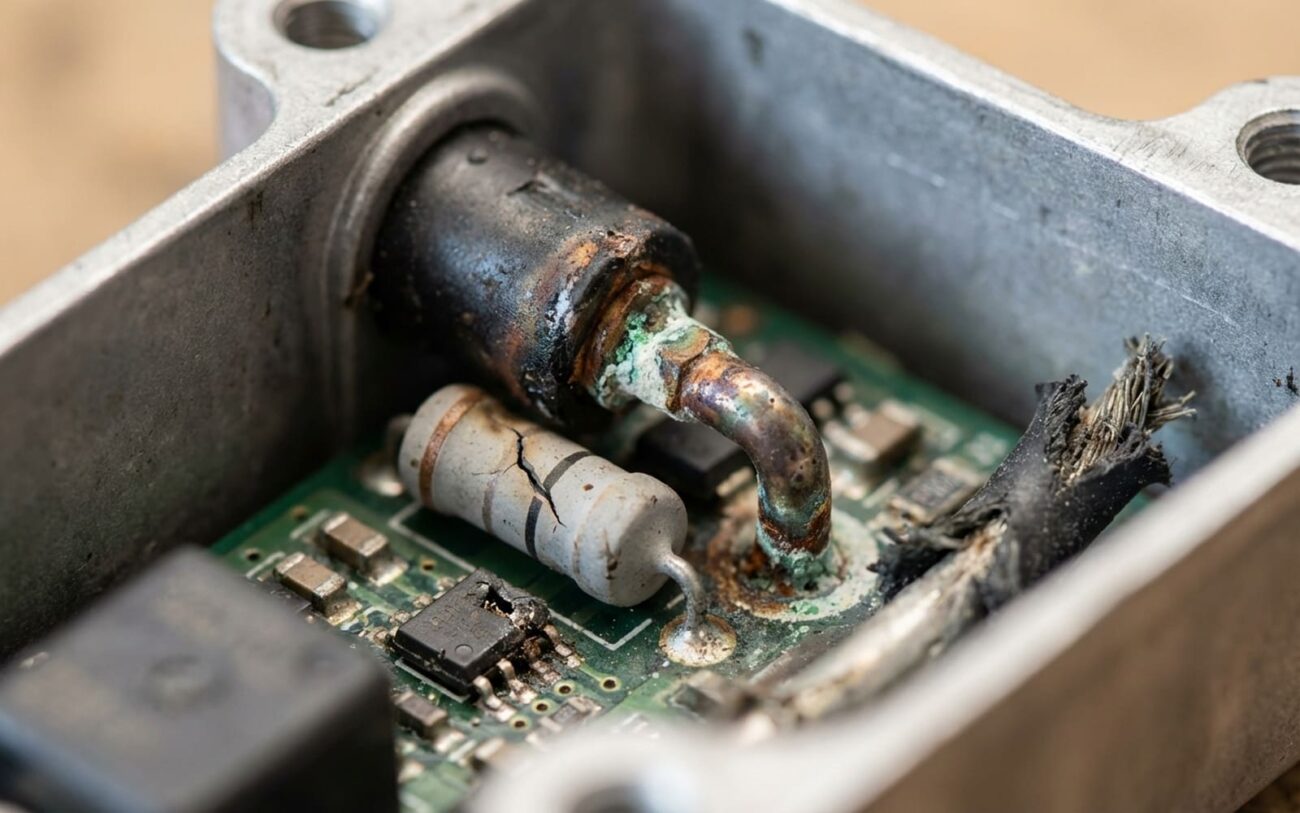
Alright, let’s talk Tesla inverters. After 25 years under the hood – or in this case, under the frunk – I’ve seen these things fail in just about every way imaginable. It’s a critical component, the heart of your electric drive, converting the battery’s high-voltage DC into the precise AC that spins the motor. When it goes, your Tesla isn’t going anywhere fast. This isn’t a light fix, and guessing will cost you. So, let’s break down what you need to know.
What You’ll See and Hear: Early Warning Signs
When a Tesla inverter starts to go south, it doesn’t usually give you a gentle nudge. It’s more like a punch to the gut. The most common early symptom I see? A sudden or gradual loss of power. You hit the accelerator, and instead of that familiar surge, the car feels sluggish, like it’s stuck in a permanent eco mode. It’s not just your imagination.
Often, this comes with specific warnings on the touchscreen. You might see: “Maximum battery charge level reduced,” “Drive Unit Overheating,” or the classic “Car Needs Service.” These aren’t random alerts; they’re the car’s computer telling you, “Hey, something’s wrong here, and I’m limiting output to protect critical components.” That’s your first red flag, and you need to pay attention.
And then there’s the noise. A high-pitched whine or a grinding sound that changes with vehicle speed. This can point to the inverter, specifically magnetic components like inductors or chokes. But it could also be the motor bearings or reduction gear. We’ll get into how to tell the difference, but it’s another clear red flag you shouldn’t ignore.
When Things Get Serious: “Turtle Mode” and the Pyro Fuse
If you ignore those early warnings, or if a fault happens fast, you might hit what Tesla owners call “Turtle Mode.” The car will display messages like “Electrical System Power Reduced” or “Pull Over Safely.” This isn’t a glitch; it’s the vehicle detecting a high-risk electrical fault – like a short circuit or thermal runaway – and cutting propulsion to prevent damage. It’s a safety shutdown, pure and simple.
And then there’s the big one: a loud BANG from the front trunk (frunk). That’s the pyro fuse – officially known as the pyrotechnic battery disconnect (PBD) – detonating. It’s designed to physically sever the high-voltage connection to the battery pack. This is a last-ditch safety measure triggered by the Power Conversion System (PCS) when it detects a sustained dead short, typically within the inverter itself. When you hear that, the car’s basically saying, “I just saved myself from a fire, but I’m done moving.”
Know what’s NOT an inverter problem:
Before you jump to conclusions and blame the inverter for everything, let’s clear up what isn’t an inverter problem. 12V battery warnings, touchscreen freezes, or Bluetooth issues? That’s the low-voltage system, not the inverter. Messages about battery degradation or reduced range? That’s the high-voltage battery pack itself. Thermal management system faults without power loss? Likely a pump, valve, or sensor in the cooling system. I’ve seen too many people chase their tails on these, replacing expensive parts that weren’t the issue. Keep these separated in your diagnosis—misattributing symptoms leads to costly mistakes.
Getting to the Bottom of It: My Diagnostic Approach
Alright, you’ve got symptoms. But symptoms are just clues. The real work is figuring out where those clues are leading. I’ve had countless cars towed in with “bad inverter” on the ticket, only to find it was a resolver, a pump, or even just a software hiccup. Guessing costs money, and it costs time. This is where differential diagnosis comes in – narrowing down the true source.
| Symptom | Likely Inverter Component | Common External Mimics | Definitive Test to Confirm Source |
|---|---|---|---|
| Vehicle Reduced Power / Shutdown with motor-related DTCs | IGBT or SiC MOSFET module degradation, DC-link capacitor failure, gate driver board fault, or internal coolant leak affecting electronics | Motor resolver failure, stator winding short, HV battery internal resistance fault, or HVJB communication error |
Perform a high-voltage system isolation test using a megohmmeter. A resistance below 1 MΩ between the motor windings and chassis indicates a motor fault. If isolation is good, the issue is likely upstream in the inverter. |
| Loud whining/grinding noise correlated with motor RPM | Inductor core delamination (common in Gen1), capacitor microphonics, or transformer resonance due to failing components | Gearbox bearing failure, reduction gear wear, motor rotor imbalance, or bearing spalling |
Use an electronic stethoscope to isolate the sound source. Place sensors on the inverter housing and the gearbox casing. If the noise peaks at the inverter, suspect magnetic components. If it’s loudest at the gearbox, you’re looking at mechanical wear. |
| Pyrotechnic Battery Disconnect (PBD) deployed | Direct short in IGBT/SiC module, causing sustained overcurrent on the DC bus | HV wiring harness damage, insulation breakdown, or internal HV battery short |
Technician must perform a static resistance check across the inverter’s DC input terminals before re-energizing. A reading near 0 ohms confirms an internal short in the inverter. If it’s not shorted, then you’re looking for a short elsewhere in the HV system. |
Why These Things Fail: Common Root Causes I’ve Seen
So what actually kills these inverters? From years of teardowns and bench testing, I can tell you the root causes are often design-related, exacerbated by maintenance lapses or just plain wear and tear.
On the early Gen1 Teslas (Model S 2012–2016, some early Model X), the DC-link capacitors were a known Achilles’ heel. These large electrolytic capacitors smooth the DC voltage before it’s converted to AC. But they’re sensitive to thermal cycling – they cook. Over time, the electrolyte dries out, their ESR (equivalent series resistance) rises, and the capacitor can’t respond quickly to power demands. This leads to voltage instability, triggering “inverter overtemperature” faults. Tesla did issue service bulletins addressing capacitor-related failures, though the exact numbers aren’t publicly released—just know that this was a documented issue.
Another common Gen1 flaw was solder fatigue in the IGBT modules. The solder joints between the silicon die and the baseplate crack from repeated heating and cooling. Once cracked, heat can’t transfer properly, the IGBT overheats, and it fails—sometimes shorting the DC bus. You’ll see this in diagnostic trouble codes like DI_u1234 or PIM_5678 (those are generic, but you get the idea). Also common was inductor core delamination. The stacked metal plates in the inductors can lose their bonding, vibrate, and create that high-pitched whine I mentioned. In extreme cases, they arc internally, causing permanent damage.
Later Gen1 and Gen2 inverters moved to Silicon Carbide (SiC) MOSFETs, which are more efficient and thermally robust. But they’re not immune. One major issue I’ve seen across generations is internal coolant passage corrosion. The inverter’s cooling channels are aluminum, and if non-Tesla coolant (like G48 substitutes) is used, or if coolant service is skipped, electrolytic corrosion eats away at the passages. This can cause internal coolant leaks into the electronics chamber or reduce cooling efficiency, leading to thermal throttling or failure.
The gate driver board is another failure point. Tiny surface-mount components degrade over time, especially in high-heat environments. A failed resistor or capacitor here can cause mistimed switching, leading to phase imbalance and fault codes. And while these are inverter issues, don’t confuse them with faults that damage the inverter. A shorted motor stator, welded contactors, or a failed inverter coolant pump can all destroy the inverter—but the root cause lies elsewhere. Diagnosing correctly means avoiding unnecessary part replacements. Always chase the true root cause, not just the symptom.
Fixing It: Your Options and What I Recommend
High Voltage Safety Warning
Look, working on these high-voltage systems isn’t for the faint of heart, or the untrained. Seriously. Repairing internal inverter components requires following the service manual’s disassembly sequence to avoid damaging potting compound or internal connectors. If you don’t have the proper tools, HV safety training, and experience, you’re asking for a very bad day. Or worse. This is not a DIY job for the uninitiated.
External & Manifold Repairs
Internal Component-Level Repair
Substrate-Level & Full Replacement
Proving the Fix: Post-Repair Validation
You fixed it? Great. Now prove it. And prove it’s safe. Fixing it isn’t the end of the job; proper validation is critical to ensure reliability and prevent repeat failures.
For any coolant-related repair, a static pressure test is mandatory. Pressurize the system to 1.2 bar (specs vary by model, so check your manual) and monitor for 30 minutes. No drop? Good start. But that’s not enough. Real validation comes from thermal cycling. Run the car through three full heat-up and cool-down cycles—drive it hard enough to push coolant past 85°C, then let it sit and cool completely. Inspect for weeping at the repair site after each cycle. Many leaks only appear under thermal expansion and contraction.
For electrical repairs, validation is digital and dynamic. If you replaced capacitors or a gate driver board, test the inverter on a bench setup first if you have the capability—check for proper switching, no shorts, and stable output. Once installed, use a factory-level diagnostic tool (like Tesla’s proprietary system or an approved aftermarket scanner) to clear codes and enter service mode. Run a full drive cycle while monitoring live data: inverter temperature, phase current balance, modulation index, and DC bus voltage. Look for any return of fault codes—especially those starting with DI_u or PIM_. If everything stays clean and full power returns, you’re good. If not, you’ve got more digging to do.
Cost, Risk & When to Walk Away
Let’s talk real numbers, because that’s usually the bottom line. Inverter work is expensive, and you need to weigh cost against value. This isn’t a cheap fix, ever.
| Repair Type | DIY Cost | Shop Cost | Success Rate (2-Year) | Secondary Risk if Failed |
|---|---|---|---|---|
| Capacitor Replacement (Component-Level) | $200–$500 (parts only) | $1,500–$2,500 (labor + parts) | 85–90% | Repeat failure; risk of undiagnosed root cause damaging new parts |
| Remanufactured Inverter Unit Exchange | $2,000–$3,500 (core charge) | $4,000–$7,000 (parts & labor) | 98–99% | Very low; failure would likely indicate secondary issue |
Here’s my rule of thumb: If a remanufactured inverter replacement costs more than 50% of your car’s current private-party value, the repair becomes questionable. A $7,000 fix on a $10,000 car with an aging battery pack and maybe some worn suspension components may not make financial sense. You’ve got to consider the vehicle’s overall health: battery state of health (SOH), suspension condition, and upcoming service needs. Sometimes, the smartest move is to cut your losses and put that money towards a different vehicle. It’s a tough call, but it’s a real one.
Keeping It Alive: Prevention & Monitoring
Can you prevent inverter failure entirely? Not always—but you can drastically reduce the risk. It’s all about proactive maintenance and paying attention to your vehicle.
My Maintenance Checklist
-
Coolant Maintenance: This is huge. Use only Tesla-approved G48 coolant and service the thermal management system every 4 years or 50,000 miles. Don’t mix coolants; it leads to electrolytic corrosion, which will eat your inverter’s cooling channels from the inside out.
-
Software Updates: Stay current with updates. Tesla pushes improvements to thermal management algorithms that can reduce temperature spikes and extend hardware life. It’s free, so why wouldn’t you?
-
Early Detection: Pay attention to new sounds. A high-pitched whine during acceleration should be investigated, not ignored. If you can, monitor inverter temperatures via the service menu or an aftermarket app. If you see the inverter running hotter than usual—say, 10–15°C above normal for your driving style—something’s degrading. It could be a failing inverter coolant pump, a clogged filter, or early-stage corrosion. Catching it early could save you a six-figure drive unit replacement down the road.
The bottom line is, these inverters are complex, high-stress components. They’re going to fail eventually. But with the right knowledge, careful diagnosis, and proactive maintenance, you can significantly extend their life and avoid turning a manageable repair into a complete financial disaster.
