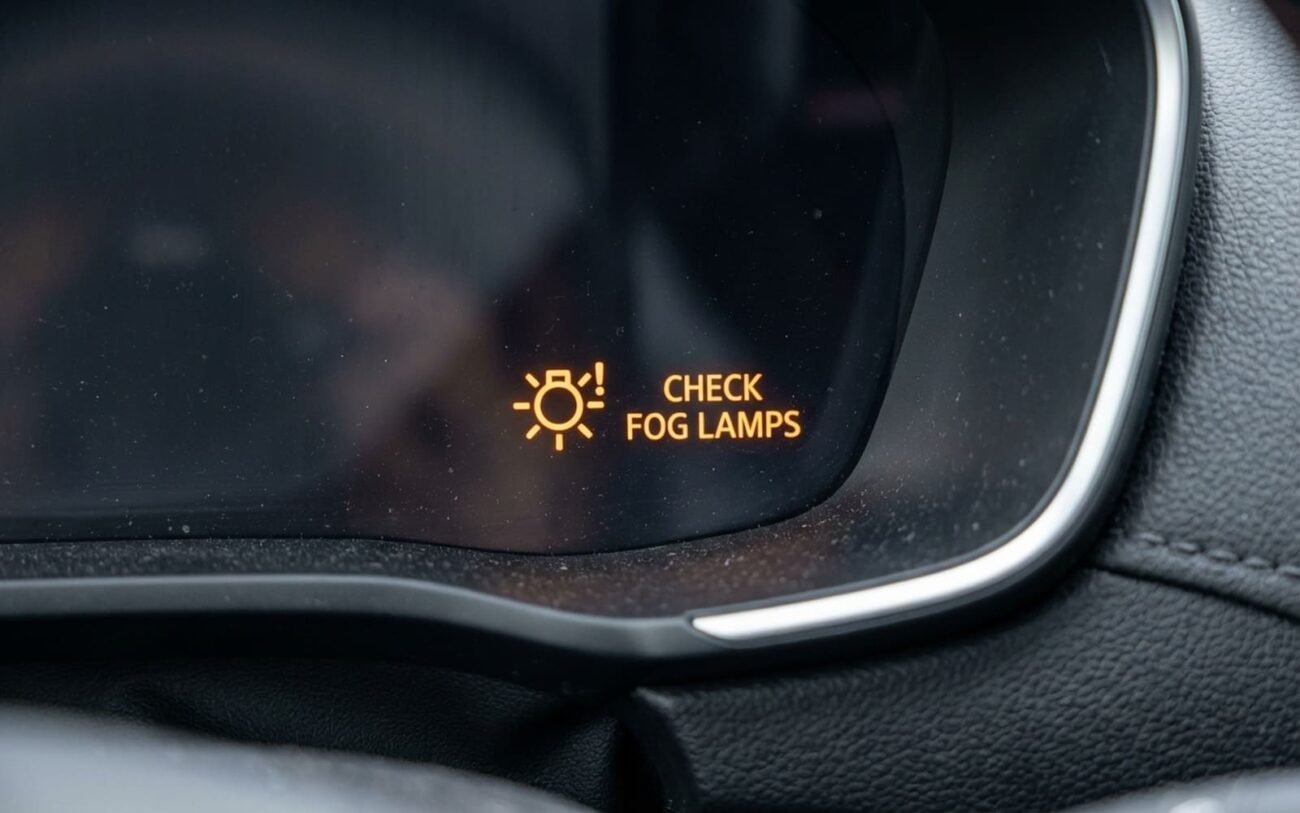
Yeah, that check engine light after installing fog lights? I’ve seen it more times than I can count — especially on late-model Toyotas, Fords, and GMs. You slap on a nice set of LED fogs, fire up the truck, and bam: yellow engine icon staring back at you. No drivability issues. Engine runs fine. But the car’s throwing a fit anyway. Let me tell you what’s really going on — and how to fix it without yanking out your new lights or ignoring a warning that might actually matter.
It’s Not “Fake” — The Car Thinks Something’s Broken
Modern vehicles don’t just monitor engine performance with the check engine light. That same bulb gets used by the Body Control Module (BCM) for electrical faults — including lighting circuits. When you install aftermarket fog lights, especially LEDs, you’re changing the electrical load the BCM expects. And when the numbers don’t match? It logs a code. Simple as that.
Factory halogen fogs usually draw around 55 watts — roughly 4.6 amps at 12 volts. Most LED kits pull half that, sometimes less. The BCM runs periodic bulb checks by measuring current flow. See too little? It assumes an open circuit or dead bulb. This isn’t some software bug. This is the system working exactly as designed. I’ve pulled DTCs like B2572 (“Front Fog Light Circuit Malfunction”) on a 2020 Silverado after an LED swap — no surprise there.
Step-by-Step: Figure Out What’s Really Wrong
Don’t guess. Diagnose. Here’s how I break it down in my shop:
1. Pull the Codes — But Go Beyond the OBD2 Reader
Grab a scanner that can access BCM modules, not just engine codes. Look for anything related to lighting circuits — U-codes (network issues), B-codes (body), or C-codes (chassis). Clear the code, then disconnect the fog light circuit at the relay. Fire it back up.
If the code comes back? Problem is on the factory side — maybe a damaged harness or bad connection before your install. If it stays off? Your aftermarket setup is triggering it. Could be load mismatch, noise, or resistance.
2. Test for Voltage Drop — This Catches 80% of Wiring Faults
Set your multimeter to DC volts. Probe the power wire at the fog light connector while the light is on. Then probe the ground side. Any reading over 0.5V on either side means excessive resistance. I’ve found corroded grounds under fender liners, loose splices, even factory connectors pushed halfway out.
And check ground quality: run a dedicated 10-gauge ground straight to the chassis or battery negative. Don’t rely on the factory mounting point — rust kills conductivity.
3. Check for Electrical Noise on the CAN Bus
If your DRLs flicker, turn signals stutter, or dash lights go haywire when the fogs turn on, you’ve got interference. Cheap LED drivers put out electrical noise that messes with CAN bus communication. The BCM sees garbled data and starts dropping modules.
Best way to confirm? Use a scan tool to look for U0100 (Lost Communication with ECM) or similar. If you’ve got an oscilloscope, watch the CAN-H and CAN-L lines when the fogs activate. Noise spikes = problem source is your lights or wiring.
(And yes, this is why some people lose climate controls or seat memory after interior work — water or wiring mistakes disrupt the same network.)
Why the BCM Shuts It Down — And How to Stop It
The BCM isn’t being picky. It uses solid-state drivers to switch lights — no relays, just semiconductors. These are sensitive to inrush current. When you flip on cheap LEDs, some drivers surge over 10 amps for milliseconds. The BCM sees that as a short and kills the circuit to protect itself.
I’ve seen this disable entire lighting zones on a 2018 Explorer because the fog circuit shares a driver with the DRLs. One bad LED kit, and half the front lights go dark.
So what works?
Use a relay harness with load resistors — or better yet, a CAN-bus compatible adapter. These fake the factory load so the BCM doesn’t freak out. I prefer the ones with built-in capacitors that smooth out inrush spikes. Not all “CANbus” kits are equal — the good ones cost more, but they last.
Another trick: if your vehicle uses PWM (pulse-width modulation) for DRLs or fogs, avoid direct-wire LED kits. They can’t handle the chopped signal and fail fast. Look for “PWM-compatible” or “dual-wave” drivers.
Final Advice: Don’t Ignore the Warning — But Don’t Panic Either
A check engine light after fog light install isn’t always dangerous. But it’s not something to clear and forget. If it’s just a load mismatch, fine — fix it with resistors or relays. But if you’re seeing voltage drops, flickering lights, or charging warnings? That’s a fire risk waiting to happen.
I’ve had to rewire entire front ends because someone used zip ties and speaker wire for fog lights. Don’t be that guy.
Bottom line: modern cars are networked. Change one thing, and it can ripple through the system. Respect the electronics — they’re smarter than we think.
